

Hi,
I would like to have a Expand/Collapse All Grid Groups button in the Grid Header. I know this is possible to do so programmatically outside of the grid but my users want it inside the Grid.
Thanks,
Humayoon

Hi all,
Indeed, currently the described UX can be implemented through the Grid State and the SetStateAsync() method.
Here are two important notes:
- The current workaround requires LoadGroupsOnDemand to be false (which is by default).
- When implemented, this feature may still not work if LoadGroupsOnDemand is true, because the Grid will have to make as many simultaneous requests as the number of groups. If this is not a problem, then the other option is to make this feature dependent on another one, which adds the load-on-demand grouping to the Grid state: Expand groups programmatically when LoadGroupsOnDemand is enabled.
Regards,
Dimo
Progress Telerik
Love the Telerik and Kendo UI products and believe more people should try them? Invite a fellow developer to become a Progress customer and each of you can get a $50 Amazon gift voucher.

We'd love this feature more widely supported than the manual way to do this now. We've just created this UI for it, but we have tons of grids, going to be a huge time sink to support all grids.
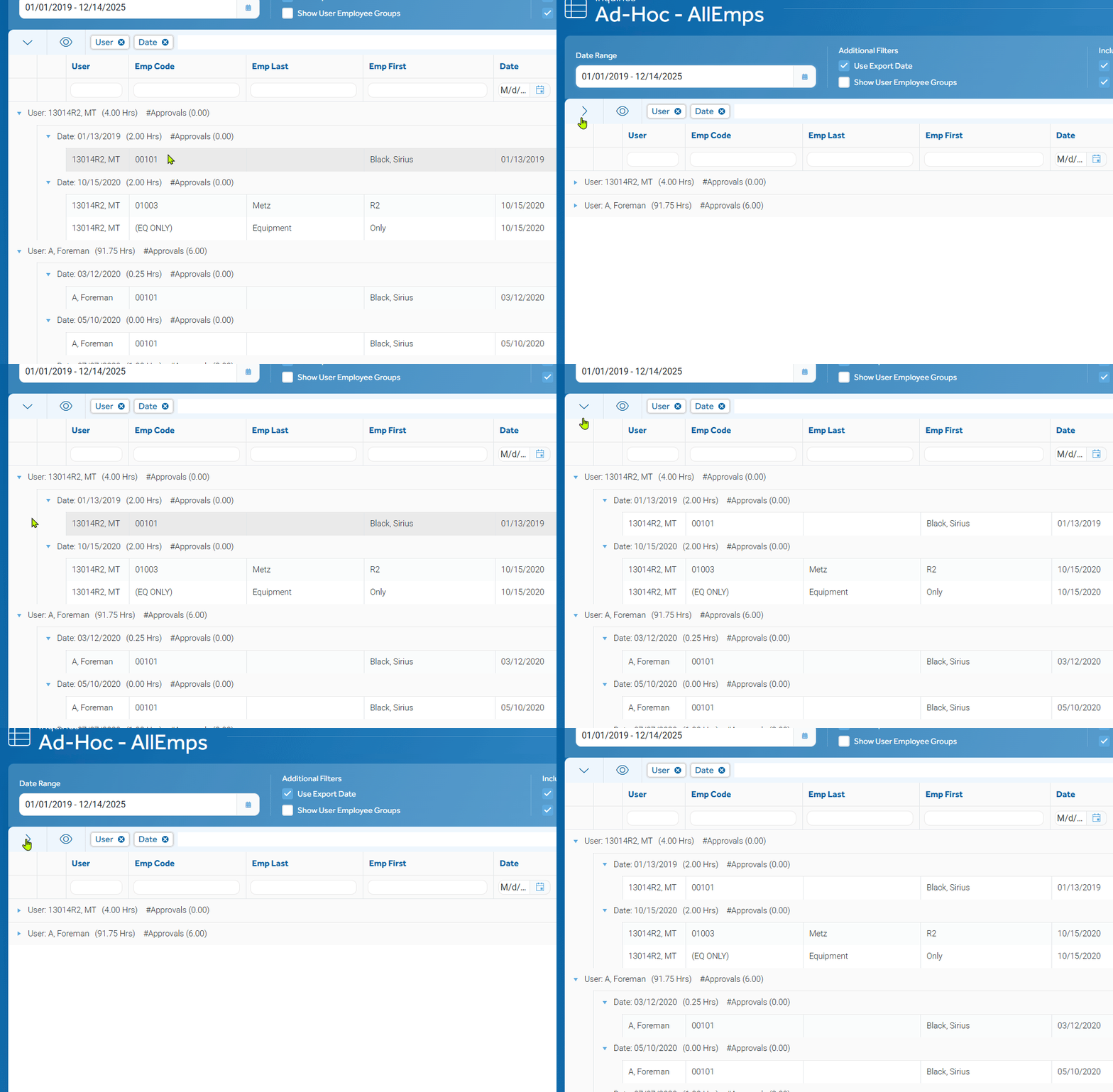
using version 6.2
I have a button. If my items are already grouped, I can do the following:
```
private async Task ExpandCollapse()
{
    _isExpanded = !_isExpanded;
    var state = _grid.GetState();

    if (_isExpanded)
    {
        state.CollapsedGroups = null;
        state.ExpandedItems = _alerts;
    }
    else
    {
        state.CollapsedGroups = Enumerable.Range(0, _items.ToList().Count).ToList();
    }

    await _grid.SetStateAsync(state);

}
- All
- Completed (1526)
- Declined (386)
- Duplicated (414)
- In Development (8)
- Need More Info (14)
- Planned (3)
- Unplanned (1070)
- Won't Fix (23)
- All
- UI for Blazor
- Agentic UI Generator
- AIPrompt
- AnimationContainer
- AppBar
- ArcGauge
- AutoComplete
- Avatar
- Badge
- Barcode
- Breadcrumb
- BrowserExtension
- Button
- ButtonGroup
- Calendar
- Card
- Carousel
- Charts
- Chat
- Checkbox
- Chip
- ChipList
- ChunkProgressBar
- CircularGauge
- ColorGradient
- ColorPalette
- ColorPicker
- ComboBox
- ContextMenu
- DateInput
- DatePicker
- DateRangePicker
- DateTimePicker
- Diagram
- Dialog
- DockManager
- Drawer
- DropDownButton
- DropDownList
- DropDownTree
- DropZone
- Editor
- ExpansionPanel
- FileManager
- FileSelect
- Filter
- FlatColorPicker
- FloatingActionButton
- FloatingLabel
- Form
- Gantt
- Grid
- GridLayout
- InlineAIPrompt
- Installer and VS Extensions
- Licensing
- LinearGauge
- ListBox
- ListView
- Loader
- LoaderContainer
- Map
- MaskedTextBox
- MediaQuery
- Menu
- MultiColumnComboBox
- MultiSelect
- Notification
- NumericTextBox
- Page Templates / Building Blocks
- Pager
- PanelBar
- PDFViewer
- PivotGrid
- Popover
- Popup
- ProgressBar
- PromptBox
- QRCode
- RadialGauge
- RadioGroup
- RangeSlider
- Rating
- Scheduler
- SegmentedControl
- Signature
- Skeleton
- Slider
- SmartPasteButton
- SpeechToTextButton
- SplitButton
- Splitter
- Spreadsheet
- StackLayout
- Stepper
- StockChart
- Switch
- TabStrip
- TaskBoard
- TextArea
- TextBox
- TileLayout
- TimePicker
- ToggleButton
- ToolBar
- Tooltip
- TreeList
- TreeView
- Upload
- ValidationMessage
- ValidationSummary
- ValidationTooltip
- VS Code Extension
- WebMCP
- Window
- Wizard