


Hello,
Thank you for the update.
Adobe Acrobat has a navigation pane called the Bookmarks panel, and it can display a hierarchical list of headings so you can jump between sections of a PDF. Acrobat can show different heading levels in a tree, but the PDF must have suitable bookmarks or a properly structured document for those levels to appear.
So the described case seems bookmarks navigation panel. I have updated the title of the item and the status to Unplanned.
For now the option you have is to use the Telerik pdf processing library to get the bookmarks from the document and then visualize them in additional control. More details how to use the bookmarks feature can be found here: https://www.telerik.com/document-processing-libraries/documentation/libraries/radpdfprocessing/features/bookmarks
Regards,
Didi
Progress Telerik
Hi Didi,
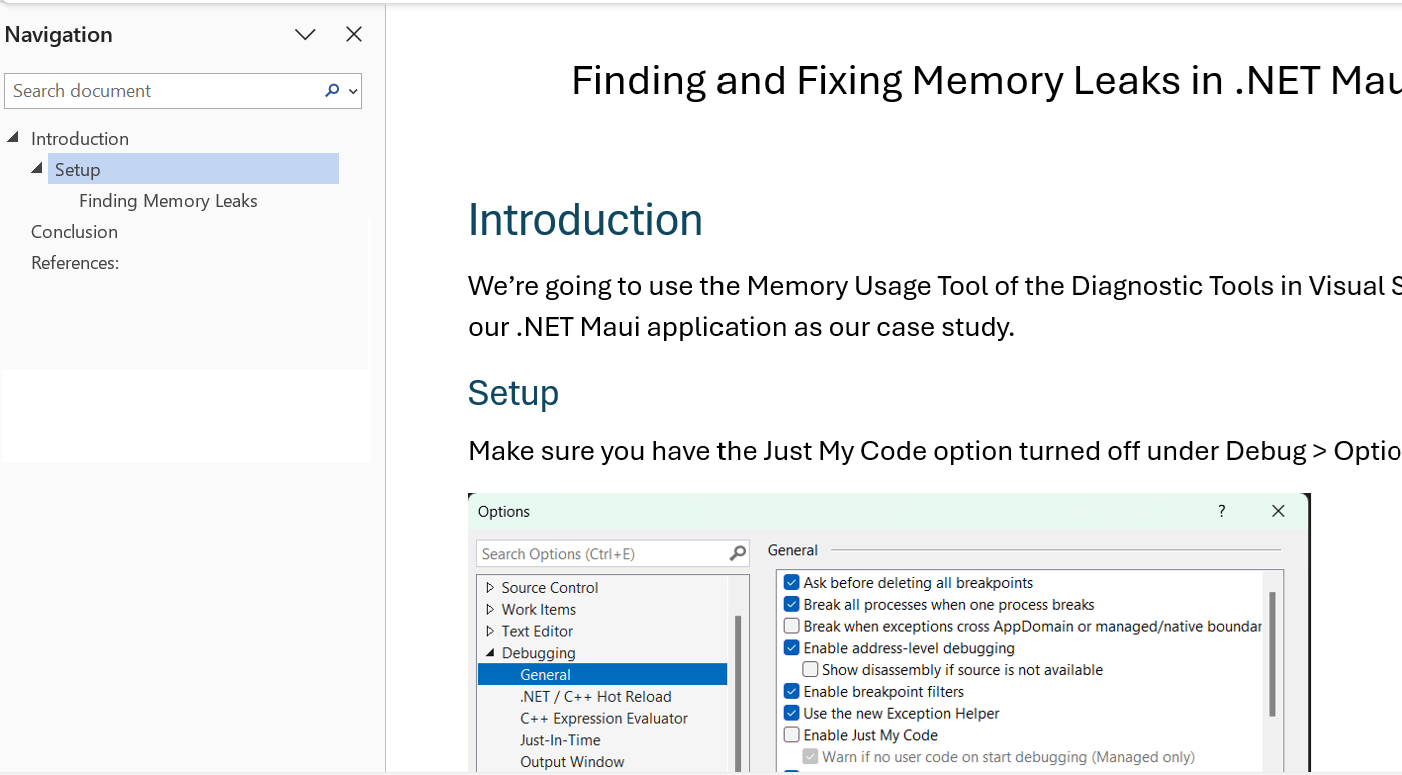
Thanks for the comment. We are actually not looking for thumbnail view pane. We need the topic / toc navigation view. It is similar to MS doc or Acrobat Reader navigation pane where the different heading levels are shown. Clicking on that reaches to the specific page and topic in the document. Here is an example
Hello Sudipta,
Based on the provided details it seems you want a thumbnails approach. Could you please confirm this?
If thumbnails is the requested scenario then you can achieve this by using the pdf processing library. Here is a blog post for the scenario: https://www.telerik.com/blogs/turn-pdf-pages-images-pdfprocessing So you can convert the document pages into images.
Then you can add a CollectionView next to the PdfViewer control to visualize these images in the list control. Kb article can be found here: https://www.telerik.com/maui-ui/documentation/knowledge-base/display-select-pdf-thumbnails-dotnet-maui It shows the scenario when thumbnails are generated for multiple documents, in your case you need to implement for one document following the blog post approach.
Regarding to the topic and subtopic scenario, send an image of the result you want to achieve and explain with more details.
Regarding to the navigation and search option, send images of the exact features you want in the pdf viewer control.
Regards,
Didi
Progress Telerik
- All
- Completed (507)
- Declined (78)
- Duplicated (36)
- In Development (1)
- Under Review (1)
- Unplanned (518)
- Won't Fix (18)
- All
- UI for .NET MAUI
- Accordion
- AI Coding Assistant
- AIPrompt
- AutoComplete
- BadgeView
- Barcode
- Border
- BottomSheet
- BusyIndicator
- Button
- Calendar
- Chart
- Charts (New)
- Chat (Conversational UI)
- CheckBox
- CircularSlider
- CollectionView
- ComboBox
- DataForm
- DataGrid
- DataPager
- DatePicker
- DateTimePicker
- DockLayout
- DropDownButton
- Editor
- Entry
- Expander
- Gauge
- GridSplitter
- ImageEditor
- Installer and VS Extensions
- ItemsControl
- Licensing
- ListPicker
- Map
- MaskedEntry
- NavigationView
- NumericInput
- Path
- PDFViewer
- Popup
- ProgressBar
- PromptInput
- RangeSlider
- Rating
- RichTextEditor
- Scheduler
- SegmentedControl
- SideDrawer
- SignaturePad
- Skeleton
- Slider
- SlideView
- SmartPasteButton
- SpeechToTextButton
- TabView
- TemplatedButton
- TemplatedPicker
- TimePicker
- TimeSpanPicker
- ToggleButton
- Toolbar
- TreeDataGrid
- TreeView
- VS Code Extension
- WrapLayout