

Issue:
The text for the onlabel and offlabel is not shown because the ".k-switch-label-on, .k-switch-label-off" is showing "display: none" and other issues you'll see when testing. Appears that the SASS Theme Builder doesn't take into consideration the OnLabel and OffLabel parameters.
SASS Theme CSS: line 12087-12096
.k-switch-label-on,
.k-switch-label-off {
display: none;
position: absolute;
top: 50%;
-webkit-transform: translateY(-50%);
-ms-transform: translateY(-50%);
transform: translateY(-50%);
overflow: hidden;
}
Code:
<TelerikSwitch class="ml-2" @bind-Value="@isDark" Width="80px" OnLabel="Dark" OffLabel="Light" OnChange="ThemeHandler" />

Add ability to style the table headers in Scheduler

The style for dialog actions is exported with the following selector
.k-dialog-wrapper .k-window.k-dialog .k-window-actions.k-dialog-actions.k-actions.k-actions-stretchedThis is not applied when I switch actions bar to a different layout than the default
<DialogActionsBar layout="start">
</DialogActionsBar>.k-actions-stretchedThemebuilder used to export non compiled css
Now it's only compiled, and it's not easily plug and play with my current npm bundler.
Please bring back option to export non-compiled css

Consider the option to expose predefined classes of HTML elements from the Kendo themes. This would allow atomic customization and mapping to other imported variables (like ones imported from Figma designs).
For example:
An option to style the H1 header from the Kendo theme, which has the .k-h1 class.
Hello,
The MultiSelect and ComboBox Icons seem to have issues. First, in the MultiSelect, I'm not able to customize the icon within the IconButton. In the similar ComboBox, I can customize the icon, but the change is not reflected in the live view.
I would expect that all the clear "X" icons within the dropdown components would inherit from the base TextBox "Clear Icon" but they don't.
Regards,
Brian
Hello,
There seems to be an automatic 25px margin on the <p> within the content element that we can't customize. Could you please remove this and allow this to be customized in the ThemeBuilder?
Thanks,
Brian
Hello,
I'm able to customize the components of the webpage, like buttons, grids, etc., but not the entire webpage. Can you support to design an entire webpage using ThemeBuilder so that I can create a login page instead of creating login.css.
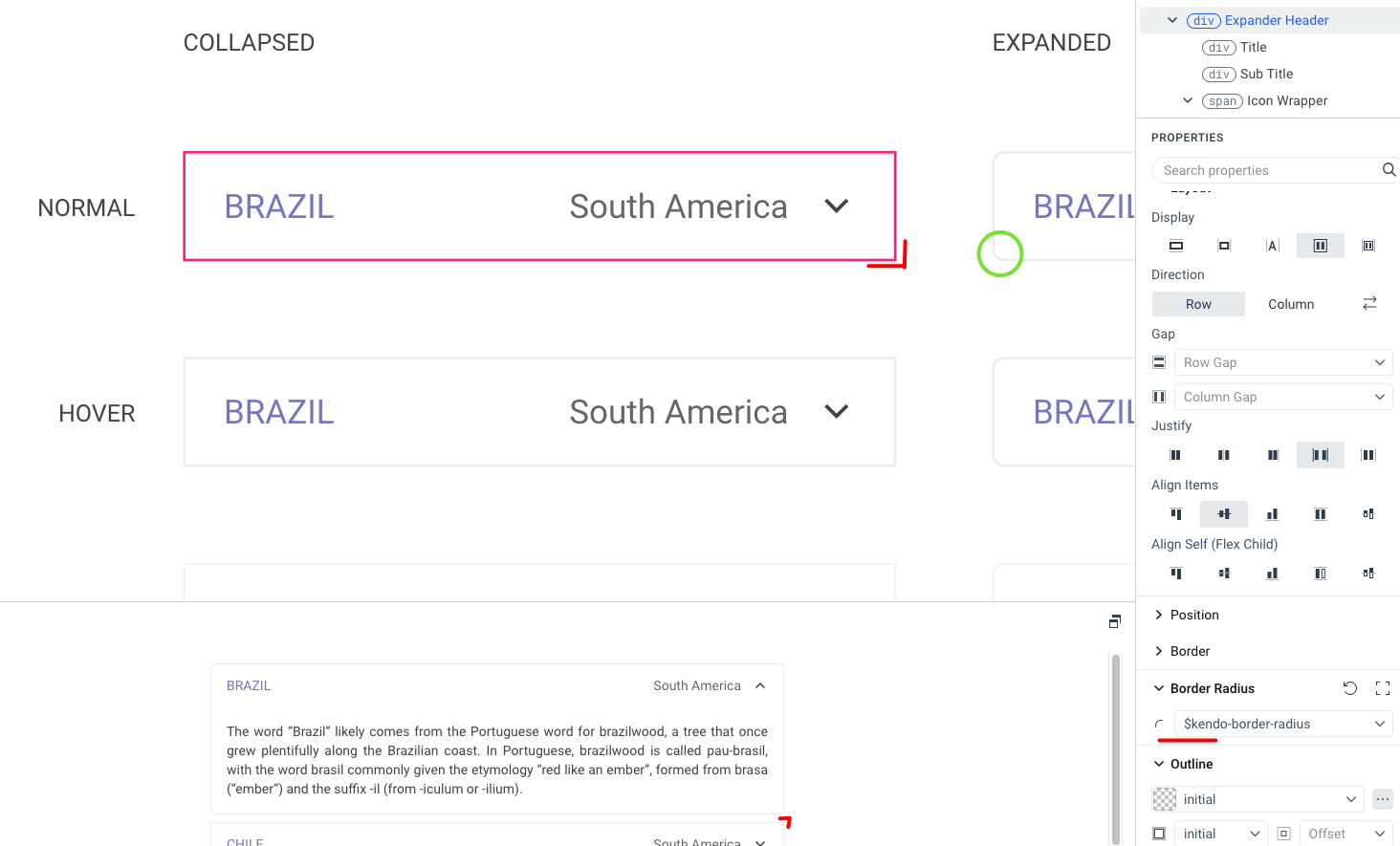
When editing the collapsed state, the border-radius section does not work, in the expanded section everything is fine. Both states have the same variable set.
Additionally, there is no editing of the FOCUSED state for the header, which occurs in a similar component - PanelBar.

Hey there, just a question:
Is there a recommended way, how I can use your Blazor components (especially the ThemeBuilder) with Tailwind?
I only want to define the colors once, but use them for Themes generated with a Theme Builder and for Tailwind.
ThemeBuilder allows styling of Button focus outline (through ::after pseudo element).
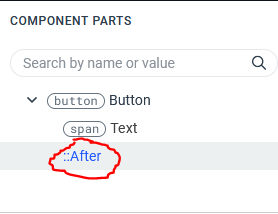
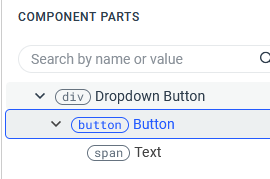
This is unfortunately not available for DropDownButton, although the component uses internally the same mechanism for focus outline as Button.
Hello,
I'm trying to update our themebuilder project by exporting metada (v7.0) and then importing into a new v7.2 project, but it fails.
Steps to reproduce the bug
In Themebuilder:
- enable Advanced edit and edit the Grid component.
- Once there, in Grid Construction Elements, go to the GRID DEFAULT part.
- In the top-right element tree area, go in <div> Grid ---> <table> Table.
- Once there, set the Table > Border Collapse property to Separate
- Finally try applying two different values for vertical and horizontal spacing in the Table > Border Spacing property. If necessary, apply a visible border to cells to better see the issue.
Expected behavior : The two different values should be persisted and applied.
Actual behavior : The behavior is strange and editing one value seem to overwrite the other.
Hi,
Would it be possible to expose either a "before" or "after" selector on Treeview Root/Child items?
This would allow an additonal hook for styling, and it a feature of items in the Drawer, Panelbar etc.
Many thanks,
Ian
Hello.
One of our component is styled in a way that makes it indistinguishable from the background, which is unfortunate and makes hard to review its visuals.
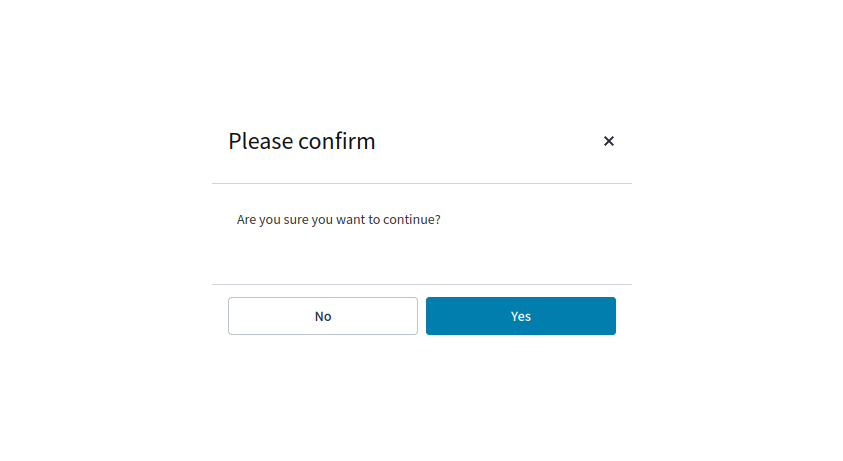
Could you add support for selecting different background in previews? Something like gray shades or a pattern?
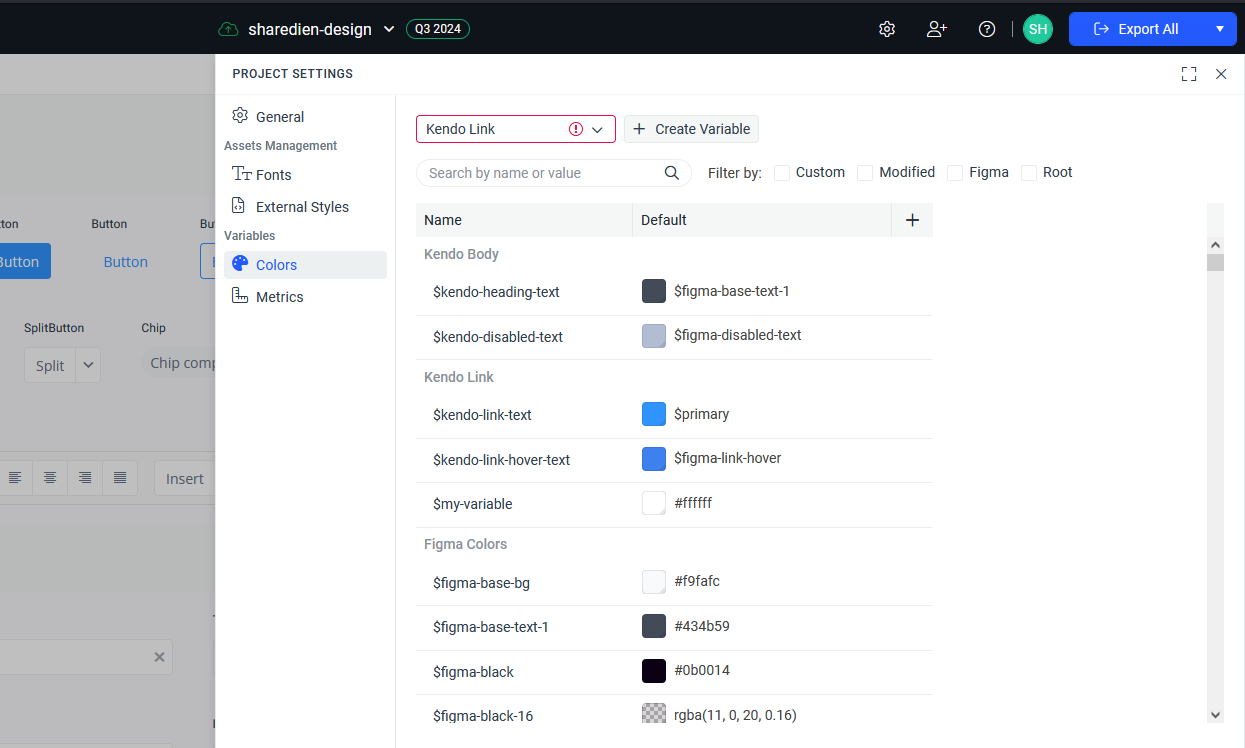
- Open a themebuilder project
- Click on the settings icon in the header bar on the right side
- Navigate to the colors section
- Try to navigate away from the color section
--> Create Variable Dropdown turns invalid and I can't navigate away from the section. Also there is no way to make it valid.
Currently, we have templates for the different states of the Calendar cells:
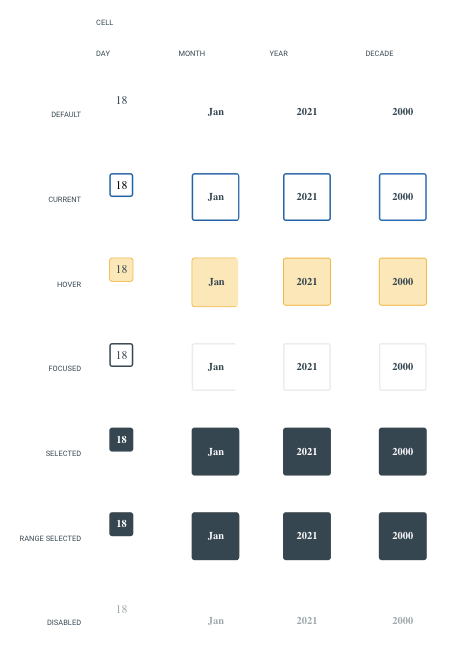
However, it's common to apply multiple states simultaneously. For example, the user may want to style a day cell that is considered current and selected or current, selected, and hovering at the same time. Consider exposing templates for the most commonly used combinations, such as the ones mentioned here.
Requested through t.1670882.

I modified a theme this morning and after changing a property got the error: "There are errors in SASS and it cannot be compiled to CSS.". Changing the property back to what it was before did not resolve the problem. Clicking the Undo button over and over and over did not resolve it.
I started over with a backup taken yesterday and started reapplying changes. When I clicked "Export All" I once again got the same error. There is no way to recover from it.
I've had ThemeBuilder licensed for some time, but this is the first week I've tried to use it in our application. It seems to be total garbage. I can't see any why forward with us using a tool that's going to randomly produce unrecoverable errors.