Hi,
I would like to know if it's possible to reconsider this request, or at least to leave it open for a longer period of time so people can vote. It would be really nice to be able to integrate existing SSRS reports. We have a lot, I really mean a lot, of SSRS reports. We believe using another third party would just make our "ecosystem" more heterogeneous.
I'm pretty sure we're not alone with tons of SSRs reports that are waiting for a seamless integration with Telerik UI for Blazor.
Thanks in advance
Stéphane Roy

DataPointStyle's initial color is displayed as Black but the color is actually Transparent and if I try to set borders between the data points on my graph, they cannot be seen.
Reselecting a color fixes the issue.
Exporting a report as PDF produces a corrupted file as soon as it reaches 2GB or more in file size. Available client memory should have been enough and was not at its limit. We have built the application as x64.
We use large-sized image files in the reports.

When using multiple Condition Formatting Rules, the only option is the AND. An OR option should also be available.
The error will be displayed when SkipBlankPages is False.
Hello,
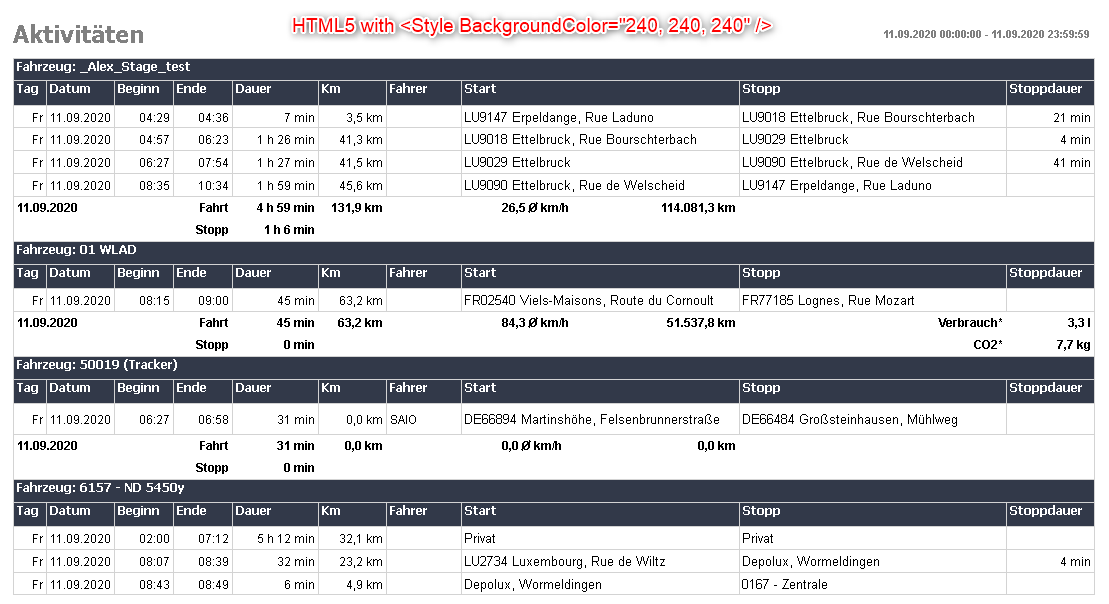
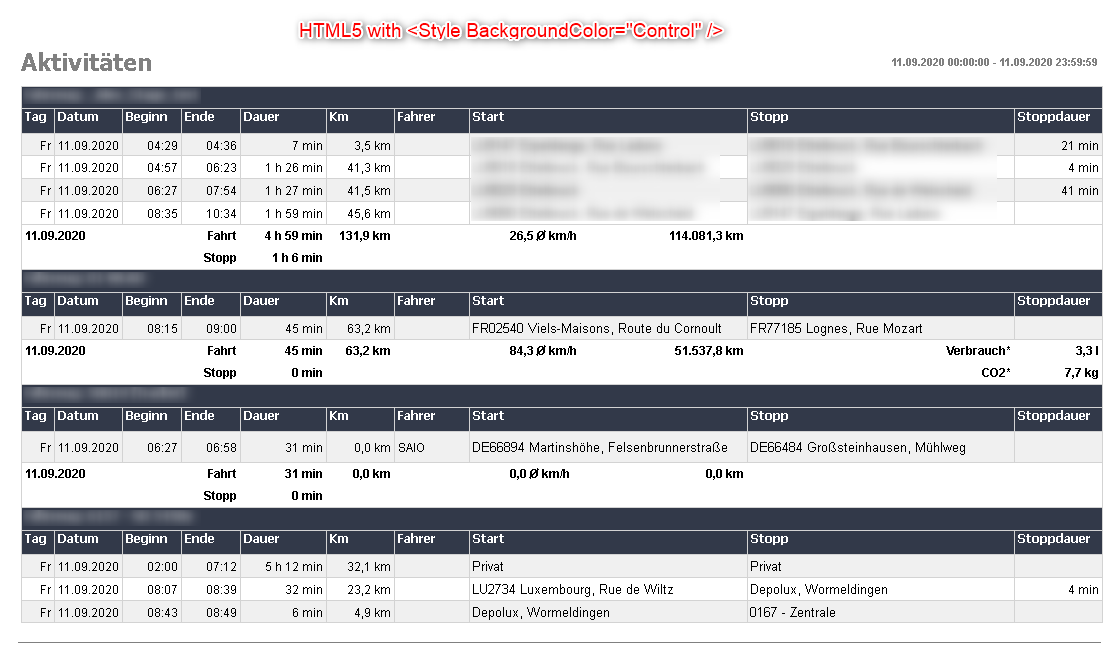
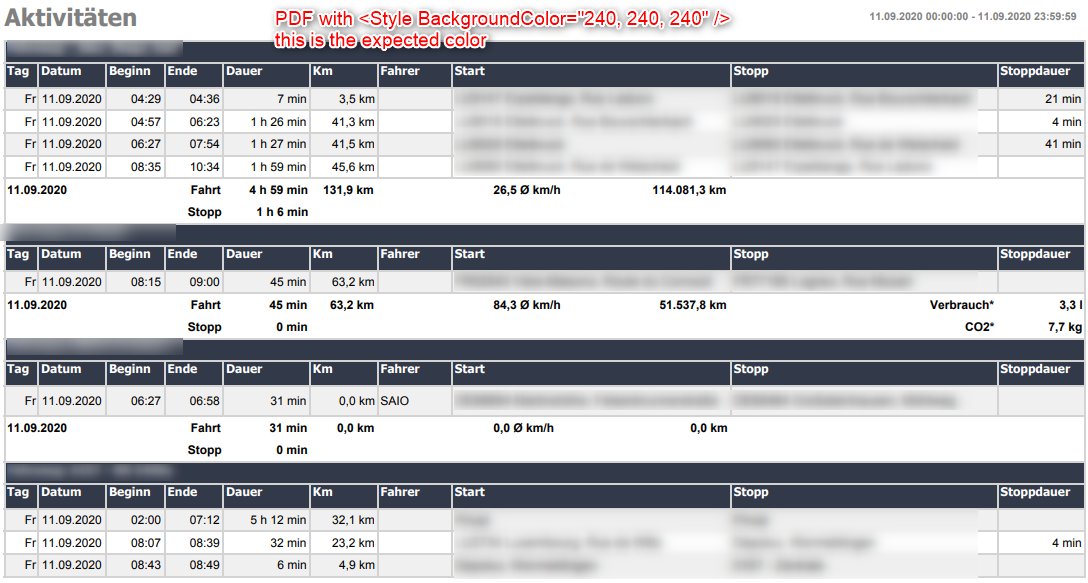
we changed our reporting service to .NET Core and now the Backgroundcolor for some alternating lines are not visible in HTML5 viewer.
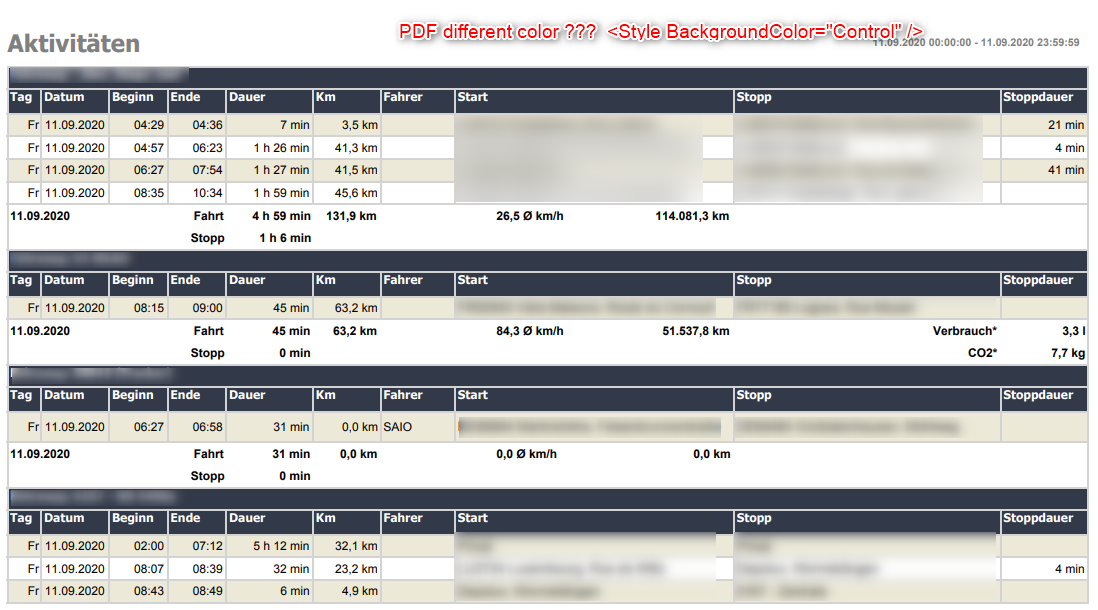
In exported PDF they are...
I change the backgroundcolor from custom like <Style BackgroundColor="240, 240, 240" /> to <Style BackgroundColor="Control" /> which is working fine.
But i can see difference in color of HTML5 report and pdf report.
What can i do to have it working like before, i mean i want to use it like this again <Style BackgroundColor="240, 240, 240" /> if possible.
PS:We are running our service on a Linux Docker-container
Best regards
Thomas

The ObjectDataSource component in the Web Report Designer does not have complete design-time support. The major things that are missing:
- there is no dedicated wizard that helps to discover and select business classes and appropriate data retrieval methods.
- its data schema is not retrieved from the REST service and since it's unavailable, the Edit Expression dialog does not populate its Fields collection.
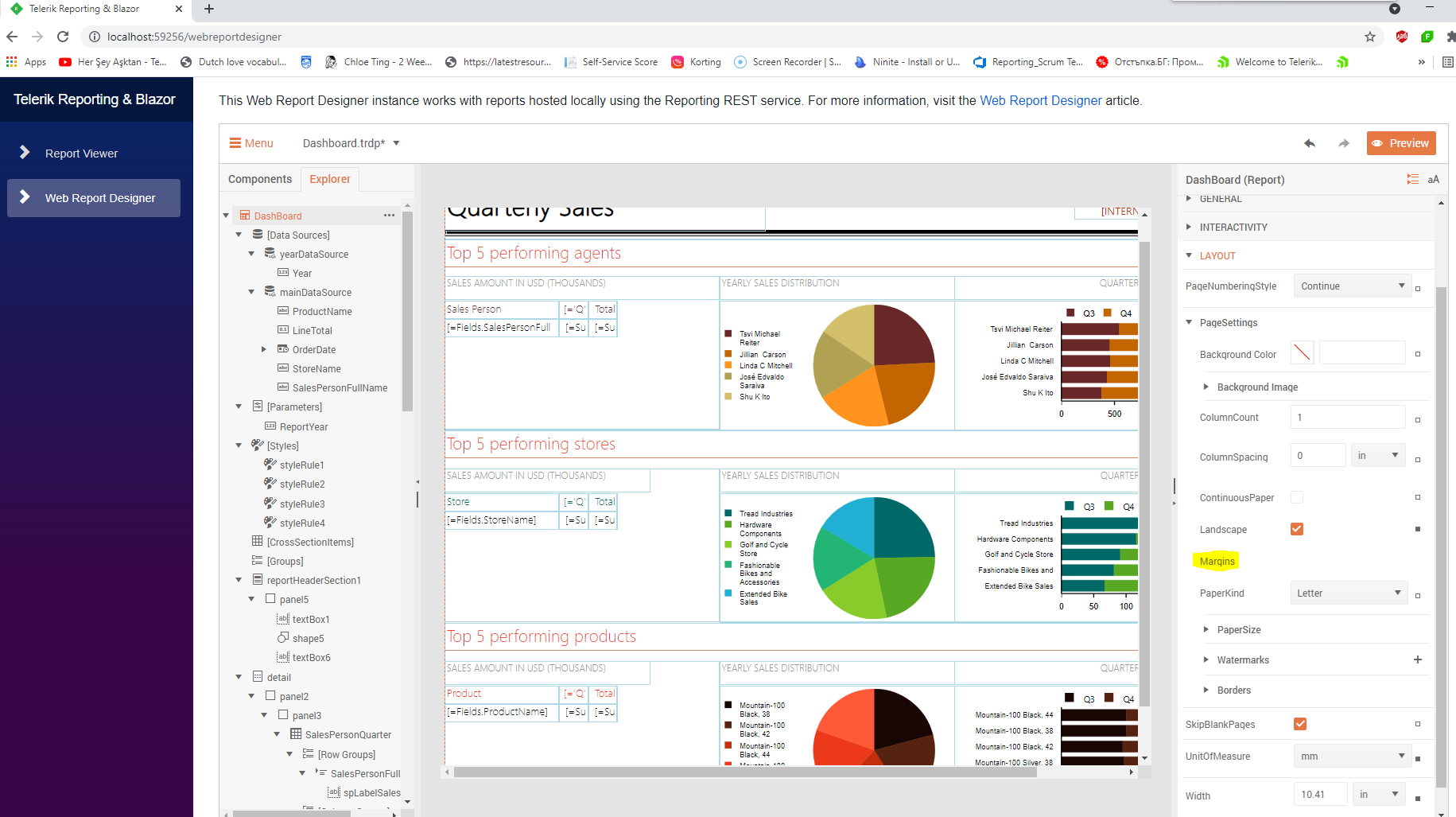
The Margins property cannot be set in the Blazor wrapper of the Web Report Designer:
One of the main features the clients require when exporting the reports to XLS or XLSX is to have the page width already set to 1 page. But for none of these exporting options, this is possible, unless you intercept somehow the export functionality prior to rendering the document to the client
It would be nice to have 3D chart capabilities such as those found in the WPF ChartView or even the KendoUI charts. The Telerik Reporting charts , although feature rich, are rather plain looking.
Do you have an updated road-map or plan to support Web assembly (WASM), especially Blazor? You already published Blazor articles in your blogs.
It will be a good idea to add a new report viewer based on Blazor, protecting the parameters between the viewer and its API controller.
Also, will be a very good idea to start your online report designer (like alternative products), based on web assembly
We'd like to distribute the standalone report tool to our clients and provide data through a web service. We don't want to have to redistribute a dll everytime we make new data available.

The standalone report tool should be able to query our webservice for what data is available and then allow the client user to create reports from it.  i.e. obtain list of table names dynamically as well as their column names and data.

A possible solution is to allow the tool to view and interact with classes in an external assembly that are dynamically generated with Reflection.Emit.
---------------------------
Telerik Report Designer
---------------------------
Unable to cast COM object of type 'System.__ComObject' to interface type 'mshtml.IHTMLTxtRange'. This operation failed because the QueryInterface call on the COM component for the interface with IID '{3050F220-98B5-11CF-BB82-00AA00BDCE0B}' failed due to the following error: No such interface supported (Exception from HRESULT: 0x80004002 (E_NOINTERFACE)).
---------------------------
OK
The issue is caused by an issue in the SQL DataSource Wizard that doesn't provide the correct Data Provider name. In the wizard on the first page, the Data Provider must be MySql.Data.MySqlClient, but the option is limited only to MySql.Data. Since the engine cannot determine the type of the data provider by that name, it falls back to System.Data.SqlClient and claims that "Port" is not a supported keyword.
The workaround is to avoid using the SQL DataSource wizard and edit the data source properties directly in the properties grid. You can check the attached silent video that demonstrates how to do so.
Hello,
I can see that we can operate over a file definition using save, open, and save as. It would also be nice to be able to download the report definition as well.
When using multi-child select statement like the below:

SELECT ORG, C1, C2, ... FROM (
   (SELECT X FROM Y WHERE Z1 = xxx AND Z2 = :param1 AND DATE BETWEEN :param2 AND :param3) C1,
   (SELECT X FROM Y WHERE Z1 = yyy AND Z2 = :param1 AND DATE BETWEEN :param2 AND :param3) C2,
   ...
)
Then binding with report parameter will be like:
param1 = rpt_param1
param2 = rpt_param2
param3 = rpt_param3

The an error occurred while excuting the query in the datasource wizard.
Also, some time the wizard accepts the query but the preview mode will display the same error.
The error is "ORA-01008 : Not all variables bound"

______________________________________
Workaround: Don't use the same query parameter in more than one child select statement. Create new datasource parameters per each select statement; then bind them all to the same report parameter.

SELECT ORG, C1, C2, ... FROM (
   (SELECT X FROM Y WHERE Z1 = xxx AND Z2 = :param11 AND DATE BETWEEN :param12 AND :param13) C1,
   (SELECT X FROM Y WHERE Z1 = yyy AND Z2 = :param21 AND DATE BETWEEN :param22 AND :param23) C2,
   ...
)
Then binding with report parameter will be like:
param11 = rpt_param1
param21 = rpt_param1
param12 = rpt_param2
param22 = rpt_param2
param13 = rpt_param3
param23 = rpt_param3
______________________________________
Products:
* Report Designer v2014.Q2
* Oracle Database 10g1, 10g2 or 12c
* Oracle Client: ODTwithODAC 12.1.0.1.0 Or Less
The parameter editors with Available Values are pushed down by the buttons 'clear selection'/'select all'. This makes them misaligned with respect to the parameters without Available Values:

The padding statement works when the report is run in the designer, but not in the HTML MVC report view.
It looks like the padding is applied to the second line and not where it is placed.
In other words, it works when viewed in the designer, but not in the website.
= "<span style='padding-top: 30px'>" + Fields.FirstName + " " + Fields.LastName +
IIf(Len(Fields.Title)>=1, ", " + HtmlEncode(Fields.Title), "") + "</span><br>" +
"<u>Email</u>: " + IsNull(Fields.EmailAddress, "") + "<br>" +
"<u>Phone</u>: " + IsNull(Fields.Phone, "") + "<br>" +
"<u>Cell</u>: " + IsNull(Fields.Cell, "")
//Designer
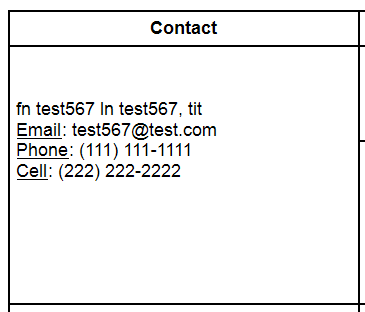
//HTML Viewer