

To reproduce:
- Add PageView to a form and set its Dock property to fill.
- Add single page and set its AutoScroll property to true.
- Add some controls and make sure that a scrollbar will appear.
- Start the application and scroll to the bottom.
- Maximize the form. You will notice that the scrollbar position is wrong.

 Workaround:
protected override void WndProc(ref Message m)
{
    if (m.Msg == 0x0112)
    {
        if (m.WParam == new IntPtr(0xF030))
        {
            this.radPageView1.SelectedPage.AutoScrollPosition = this.radPageView1.AutoScrollPosition;
        }
    }
    base.WndProc(ref m);
}

Workaround:
            RadPageViewExplorerBarElement exElement = radPageView2.ViewElement as RadPageViewExplorerBarElement;
            exElement.ItemSize = new Size(200, 100);

Under specific circumstances and in Windows 2008 Server environment the RadTabStrip internally used in RadDock does not get a proper size.

Workaround:
bool performLayout = false;

protected override void OnSizeChanged(EventArgs e)
{
    base.OnSizeChanged(e);

    if (this.WindowState == FormWindowState.Minimized)
    {
        this.performLayout = true;
    }

    else if (this.performLayout)
    {
        //reset padding to force bounds update
        this.Padding = new Padding(1);
        this.Padding = Padding.Empty;
        this.performLayout = false;
    }
}

Basically, you need to override the OnSizeChanged method of the main form and first set and then reset its Padding when the it goes from Minimized to another state. This will trigger that internal layout mechanisms of our controls and you will get the RadGridView shown as expected.
For example:
I have created a RadForm in a sample winforms project and dropped a RadPageView control on the form. Then created three pages and dropped a user control on the page 1 and page 2. Now when I navigate to page 3 from page and page 2 then Visual Studio gets not responding and crashes later.
I am recently downloaded the trial version of Telerik Winforms(2024.2.514) and found this issue with User controls. Previous versions also have same issue.
Recording of the issue as well as sample project is attached.
(this.radPageView1.ViewElement as RadPageViewStripElement).AllowEdit = true;
(this.radPageView1.ViewElement as RadPageViewStripElement).NewItemVisibility = StripViewNewItemVisibility.End;


To reproduce: please refer to the attached sample project and gif file. The purpose is to select the last added page. However, the multi-line tabs are not ordered correctly at all compared to the TabControl.
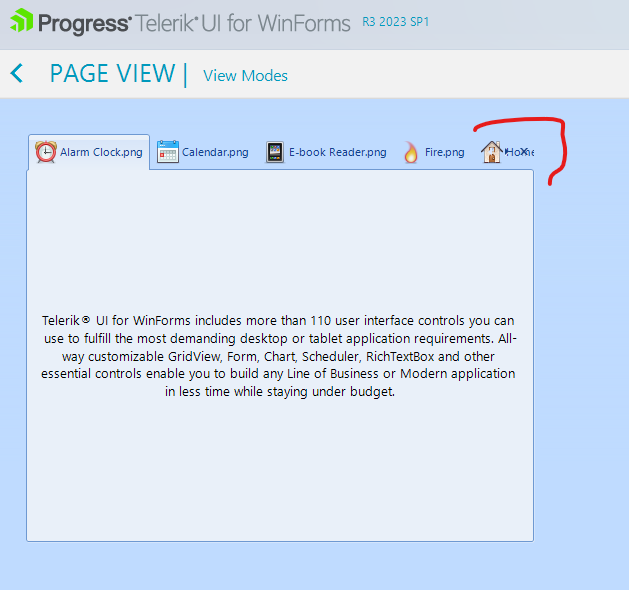
A possible workaround here is to make the panel parent of the buttons visible.
RadPageViewStripElement element = this.radPageView1.ViewElement as RadPageViewStripElement;
element.ItemContainer.ButtonsPanel.DrawFill = true;
element.ItemContainer.ButtonsPanel.NumberOfColors = 1;

How to reproduce: check the attached project:

Workaround: when the form is opened in the designer make sure that all pages are made visible at least ones so the controls are initialized, before attempting to access collection editors via properties window
At the moment the items in a similar setup can be navigated using the arrow keys

The layout on a monitor with 100%:
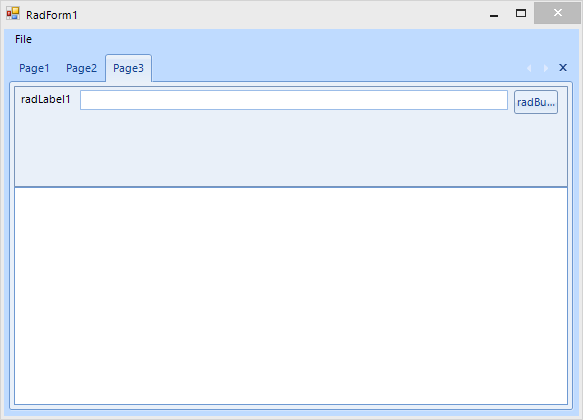
After moving the form to a monitor with higher than 100% DPI scaling, e.g. 175% or greater:
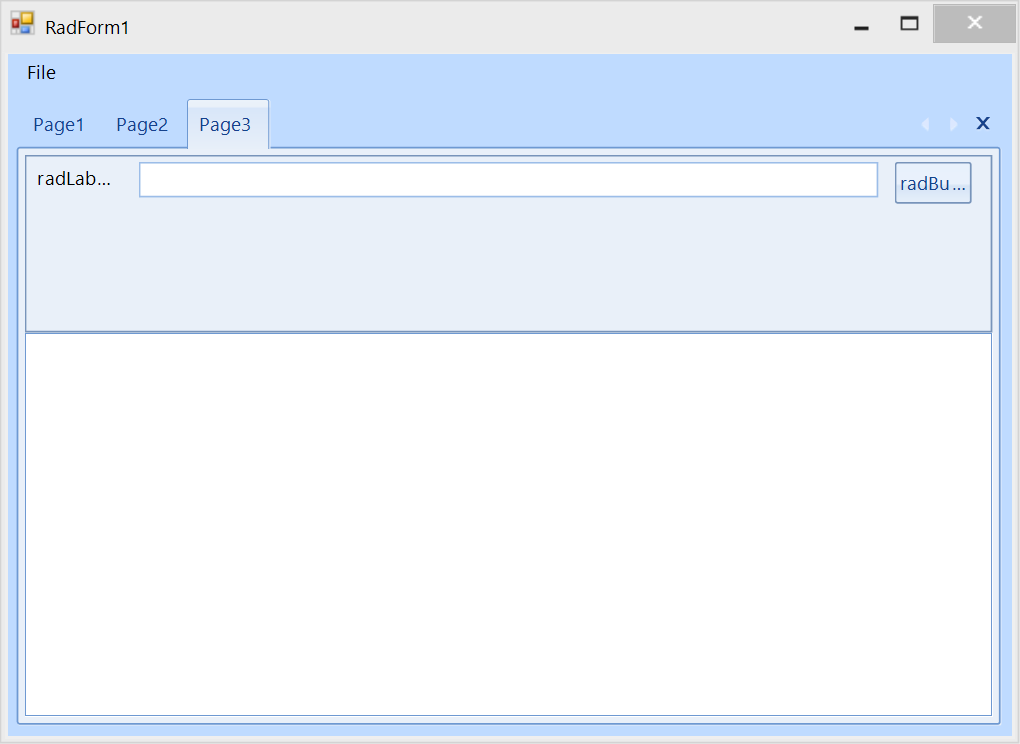
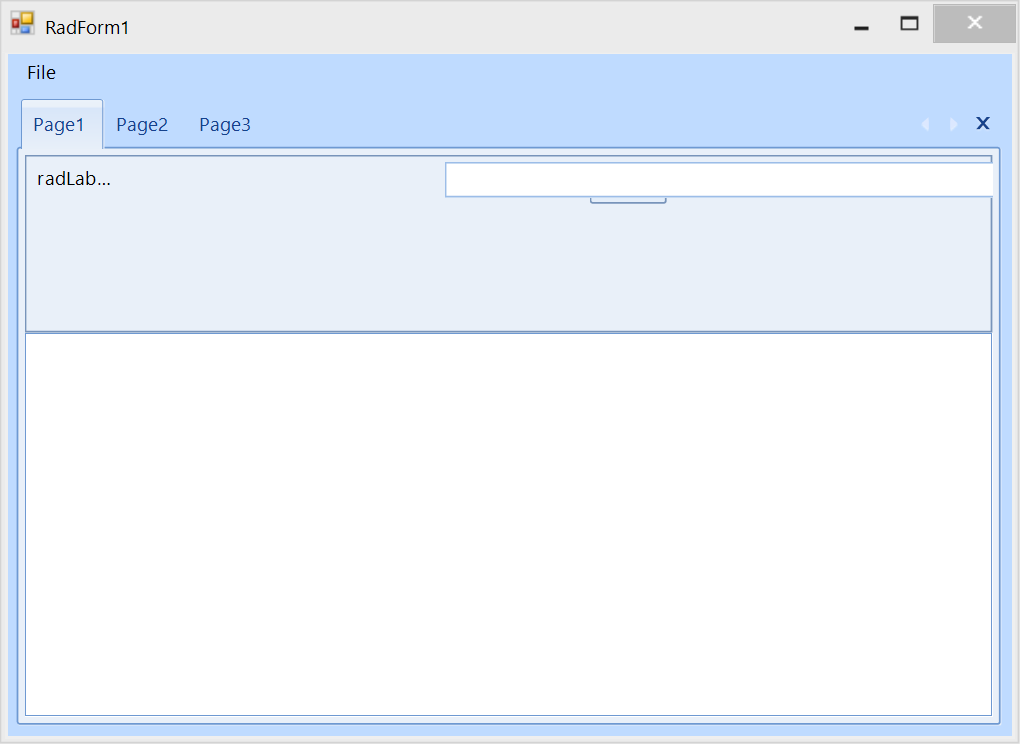
Once you switch to the first page which contains exactly the same UserControl, the layout is not correct:
How to reproduce:
public Form1()
{
    InitializeComponent();

    this.radPageView1.ItemSizeMode = Telerik.WinControls.UI.PageViewItemSizeMode.EqualSize;
    this.radPageView1.ItemSize = new Size(50, 20);
}
Add functionality for resizing the tabs of RadPageView pages (resizing the RadPageViewPageItem).

Resolution : This functionality can be achieved with the MinSize/MaxSize properties. For example:

radPageViewPage1.Item.MinSize = new Size(150, 30);
I attached a video and the code I used. I am trying to remove and add pageviews. (I would hide them it i knew how)
When I add the pageview back in while the hamburger menu is closed it somewhat expands the tabs. I would like it to leave it closed
When you have RadPageView within a RadDock only the selected page is visible and its content is shown. When you select another page it is blank.
Workaround:
For Each page As RadPageViewPage In Me.rpvMain.PagesIf Not page.Visible Then
page.Visible = True
page.Visible = False
End If
Next
To reproduce:
- Open attached project and add a lot of pages.
- Close all pages
- The GDI object count increases.

Workaround:
GC.Collect();
GC.WaitForPendingFinalizers();
GC.WaitForFullGCApproach();
GC.WaitForFullGCComplete();
GC.Collect();
