Hello support,
i use the radBrowseEditor.
Here the code:
        private readonly string ActualPath_LiteDB = "";

        public F_ApplicationsSettings()
        {
            InitializeComponent();

            //set up actual paths
            ActualPath_LiteDB = Settings.PathToLogLiteDB;
            radBrowseEditor_db_path.Value = ActualPath_LiteDB;

            this.Text = F_Translations.GetTranslationText("settings");
        }
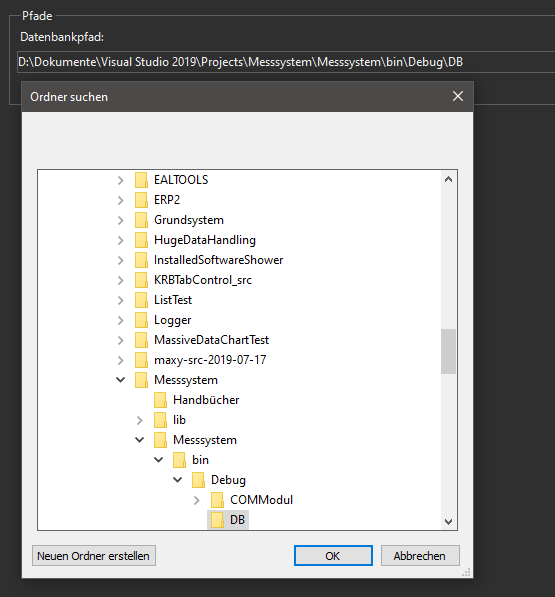
When i set the DialogType to FolderBrowseDialog the initial directory the its working:
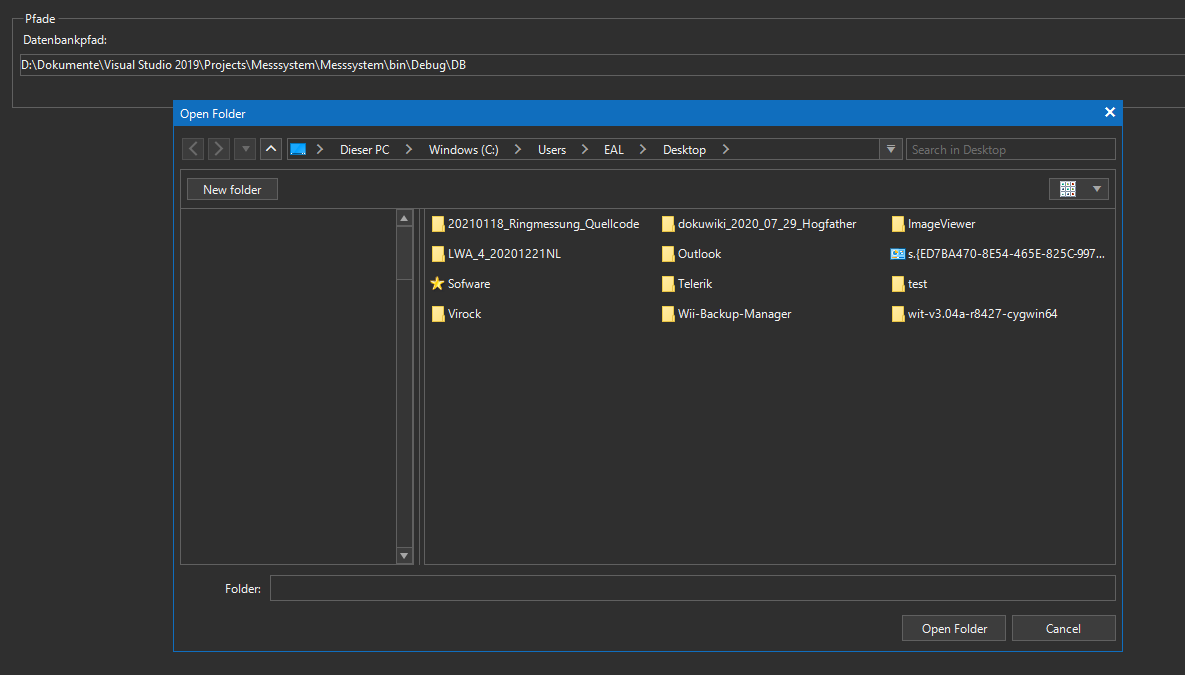
But if i set it the DialogType to RadOpenFolderDialog its not working. Its always showing the Desktop folder:
Follow the steps:
1. Please enter "0.12345"
2. Using the left arrow navigate after "1" and hit Backspace to delete "1"
3. Enter "6". It would be inserted in the wrong position
Hello Telerik Team,
our Customor works primary on Microsoft Surfaces. These scales on 200 %.
We use AutoScaleMode DPI and all is fine, except the Ribbon Bar. It cuts the ribbon Bar in half, if it's normally collapsed.
We didn't find any solution to fix this.
Interesting is the Resizing of the Bar. if you move it between to monitors
- start the process on 200% Monitor
- move to 100% Monitor
- Be sure the Bar is collapsed
- Open and close the bar at least 2 times
- move to 200% Monitor back
- If you open the bar now, its size is now the original size and goes over the window.
- Close the bar and open it again, than you see the bars lenght is correct, but the height is halved.
- Move to 100% Monitor again
- if you open the bar now, the bar goes only over the half window.
- close the bar and open it again, than the length is correct again, and the height has doupled to its normal value.
Maybe it's only a configuration we didn't found yet, maybe it's really a bug.
And a second question: If we maximize the Window, the TitleText hides. Is it possible to show the TitleText in maximized mode too.

Please refer to the attached if file. You will notice that the converter wizard will skip the designer file if the form's file end with "Settings".
Workaround: change the file name to skip ending with "Settings"

hi...
A Callout Control is in your roadmap for winforms please ?
thx in advance...
regards,

When the unit type is set to an inch.
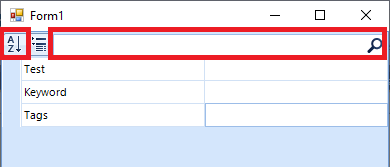
Hello, I encountered a bug with PropertyGrid when an object property is null.
But it only happens when the object has a simple property, a simple list, and a complex list with a custom control.
I'm attaching a sample project.
To reproduce this bug, run the project and hit the sort button or enter any search strings.
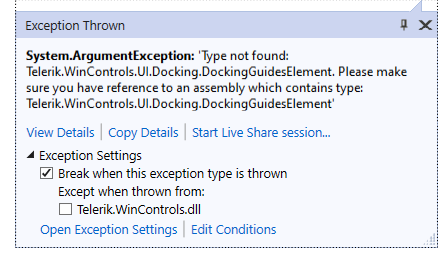
After we just upgraded to 2021 SP, we are now getting several System.ArgumentExceptions when executing the following call to LoadPackageResource:
Assembly assembly = Assembly.LoadFrom("STEAM.Common.dll");
 ThemeResolutionService.LoadPackageResource(assembly, "STEAM.Common.SpotlightOffice2013Light.tssp");
The errors are:
Exception thrown: 'System.ArgumentException' in Telerik.WinControls.dll
Type not found: Telerik.WinControls.UI.Docking.DockingGuidesElement. Please make sure you have reference to an assembly which contains type: Telerik.WinControls.UI.Docking.DockingGuidesElement

Exception thrown: 'System.ArgumentException' in Telerik.WinControls.dll
Type not found: Telerik.WinControls.UI.GridTableElement. Please make sure you have reference to an assembly which contains type: Telerik.WinControls.UI.GridTableElement

Exception thrown: 'System.ArgumentException' in Telerik.WinControls.dll
Type not found: Telerik.WinControls.UI.GridSearchCellElement. Please make sure you have reference to an assembly which contains type: Telerik.WinControls.UI.GridSearchCellElement

Exception thrown: 'System.ArgumentException' in Telerik.WinControls.dll
Type not found: Telerik.WinControls.UI.RadPivotGridElement. Please make sure you have reference to an assembly which contains type: Telerik.WinControls.UI.RadPivotGridElement

Exception thrown: 'System.ArgumentException' in Telerik.WinControls.dll
Type not found: Telerik.WinControls.UI.SchedulerMonthViewElement. Please make sure you have reference to an assembly which contains type: Telerik.WinControls.UI.SchedulerMonthViewElement

Exception thrown: 'System.ArgumentException' in Telerik.WinControls.dll
Type not found: Telerik.WinControls.UI.RadSpreadsheetElement. Please make sure you have reference to an assembly which contains type: Telerik.WinControls.UI.RadSpreadsheetElement

Exception thrown: 'System.ArgumentException' in Telerik.WinControls.dll
Type not found: Telerik.WinControls.UI.RadSpreadsheetElement. Please make sure you have reference to an assembly which contains type: Telerik.WinControls.UI.RadSpreadsheetElement

Exception thrown: 'System.ArgumentException' in Telerik.WinControls.dll
Type not found: Telerik.WinControls.UI.VirtualGridTableElement. Please make sure you have reference to an assembly which contains type: Telerik.WinControls.UI.VirtualGridTableElement
When importing a document containing Outlines (Bookmarks) containing Actions with an empty dictionary:
<</Title(Bookmarks)/Parent .../First .../Last .../Prev .../A<<>>/Count ...>leads to an exception thrown: System.MissingMethodException: 'Cannot create an abstract class.'

2. entering or living acro control cause all document to refresh (blinking effect)
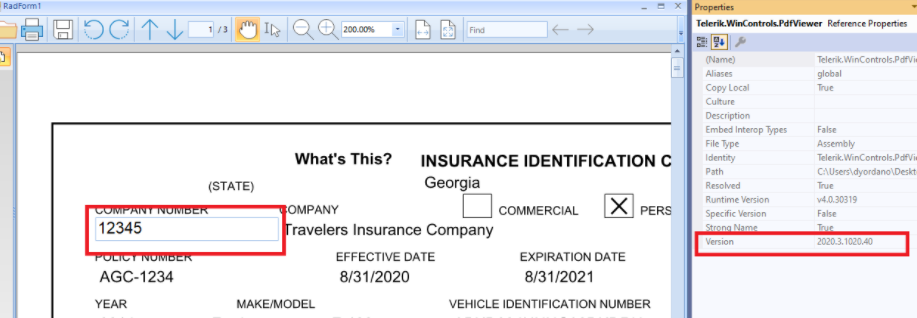
When you are using interactive forms in RadPdfViewer,
https://docs.telerik.com/devtools/winforms/controls/pdfviewer/features/interactive-forms , the editor's font is too big on >100% DPI scaling:
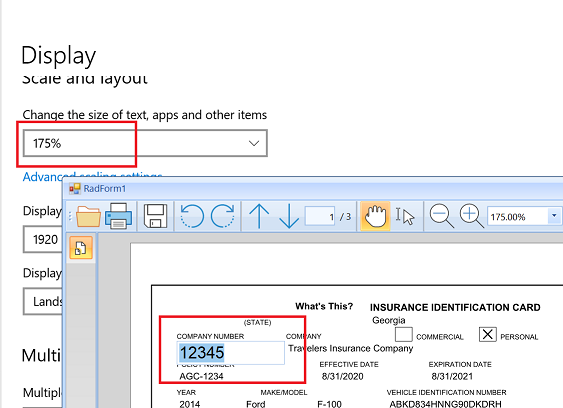
100% looks OK: