

It used to work until Q3 2024:
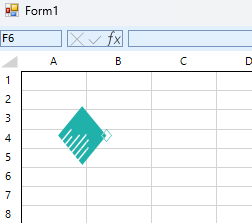
After that, the import operation is successful. However, the image rendering of the SVG when assigning the Workbook results in an error message: System.ArgumentException: 'Parameter is not valid.'
        public Form1()
        {
            InitializeComponent();
            using (var fileStream = File.OpenRead("example.xlsx"))
            {
                Workbook wb = new XlsxFormatProvider().Import(fileStream);
                radSpreadsheet.Workbook = wb;
            }
        }
When the RadSpreadsheet is docked and the TelerikMetroTouch theme is applied, the Vertical ScrollBar is not fully visible.


Implement Text to Columns functionality similar to the one in Excel:
1. Select two or more cells.
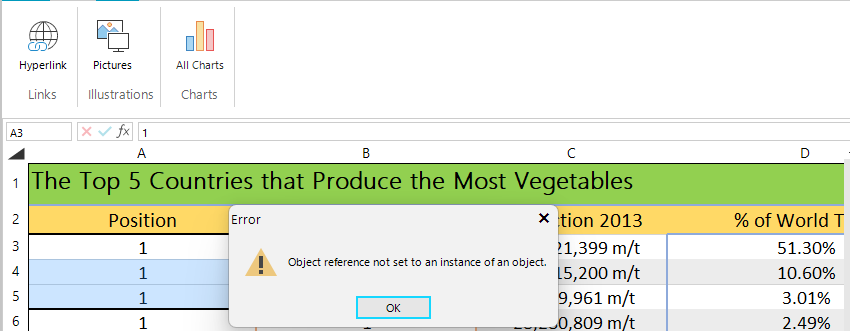
2. Click on the "All charts" button
3. The charts are not displayed and the following error occurs:

When the text is set using the following code, the text in a wrapped cell is overlapping.
radSpreadSheet1.ActiveWorksheet.Cells[0, 0].SetValue(@"Blocked flow; potential increase in level in  (BLANK); potential to overfill equipment; potential spill or overflow to (BLANK)
Blocked flow; potential increase in level in  (BLANK);
potential to overfill equipment; potential spill or overflow to(BLANK)");
radSpreadSheet1.ActiveWorksheet.Columns[0].SetWidth(new ColumnWidth(300, true));
Worksheet worksheet = radSpreadSheet1.ActiveWorksheet as Worksheet;
CellStyle cellStyle = worksheet.Workbook.Styles.Add("Wrap Style", CellStyleCategory.Custom);
cellStyle.IsWrapped = true;
CellRange cr = new CellRange(0, 0, 10, 10);
worksheet.Cells[cr].SetStyleName("Wrap Style");

Currently, the WinForms Spreadsheet doesn't have separators between the column headers:

It would be better to have separators for the headers like the WPF Spreadsheet:

The resize option available in MS Excel is:

Please add radSpreadsheet RTL support in windows version of Telerik.
Today we testing last trial version , and we see this option inside the component properties , but its not working.
Thank You.

MS Excel has this splitter functionality:
