

There is no way to send a bearer token with the requests to the reporting service made by the native Blazor Report Viewer because the viewer does not expose a property for setting the token.

I'm changing the font color to Transparent based on a condition in my report.
This works in the Standalone Designers for .NET and for .NET Framework.
In the WPF Report Viewers for .NET and .NET Framework though the Transparent color is not respected. Other Font colors like green are properly shown conditionally in the WPF viewers.
When I am sending an email through the native Blazor Report Viewer and I type in the CC field, even if I delete what I have typed there, an "Email format is not valid" error will be displayed below the input and I will be unable to send the email.
This does not occur if I do not type in the CC input at all and it also works if I provide a valid email there.

Currently, if a ReportBook contains nested ReportBooks that have their own TOC sections, the final document generated from the main ReportBook will not contain any TOC sections.
Adding the ability to display the TOCs of nested ReportBooks will be useful in preserving the original design of each ReportBook.
Could you add a property to the TelerikReportViewer so the user can pass queryStringParams to server api calls. For my case, I need it to support multi-tenant.
Thanks
Standalone Report Designer crashes on start when opening TRDP reports from Visual Studio. See the attachedimages below:
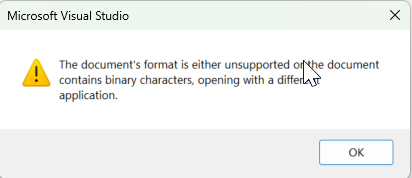


The stack trace came about after trying to open multiple files through VS and popped up after about report number 3 or 4. Lastly, for us "sometimes" the reports open, sometimes they don't. If it does open the report going through VS, then the Standalone Report Designer will randomly shut down/crash with no errors (after 5 to 30 minutes of active use. We haven't found a pattern for what makes the Designer crash.
So far, the Designer doesn't crash if started from the Windows Explorer.
It would be nice to have some support when choosing values, for example some DropDownList with available options.
Like in standalone application
https://docs.telerik.com/reporting/designing-reports/report-designer-tools/desktop-designers/tools/edit-bindings-dialog

Currently the interface for `IReportSourceResolver.Resolve` only allows for a synchronous implementation of `Resolve`. It'd be nice if the interface allowed for an asynchronous implementation, too.
This is in reference to Telerik Reporting API Server with a custom report source resolver.
A lot of errors or warnings from Web Report Designer or Viewer are in English, please provide options to translate them.
Tour on start Web Report Designer cannot be translated as well.
https://docs.telerik.com/reporting/designing-reports/report-designer-tools/web-report-designer/localizing-the-web-report-designer
When the Report has a Picture Watermark or BackgroundOveray with Opacity 1, in the preview of the viewer, in PDF and PPTX the watermark is displayed behind the text. In DOCX though, the watermark covers the text.
In some scenarios, it is necessary to execute a special code when the user cancels report rendering in Report Viewers.
A special event raised when the report rendering is canceled will be very useful for these scenarios.
I have cascading parameters, and in some cases, the data set for the dependent parameters is empty. In these cases, the parameter editor of the second parameter is displayed as an input/textbox rather than a dropbox without data.
In the Standalone Designer, the parameter editor is displayed as expected, with a dropdown without data.
The report for reproducing the issue is Product Line Sales-01.zip

We are using the external style sheet file (StyleSheet.xml) when designing our report from Web report designer. We want to see our style sheet applied on our report when we see the report from Web designer in design mode. In Preview mode it is working fine. But the problem here, it is not working in Design mode.
See the attached pictures. You find our problem on the picture ExternalStyleInWebDesigner-DesignMode.PNG
Is there any solution or a feature request needs to be created?
FYI: External style sheet is working in Standalone report designer in both design and preview mode.
Thanks,
As documented slightly comically here: https://www.telerik.com/forums/can-not-for-the-life-of-me-get-a-report-to-run , and confirmed by other users on that thread, Telerik reporting can be incredibly unintuitive in the configuration steps.
Having just been through the wringer yet again - I just wanted to copy the configuration from one working project to another, and it's taken me about 6 hours of tearing my hair out to get it working, I'm giving some suggestions for improving this. These really are bugs, not features, hence the bug report.
My use case is the HTML5 report viewer running off the REST service in dotNet 6.
(1) Try systematically breaking one component at a time of the configuration, and check that the error message is correct.
eg. in builder.Services.AddControllersWithViews().AddNewtonsoftJson();
if .AddNewtonsoftJson() is left out, we get the error:
Cannot access the Reporting REST service. (serviceUrl = '/api/TelerikReportHandler/'). Make sure the service address is correct and enable CORS if needed. (https://enable-cors.org)
It is almost impossible to diagnose this - there is no reason that error could not indicate that NewtonsoftJson is not available. I working it out by going through the white paper, and thought 'that's in there but it's surely not going to fix that error message' but I added it anyway and hey presto, fixed.
Another example, not having the .css file referenced correctly in the HTML file referencing the viewer template, displayed a message telling me that the report viewer did not match the REST service version number, a completely incorrect error. Again, I realised the error, thought 'there is no way this is going to fix it', and it did. That's how misleading the errors are.
(2) Don't cache everything
Once I finally got it all working, I decided to break things deliberately to get the error messages so I could record them for my information next time I have to go around this loop. However, I then found that nothing on the client side could be broken. That .css file that was missing a minute ago and causing the error, now I could delete it completely and the reports ran just fine. I could delete the entire template folder and same behaviour, even after closing and restarting the project.
So clearly, once it's working your code is caching the files and/or config internally somewhere. That's a really, really astoundingly bad idea.
The reason I had all these problems in the first place was that I copied all the configuration code and files from a working project, and then the project I copied it to didn't work. I triple checked everything. No go.
I now realise that the working project had probably cached all the files it needed, but then I must have updated the project with non working files, but the project ignored all that and continued to work with its cached files. When I copied the files to a new project, only then did the problem become evident. This is incredibly unintuitive, frustrating and undocumented.
Telerik is not a bad product, but I have never failed to take less than half a day every time I have needed to change anything. If I thought the competitiors were any better, I'd jump ship but frankly I think they're all probably the same.
But if you took this advice, the process would become way, way easier to work through. All we need is good, clear, specific error messages and, for the love of god, *no* caching.
In a cascading dropdown, we noticed that the child dropdown is not populated until the parent dropdown is closed after selection. There is a second delay between selecting the parent dropdown and populating the child dropdown. Between this small interval of time, the preview button can be clicked, as it is not disabled, due to which wrong values (previously selected values) are passed in the parameters resulting in incorrect results.


The following warning is shown in the browser console when starting my Blazor application when I use the native Blazor Report Viewer:
WARNING: Processing source-maps of https://localhost:7025/_content/Telerik.ReportViewer.BlazorNative/js/reporting-blazor-viewer.js took longer than 11000 ms so we continued execution without waiting for all the breakpoints for the script to be set.Could not read source map for https://localhost:7025/_content/Telerik.ReportViewer.BlazorNative/js/reporting-blazor-viewer.js: Unexpected 404 response from https://localhost:7025/_content/Telerik.ReportViewer.BlazorNative/js/reporting-blazor-viewer.js.map: