

Hi,
In Desktop Designer, I create a very simple Report with :
- a JSON datasource mapped to the report
- a Table with two colunms
I want to duplicate this table, so I select it and do a copy. After that, I select the detailSection and do a paste. The pasted table, in the Report Explorer look fine, but in the designer view it is not the case. And if I compare the TRDX files, an entire section is missing (the <Cells> section).
Attached files :
- Multi-zone.trdx : Before copy/paste
- Multi-zone-2.trdx : After copy/paste
- Screenshot.png : screenshot of the Designer where you can see the two tables and the Report Explorer
Thank you
PS: In additional informations, I specify ASP.NET MVC as Project Type, but it is not relevant.
1. The data member list in "Choose a data member" (step 2) of the objectDataSource wizard in the Web Report Designer does not appear to be in alphabetical order as it is in the Standalone Report Designer. When there are many data members it is hard to pick the one you want when not ordered alphabetically.
2. For a data member that returns a DataSet result, a table row has to be returned for the design time feature to generate a data schema. In the Standalone Report Designer a returned row is not necessary, all that is required is a returned DataSet with a Table with Columns setup. It would be easier when using Web Report Designer to not require data returned to establish the data source data schema. In the WidgetDataSource a fake row is returned for the sake of having the data schema generated.
3. In the Web Report Designer objectDataSource wizard, once the "Preview data source results" (step 4) are ready and the Finish button is clicked, there is another call to the data source member but instead of using the Design-Time Values for the member, the values in the Value column appear to be used. If report parameters are already assigned to the data source parameters the string of the Value (e.g. "= Parameters.StartDate.Value") is used instead of the report parameter value. I think the data member call to generate the data schema should be the Design-Time Values again. In order to get the data schema generated I had to use the same values for Value column as in the Design-Time Values value. After the data source parameters are assigned to report parameters then it breaks the generation of the data schema later when the report is opened again in the Web Report Designer and there is an error (e.g. Error An error occurred while loading the data schema for "Widgets". ("Message"."String was not recognized as a valid DateTime.").
4. In the Report Previewer for the Web Report Designer there does not seem to be a way to provide a null value to a nullable data source parameter. For the GetWidgets member the FromEffectiveDate parameter is a nullable DateTime. After the data source is configured the data source parameter DataType is set to String, it did not resolve to nullable DateTime. Even after I change the data source FromEffectiveDate parameter to DataType of DateTime it cannot accept a null value from a DateTime report parameter, it seems to be interpreted as string instead of null. In the Standalone Report Designer there is no problem having a DateTime report parameter passing null to a nullable DateTime data source parameter; after reconfiguring the data source in the Standalone Report Designer the DataType for the data source parameter is <DataType>System.Nullable`1[System.DateTime]</DataType> instead of <DataType>System.DateTime</DataType> as from the Web Report Designer.
5. This is not a specific objectDataSource wizard issue but rather a general issue in the Web Report Designer. I cannot create a Report Parameter with the same name as a data source parameter or CSV data source field. Trying to do so results in an error message (Error Could not change property 'Name'. Name 'FromEffectiveDate' already exists). This issue can be demonstrated in the Web Report Designer Demo page: create a parameter for the yearDataSource data source, try to create a report parameter with the same name to get the error. Using report parameter names that are also data source parameter names works fine in the Standalone Report Designer.
Steps To Reproduce:
- Install Reporting.
- Go to \Tools folder.
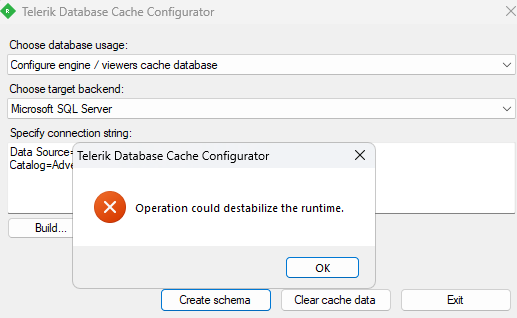
- Start DatabaseCacheConfigurator.exe
- Leave the first combobox to 'Create engine viewers/cache database'
- Paste a valid connection string in the textbox below, e.g. Data Source=.\sqlexpress;Initial Catalog=AdventureWorks;Integrated Security=True
- Click on Create Schema or Clear Cache Data.
Expected behavior: The function is executed
Actual behavior: A message saying "Operation could destabilize the runtime." is shown.
I am using the Blazor wrapper of the web report designer.
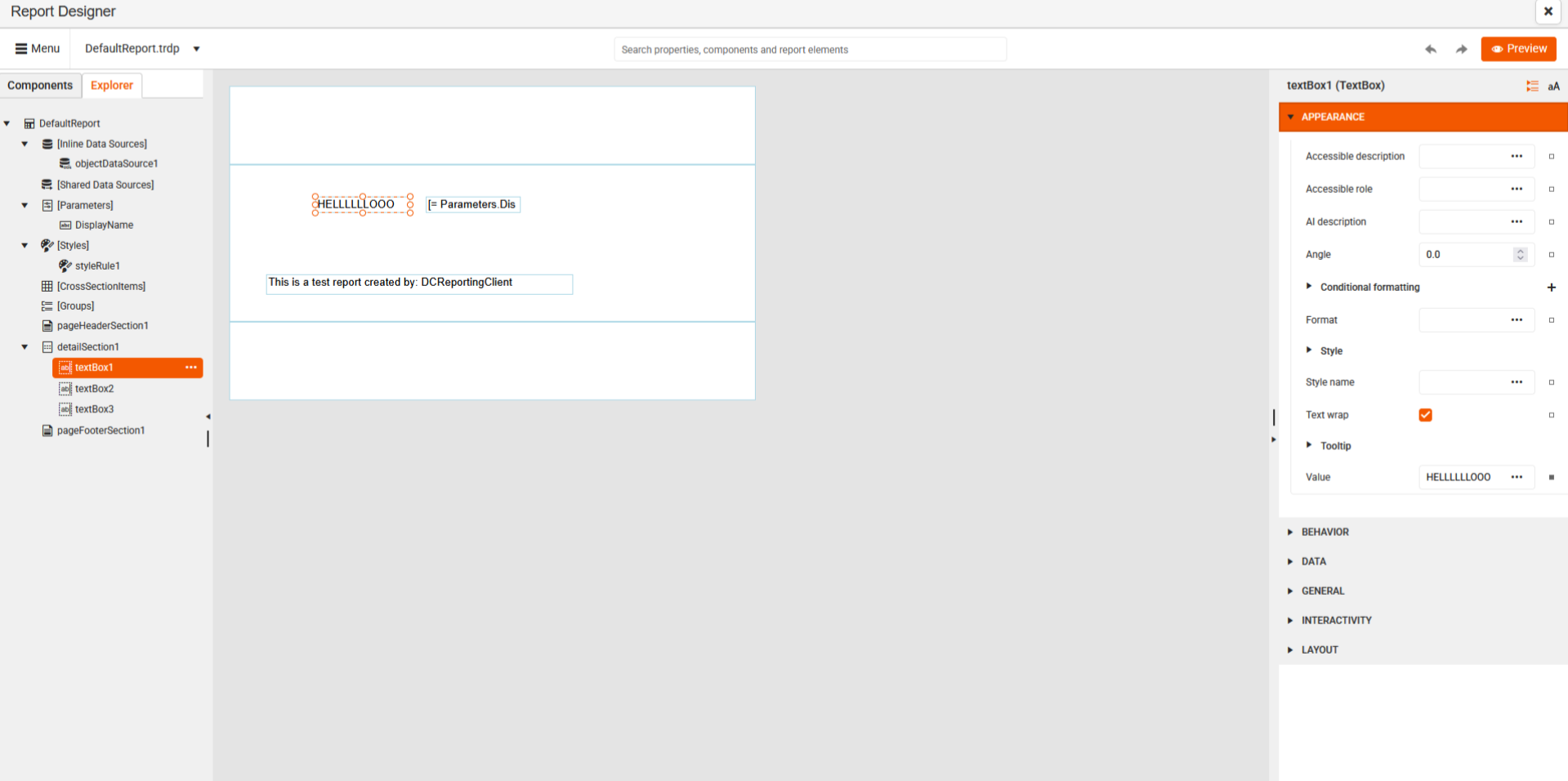
When i first time after running my blazor app visit page with WebReportDesigner everything works as intended:
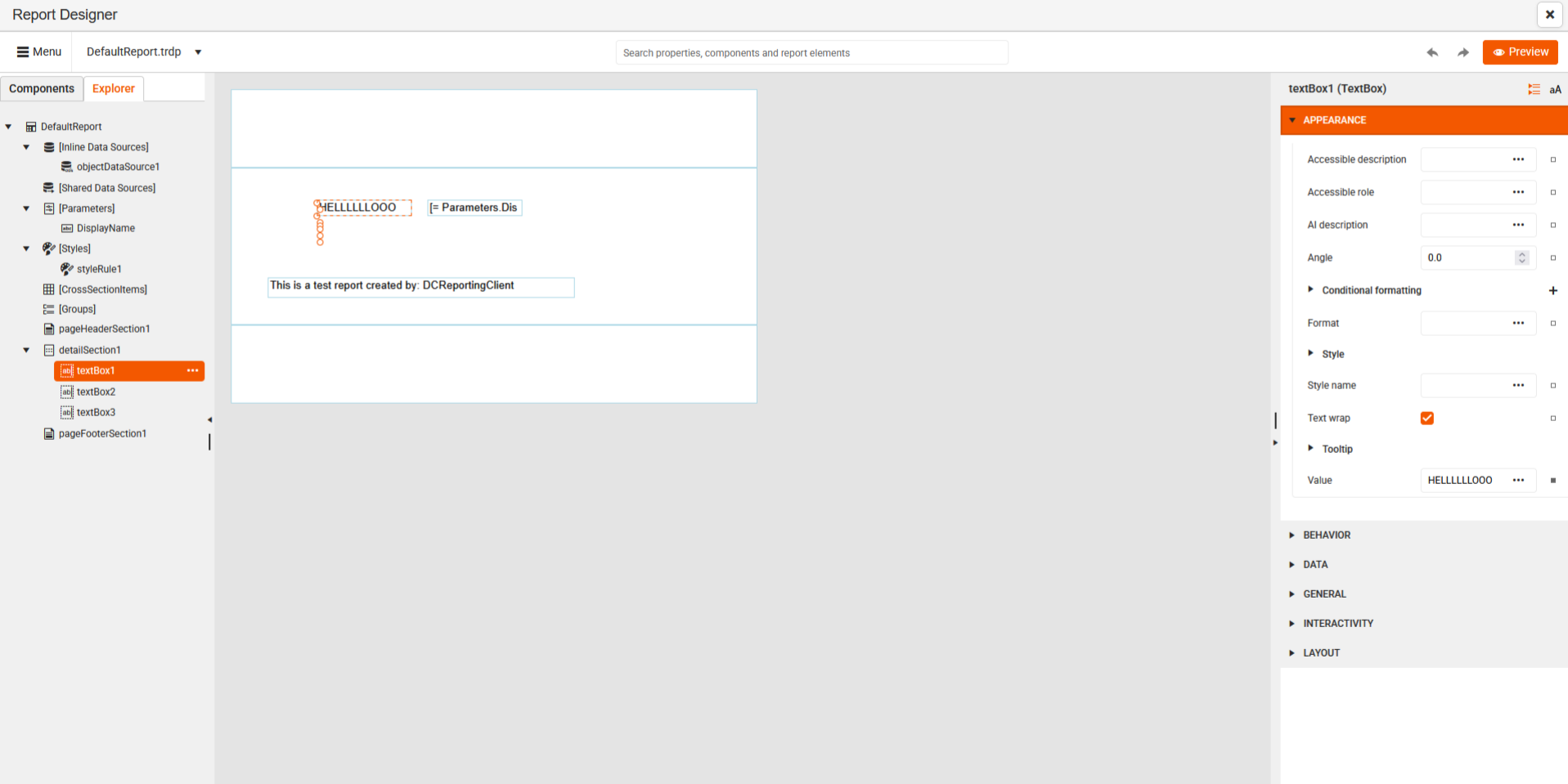
but when i exit and revisit it later this is a result:
We have reports rendered through the Native Blazor Report Viewer.
Consider adding a file attachment option in the Send Email dialog for report viewers.
I am rendering reports locally using the report processor. When I use the RenderReport method after processing MS Office Documents and PDF files with the Spire. Office, it causes the text of the report rendered with Telerik Reporting to get truncated:
using Telerik.Reporting;

Spire.Doc.Document document = new Spire.Doc.Document();

var wordDocPath = "./wordtest.docx";
var pdfFilePath = System.IO.Path.Combine("../../../", "wordtest.pdf");

document.LoadFromFile(wordDocPath);

Spire.Doc.ToPdfParameterList toPdf = new Spire.Doc.ToPdfParameterList();
//toPdf.AutoFitTableLayout = true;
document.SaveToFile(pdfFilePath, toPdf);
document.Close();

var reportProcessor = new Telerik.Reporting.Processing.ReportProcessor();
var reportPackager = new ReportPackager();

string sourceReportFile = "./Static Broken CSU Analysis.trdp"; ;

using (var sourceStream = System.IO.File.OpenRead(sourceReportFile))
{
    var report = (Report)reportPackager.UnpackageDocument(sourceStream);

    var deviceInfo = new System.Collections.Hashtable();

    var reportSource = new InstanceReportSource();

    reportSource.ReportDocument = report;

    Telerik.Reporting.Processing.RenderingResult result = reportProcessor.RenderReport("PDF", reportSource, deviceInfo);


    if (!result.HasErrors)
    {
        string fileName = result.DocumentName + "." + result.Extension;
        string filePath = System.IO.Path.Combine("../../../", fileName);

        using (System.IO.FileStream fs = new System.IO.FileStream(filePath, System.IO.FileMode.Create))
        {
            fs.Write(result.DocumentBytes, 0, result.DocumentBytes.Length);
        }
    }
}
If I comment out the section that is converting the totally unrelated word file to pdf and run it again, it does not clip.
If you embed an iframe that points to a report viewer on a page, and the page is hosted on a web server on a different origin, the print functionality does not work.
Consider implementing a workaround to enable it.
In version 19.1.25.521, I am updating the report source of the viewer immediately after calling $("#reportViewer1").telerik_ReportViewer. This now results in an error:
TypeError: undefined is not iterable (cannot read property Symbol(Symbol.iterator))
In previous versions, it used to work.
Having the ability to be able to set properties of the HTML5 report viewer globally would be a nice addition. This functionality already exists for other controls and it would have saved me lots of work when I needed to set a template url to over 50 pages.
Hopefully this gets implemented and saves someone else some of their time and if so, your welcome :)
Hi Telerik team
I'd like to implement customer specific colors based on a report variable or database field.
Currently it looks like the color properties only give us a color picker but does not support using an expression, is this correct?
As for context, I do not know the color in advance and it is used at 100+ different objects.
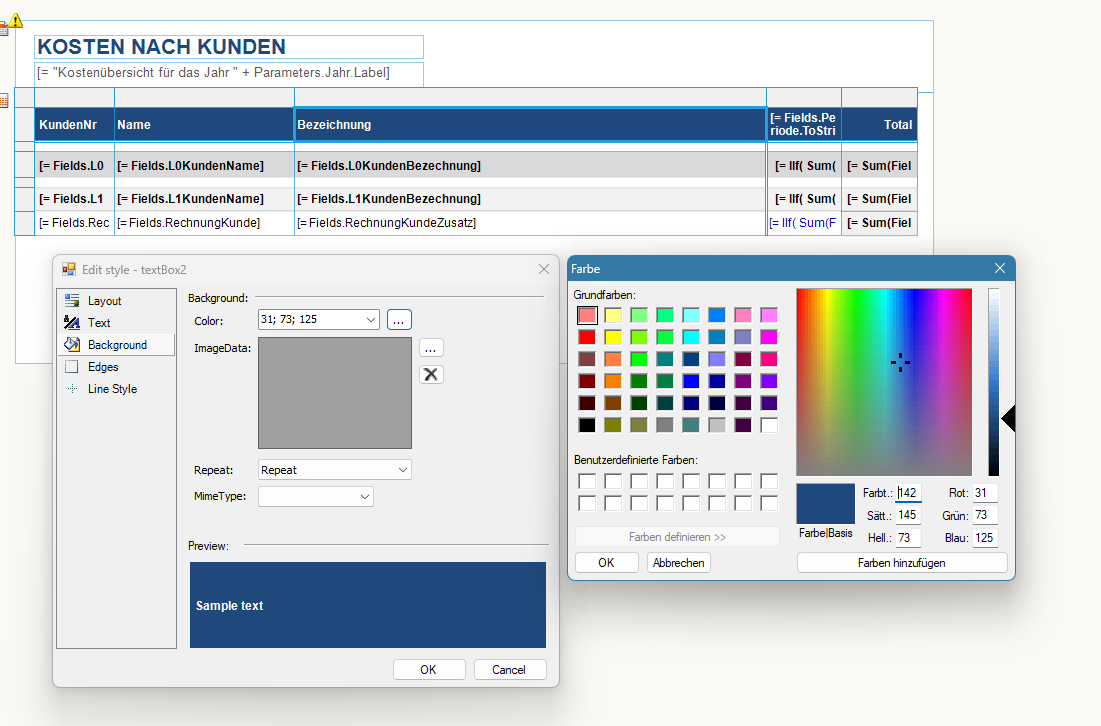
Same problem with conditional formats
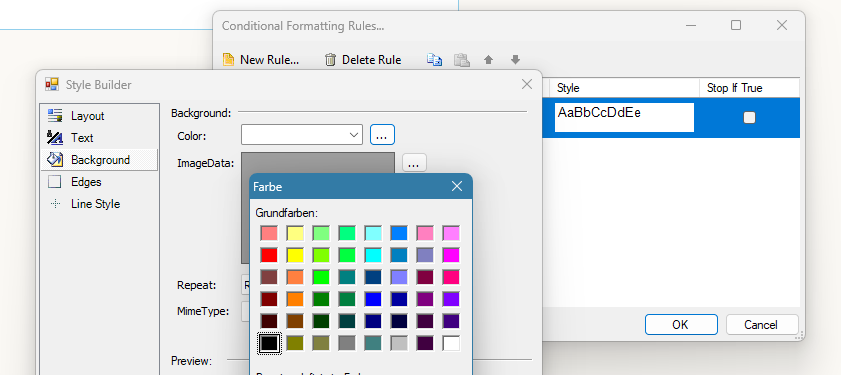
Please let me know how to choose colors based on expressions.
If this is not possible yet, I'd like to request it as a new featur.
Best regards,
Hi,
I'm working on a multiplatform project, using Telerik Reporting to generate PDF reports. The development is taking place on Windows.
The report is loaded programmatically (ReportPackager.Unpackage(...)), and the data is injected directly into the reports.
Some reports requires specific charts that are created as images and inserted into the PictureBox elements of the report before rendering. We are using SkiaSharp to generate these images, and I'm now trying to inject these images into the PictureBox elements.
For my first attempt, I have used the Gdi by first converting the SKImage to a System.Drawing.Image and it worked fine although it does not seem optimal.
Now I'm trying to write directly the SKImage to the PictureBox :
        public bool SetPictureBoxImage(string pictureBoxName, SKImage image)
        {
            PictureBox? pictureBox = (PictureBox?)_telerikReport.Items.Find(pictureBoxName, true).FirstOrDefault();
            if (pictureBox is null) return false;

            DrawingFactory.CurrentGraphicsEngine = GraphicsEngine.Skia;
            using var bitmap = SKBitmap.FromImage(image);
            IImage tlkImage = DrawingFactory.CreateImage(bitmap);
            pictureBox.Value = tlkImage;

            return true;
        }
However, when calling 'ReportProcessor.RenderReport(...)', a 'System.ExecutionEngineException' is thrown (no call stack, no additional details available).
I have tried to move the call 'DrawingFactory.CurrentGraphicsEngine = GraphicsEngine.Skia' before loading the report with no luck.
Is the 'Skia' rendering not available on Windows?
Please note that I cannot rely on the 'appsettings.json' file to configure the graphic engine.
I have tried to set the configuration programmatically through a custom implementation of 'Microsoft.Extensions.Configuration.IConfiguration' passed as an argument to 'ReportProcessor' constructors, but it had no effect. I have searched your code to find another way to set the configuration but it does not seem possible as everything is static and internal.
Kind regards
I am using the HTML5-based Blazor report viewer, with the parameters area position set to "top":
<ReportViewer @ref="reportViewer1"
              ViewerId="rv1"
              ServiceUrl="/api/reports"
              ReportSource="@(new ReportSourceOptions
                              {
                                  Report = "SampleReport.trdp",
              })"
              Parameters="@(new ParametersOptions { Editors =
new EditorsOptions { MultiSelect = EditorType.ComboBox, SingleSelect = EditorType.ComboBox }
})"
              ScaleMode="@(ScaleMode.Specific)"
              Scale="1.0"
              ParametersAreaPosition="@(ParametersAreaPosition.Top)"
              EnableAccessibility="false"/>
However, this causes the content of the parameters area to align incorrectly:

Some characters (for example, German Umlauts "Ü") render incorrectly when using a specific DPI setting and zoom level in the Standalone Report Designer during design/preview.
I've found out this is due to the dots on the U are out of the text rect when the vertical align is set to top (which is the default). It appears they get cut off because they exceed the boundaries of the text box.
I am using the NPM package rxjs@6.6.7 together with @progress/telerik-angular-native-report-viewer26.25.521. The latter has the following peer dependency listed in its `package.json`:
"rxjs": "^6.5.3 || ^7.4.0"Version 6.6.7 is within this range, but when running the application, I get errors, such as:
Error: export 'take' (imported as 'take') was not found in 'rxjs
Hi Team,
Currently, the DatabaseCacheConfigurator.exe tool seems to be Windows-only. Can you please compile this to be cross platform compatible? I am on macOS and cannot use any Windows tooling.
Thank you,
Frank

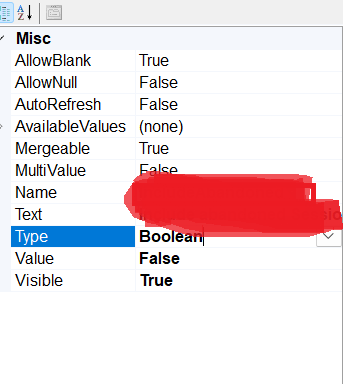
this type filteration controllers not displaying in report (version - 18.0.24.130)