

I had compare crystal report and Telerik report on rendering similar dataset. (LARGE dataset)
Crystal report renders much faster on showing the initial page (viewer) by almost 50% compare to Telerik html5 viewer. (almost 10,000 pages)
Crystal report renders much faster on generating PDF file by also 50%.
Also Crystal report telling the total page on the initial rendered page., while on Telerik report (html5 viewer) it on shows pages that are already cache (and show caching progress.) It would be nice if it show the total pages then shows in the status notification the progress of caching.


With the following HTML 'underline' is applied to the whitespace run-time but not design-time.
<span style="text-decoration: underline">PAYMENTS ONLY </span>TO:The whitespace is reduced to a single space irrespective of its position in the text. For example the following content:
PAYMENTS ONLY TO:
is displayed as shown in this screenshot.
When an HTML content is placed in nested block elements, it is displayed differently from the way the browser displays it.
For example, the following HTML:
<div><p>htmlTextBox1</p></div>is vertically displaced compared to the same content when not wrapped in another block element:
<p>htmlTextBox1</p>This image demonstrates the difference.
Hello,
It would be nice if Telerik Reporting supported an organizational chart type like in ASP.NET AJAX. See the following image for a reference.

I have a few reports in which I have a multivalue parameter that renders a ListView control. However, when the user clicks on "Select All", only the 1st value is sent to the server.
Also, if some of the values have default values when defining the Report parameter and one of them is the 1st value, then ALL values are pre-selected when the Report renders. However, when the user clicks "Preview", again only the 1st value is sent to the server.
The above happens when I reference Kendo ( kendo.all.js) 2020.2.513 in the project. With Kendo 2020.1.114 the viewer works as expected.

The NuGet package Telerik.Reporting.Services.HttpClient has a package dependency to Microsoft.IdentityModel.Clients.ActiveDirectory 2.22.302111727, which is incompatible with .NET Core.
When referencing the Telerik.Reporting.Services.HttpClient NuGet package in a .NET Core project, an incompatibility warning appears.
Due to specifics in font resolving mechanism on Linux, some fonts cannot be resolved correctly when the font name includes the font-face name - for example, the name "Noto Sans CJK TC Regular" would resolve the font-face "Noto Sans CJK TC".
My dynamic URL needs to contain many query string parameters which are constructed on the fly, so I do not want to define these query string params as Query parameters in wizard.
I tried to created inline parameter @Url and set it to the Service Url in Report designer in web service data source wizard. However, when I run preview for data I see in Fiddler, that it cut off all strings in URL after question mark including.
Predefined original request in @Url:
https://xxx.com/data?$skip=0&$top=50&$select=Id,Name&$orderby=Name&$count=true
Fiddler request output (what wizard actually sent):
GET https://xxx.com/data HTTP/1.1
Accept: application/json, application/json
Prefer: return=representation
Host: xxx.com
When using a custom IReportResolver, it gets invoked to resolve the main report but does not get called for any sub/child report. This generates inconsistent handling of the report resolve and also makes it hard to have a single repository for report templates.
When there are both ASCII characters and non-ASCII characters (such as Chinese) in the text box, the position of line wrapping in Linux Docker is incorrect. Some of the data get lost.
More information can be found in the forum thread TextBox's line wrap position is incorrect in docker.
Sometime the design of the report is too complex (the graphic design) and using a table for suppressing repeating values is not possible.
It would be really nice to have the Suppress if duplicated property in the textboxes so as to be able to use it in the detail band, also it should repeat it only on the first detail of a new page.
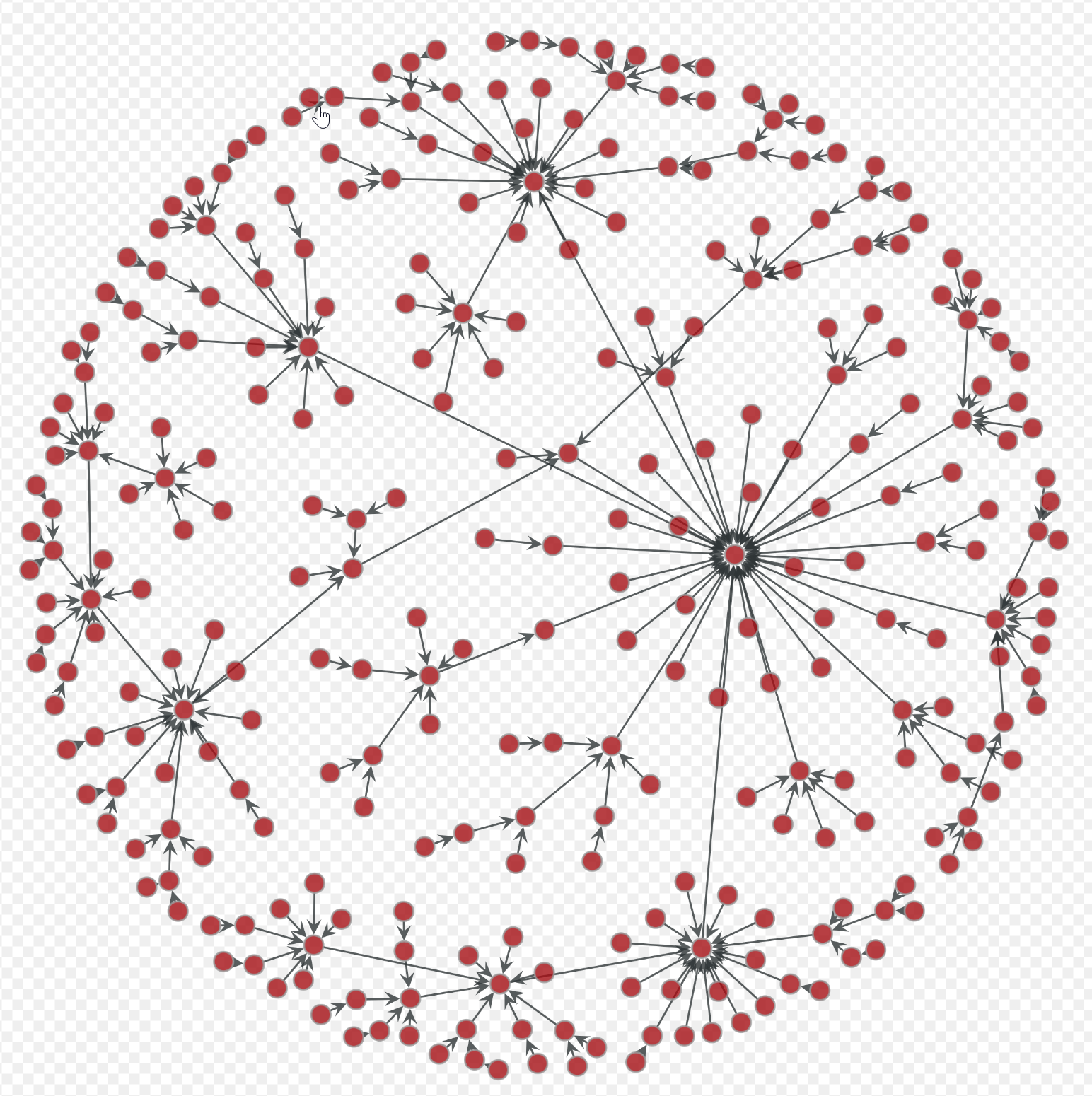
It would be nice to add a network graph to one of the available chart types. Below is an example of what I am referring to.
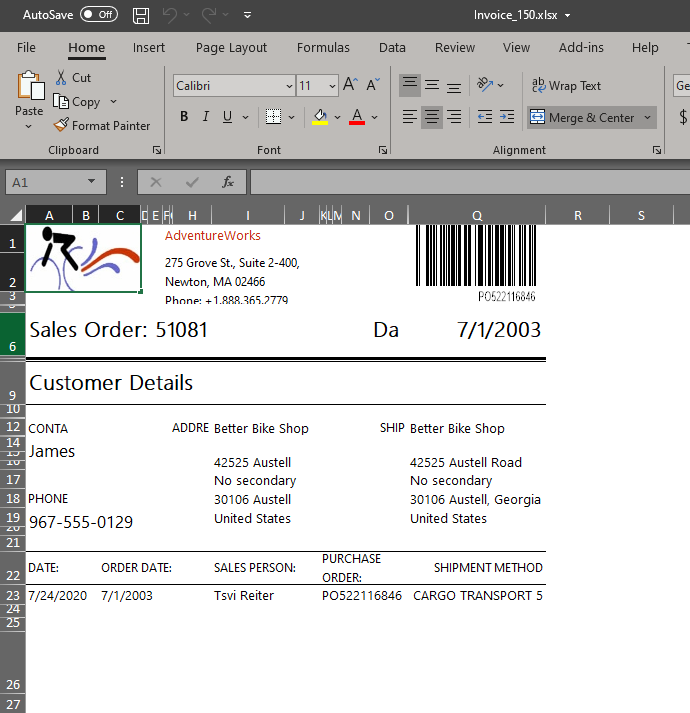
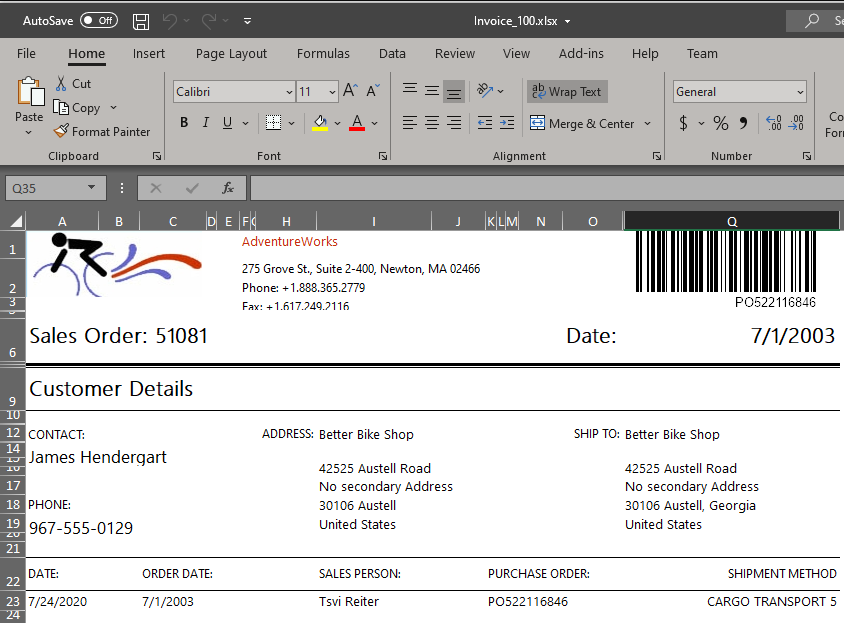
When Windows display scaling is set to 150%, the stand-alone report designer causes the resulting Excel Worksheet export to shrink from its expected layout.
Steps to reproduce:
- Set display scaling to 150% in Windows Display Settings
- Start the standalone Telerik Report Designer and open the Invoice example report
- Preview the report for order SO51081 and export to "Excel Worksheet"
- Open the report in Excel.
Issue: Its formatting is not as expected, note the contact name is cut off and overall the output is squished together. - Close the Telerik Report Designer
- Set display scaling to 100% in Windows Display Settings
- Repeat steps 2 through 4 and note the improved rendering of the Excel Worksheet at standard display DPI.
I've attached my XLSX file results for 150% scaling and 100% scaling to show the problem.
I would not expect my display settings to alter the export of Excel Worksheet files in the Telerik Report Designer application.
150%:
100%:
If the HTML5 Report Viewer gets hidden on renderingBegin(e, args) event and shown on renderingEnd(e, args) event, its toolbar is shown, but the contents are still invisible.
Code snippet that demonstrates the issue:
$("#reportViewer1")
    .telerik_ReportViewer({
		... initialization script goes here
        renderingBegin: function (e, args) {
           $("#reportViewer1").hide();
        },
        renderingEnd: function (e, args) {
           $("#reportViewer1").show();
        }
    });