

1. webServiceDataSource1URL - For the Service URL we are using the inline variable "@url" and for Value and design time value we are using the "https://services.odata.org/TripPinRESTierService/People"
2. webServiceDataSource2NoURL - For the service URL we are directly using the "https://services.odata.org/TripPinRESTierService/People"
In scenario #1 there occurs an error "An error occurred while loading the data schema for 'webServiceDataSource1URL': unexpected token | in JSON at position 0".
The fields for #2 are loaded and for #1 are not.

We use telerik reporting service in ASP.NET Core 3 on CentOS 8 server.
I just confused in spesific kanji is not show in preview and pdf.
"備考" is not shown,but "考備" is shown, reason why?(see attached xslx file)
Private Font settings will be fine(see attached reportsettings.json),because of gothic and mincho font is displayed.
If set double byte space ("備考 ") is displyaed... I dont know reason why.
We install libgdiplus API in cent OS server, but not well.
hiragana is OK, but some types of Kanji is Not OK.
We already running on Windows server is not having same issue(always displayed)
We think some issue in textbox sizing algorythm in Telerik Reporing on Linux ( I used latest version 14.2.20.916)
We look forward to hearing from you.
All Telerik Reporting assemblies to be distributed via Nuget packages, in order to ease deploying a solution that uses Telerik Reporting and to share the solution with other developers.
Note: Without having Telerik Reporting installed on the machine, there will be no design-time support (Upgrade and other wizards, VS Report Designer, etc.). The purpose of the packages is only deployment.
After upgrading from Telerik Reporting 2020 R2 (14.1.20.618) to 2020 R3 (14.2.20.916) my reports can no longer render an image that they have always rendered before.
The images are displayed correctly in Visual Studio Report Designer Preview mode but are not displayed in HtmlPreview mode.

I have a PictureBox item with a background image and no image value. When rendering in either of the Excel formats from a web application or from the Standalone designer, they throw an "Object reference not set to an instance of an object." exception. Here is the response from Fiddler:
{"message":"","exceptionMessage":"Object reference not set to an instance of an object.","exceptionType":"Telerik.Reporting.Services.Engine.DocumentRenderException","stackTrace":" at Telerik.Reporting.Services.Engine.Document.GetDocumentInfo()\r\n at Telerik.Reporting.Services.WebApi.ReportsControllerBase.GetDocumentInfo(String clientID, String instanceID, String documentID)\r\n at lambda_method(Closure , Object , Object[] )\r\n at System.Web.Http.Controllers.ReflectedHttpActionDescriptor.ActionExecutor.<>c__DisplayClass6_2.<GetExecutor>b__2(Object instance, Object[] methodParameters)\r\n at System.Web.Http.Controllers.ReflectedHttpActionDescriptor.ExecuteAsync(HttpControllerContext controllerContext, IDictionary`2 arguments, CancellationToken cancellationToken)\r\n--- End of stack trace from previous location where exception was thrown ---\r\n at System.Runtime.ExceptionServices.ExceptionDispatchInfo.Throw()\r\n at System.Runtime.CompilerServices.TaskAwaiter.HandleNonSuccessAndDebuggerNotification(Task task)\r\n at System.Web.Http.Controllers.ApiControllerActionInvoker.<InvokeActionAsyncCore>d__1.MoveNext()\r\n--- End of stack trace from previous location where exception was thrown ---\r\n at System.Runtime.ExceptionServices.ExceptionDispatchInfo.Throw()\r\n at System.Runtime.CompilerServices.TaskAwaiter.HandleNonSuccessAndDebuggerNotification(Task task)\r\n at System.Web.Http.Controllers.ActionFilterResult.<ExecuteAsync>d__5.MoveNext()\r\n--- End of stack trace from previous location where exception was thrown ---\r\n at System.Runtime.ExceptionServices.ExceptionDispatchInfo.Throw()\r\n at System.Runtime.CompilerServices.TaskAwaiter.HandleNonSuccessAndDebuggerNotification(Task task)\r\n at System.Web.Http.Controllers.ExceptionFilterResult.<ExecuteAsync>d__6.MoveNext()"}
In my report, there is a Table with one group and PageBreak set to After for the group. If the property ColumnHeadersPrintOnEveryPage is with the default value False, in Interactive view there are three pages generated, one for each group, which is correct.
If I set ColumnHeadersPrintOnEveryPage to True, the number of pages increases to four in the Interactive view mode. There is an additional page break introduced in the last group.
Support to display a SVG file in the PictureBox. When viewing a report this looks fantastic and of course superb for printing.
In the secure and session based environment, it may take a while to design a report. Meanwhile, the session may expire. Or even anything could happen e.g. internet loss, power loss. In that case, all of the designs that the user has made after spending a lot of hard work and time; are lost.
There should be an auto-save feature in Report Web Designer. It would be great if this is API based. e.g. AutoSave(true/false), AutoSaveInterval(seconds), etc.

Hi,
When you put controls (textbox or anything else) in the report header section and choose to hide the report header, all controls are deleted. if you did it without taking attention and start the report, you loose all the content in the report header.
Thanks,
Steps to reproduce:
1. Add a ConditionalFormatting to one report item (for example crosstab).
2. Select the first existing rule.
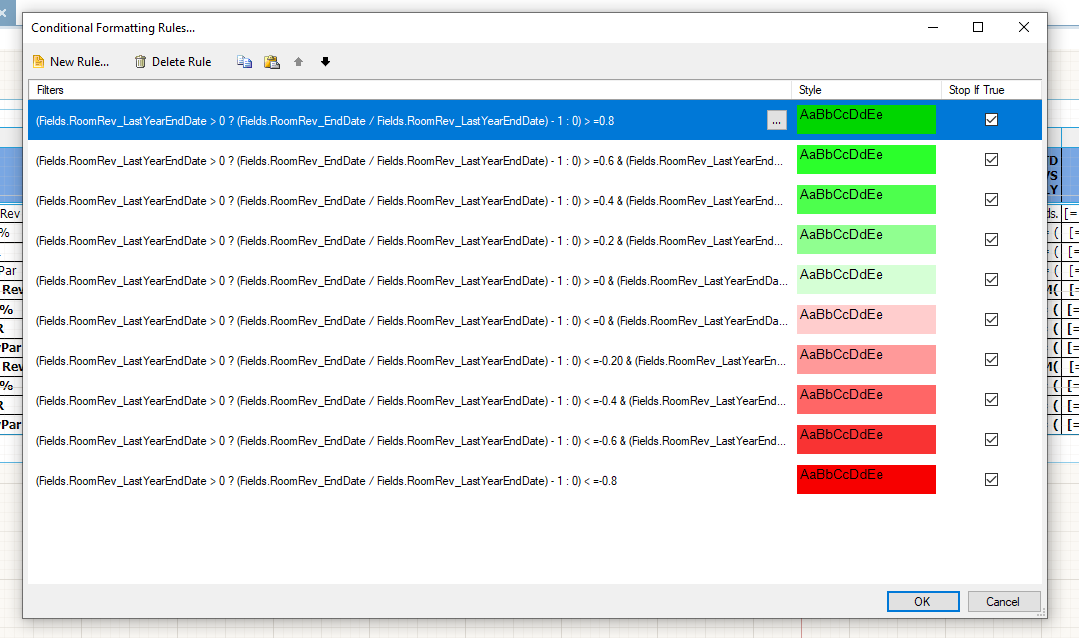
3. Click "Copy Selected Rule"
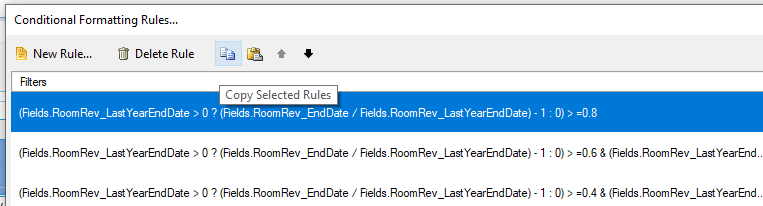
4. Click "Paste Rules" - nothing happens.
You can also see the attached video which demonstrates the problem.
If there is a pageMode option, An error event is fired at initialization, even if no error occurred.
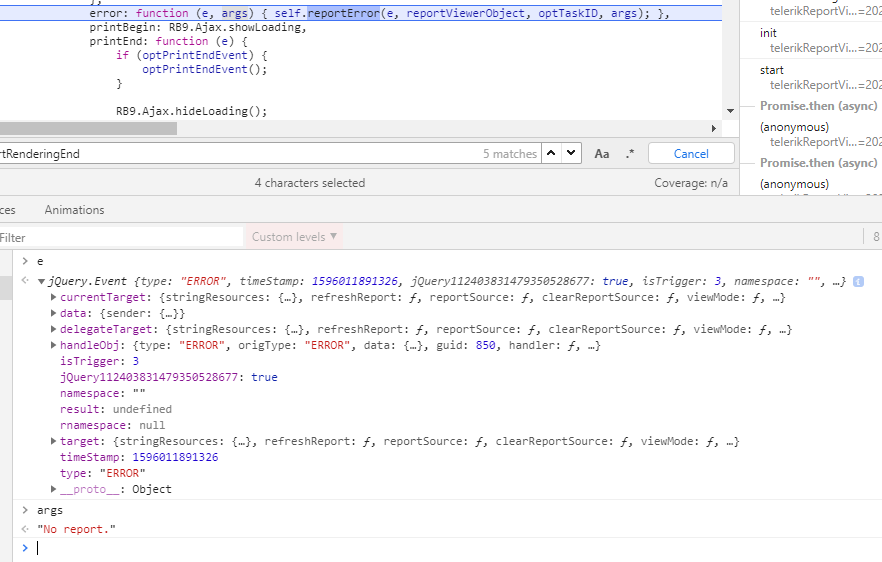
The problem can be reproduced with the HTML5 demo:
$("#reportViewer1")
                .telerik_ReportViewer({
                    serviceUrl: "api/reports",
                    reportSource: {
                        report: "Telerik.Reporting.Examples.CSharp.ReportCatalog, CSharp.ReportLibrary",
                        parameters: {}
                    },
                    viewMode: telerikReportViewer.ViewModes.INTERACTIVE,
                    pageMode: telerikReportViewer.PageModes.SINGLE_PAGE,
                    scaleMode: telerikReportViewer.ScaleModes.SPECIFIC,
                    scale: 1.0,
                    enableAccessibility: false,
					sendEmail: { enabled: true },
					ready: function () { debugger; },
					error: function (e, args) { debugger; }
                });
The FreezeColumnHeaders functionality doesn't behave properly when Action is set on the header. The white background color of the headers which we need to see in the viewer when the FreezeColumnHeaders property is set to True is missing. Please, check the attached project which reproduces the issue. If you reset the Action property of the ID header, then the FreezeColumnHeaders functionality works as expected.

Hello,
What are the future plans for reporting on .net framework ?
Currently it works on the old .net track → 4.6 but not for .net core.
.net 5.0 is planned november 2020
It would be nice that we can have this on 1 .net framework version.