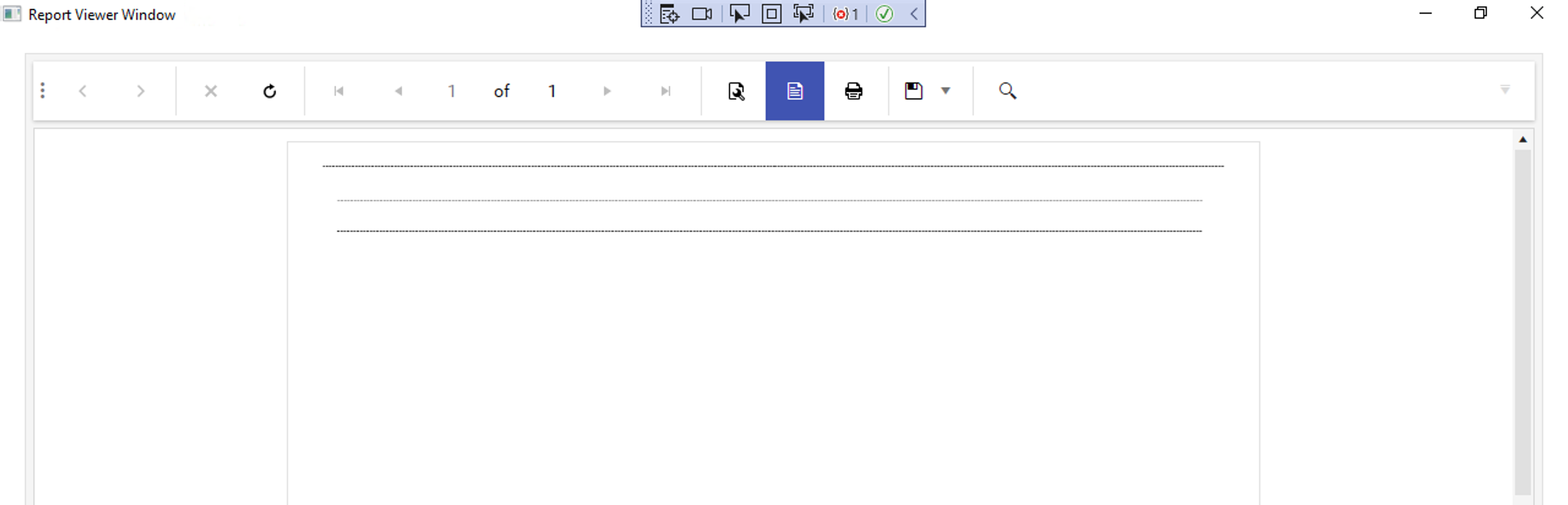
The following error is thrown when inserting a new column on merged columns in a crosstab/table and then trying to select that column:
"Value cannot be null. Parameter name: components"
The property DataSources is internal in the Report class. When manipulating the datasources of a report it's easier to have access to this collection than to go through all the elements en report parameters to check for datasources

My ReportLibary has 174 reports. When I tried to convert them at once with the Standalone designer, it converted a few of them and threw the following exception (showing part of the Stack Trace):
Application: Telerik.ReportDesigner.exe
Framework Version: v4.0.30319
Description: The process was terminated due to an unhandled exception.
Exception Info: System.InvalidOperationException
   at System.Windows.Forms.BindingSource.get_Count()
   ...
Converting the reports in smaller portions was successful.
The property of the Graph Numerical Axis CrossAxisValue is listed in the Bindings editor dropdown of the Graph Coordinate System. When I set it, the report displays an error that the property does not exist.
I found out that the property is obsolete.

In Web Report Designer I added a List to my report groupHeaderSection and then couldn't delete it. It switched it to a TextBox. When trying to delete the TextBox the number of the box increments up/down.
There are times when I can't drag it to a different location.
Here is an example of the procedure on AdventureWorks 2019 database:
SET ANSI_NULLS ON
GO

SET QUOTED_IDENTIFIER ON
GO

CREATE PROCEDURE [dbo].[ProcedureConditionsTest]
@ReportPart SMALLINT = 1
AS
BEGIN
SET NOCOUNT ON;
IF @ReportPart = 1
BEGIN
SELECT P.FirstName AS FirstNamePart1, P.MiddleName AS MiddleNamePart1, P.LastName AS LastNamePart1,
	A.AddressLine1 AS AddressLine1Part1, A.AddressLine2 AS AddressLine2Part1, A.City AS CityPart1, A.PostalCode AS PostalCodePart1,
	SP.StateProvinceCode AS StateProvinceCodePart1, SP.CountryRegionCode AS CountryRegionCodePart1, SP.[Name] AS NamePart1
FROM [Person].[Person] AS P
JOIN [Person].[BusinessEntityAddress] AS BEA ON P.BusinessEntityID = BEA.BusinessEntityID
JOIN [Person].[Address] AS A ON BEA.AddressID = A.AddressID
JOIN [Person].[StateProvince] AS SP ON A.StateProvinceID = SP.StateProvinceID
WHERE P.FirstName BETWEEN 'A. Scott' AND 'Justine'
ORDER BY P.FirstName, P.LastName
END
ELSE IF @ReportPart = 2
BEGIN
SELECT P.FirstName AS FirstNamePart2, P.MiddleName AS MiddleNamePart2, P.LastName AS LastNamePart2,
	A.AddressLine1 AS AddressLine1Part2, A.AddressLine2 AS AddressLine2Part2, A.City AS CityPart2, A.PostalCode AS PostalCodePart2,
	SP.StateProvinceCode AS StateProvinceCodePart2, SP.CountryRegionCode AS CountryRegionCodePart2, SP.[Name] AS NamePart2
FROM [Person].[Person] AS P
JOIN [Person].[BusinessEntityAddress] AS BEA ON P.BusinessEntityID = BEA.BusinessEntityID
JOIN [Person].[Address] AS A ON BEA.AddressID = A.AddressID
JOIN [Person].[StateProvince] AS SP ON A.StateProvinceID = SP.StateProvinceID
WHERE P.FirstName BETWEEN 'K.' AND 'Zoe'
ORDER BY P.FirstName, P.LastName
END
END
GO
In the report Designer I added two SQL Data Source named Part1 and Part2:
Part1:
EXEC [dbo].[ProcedureConditionsTest]
@ReportPart = 1
Part2:
EXEC [dbo].[ProcedureConditionsTest]
@ReportPart = 2
On both sources, I have column sufix Part1.
In some cases, the word export will cut off the report content with a blank page.

Please add DropDownTree and/or TreeView as single- and multi-value parameter editors to accommodate Hierarchical data. It would be nice to have them out-of-the-box when available values come from a hierarchical/self-referencing table(s), but I would be happy if they could be integrated as Custom Parameter Editors. I was able to render and populate the dropdowntree with checkboxes, pass the correct selected values, but the 'Preview' button would never enable upon selection. Also, the dropdowntree's AutoClose(false) was not recognized. I know this can be achieved outside of the report viewer, but sometimes that method disrupts the layout and flow of the reporting view.
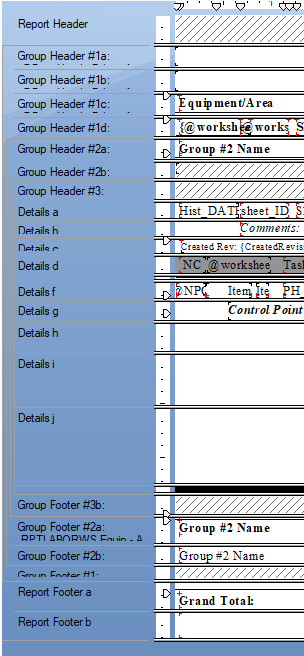
Ability to split sections for use in Conditions and Formatting.
Example: Detail split into Detail-A and Detail-B where either or both may display based on a condition defined at the Section Split level.
For Crystal Report users (myself since 2008) this is a very important feature.
It allows a single report be used for detail or summary reporting as well as multiple conditions for display.
This is an example from CR:
When I display the page count in PrintPreview mode with the following function, the result depends on the value of the Report property SkipBlankPages and may be wrong:
= PageCount("Report1", 1)If I use only:
= PageCount
the result is correct.
The linked PageCount video demonstrates the problem.
When a Report Parameter is Nullable, and the Null value comes from the data source, for example, from a JsonDataSource assigned to the parameter AvailableValues, the Desktop viewers don't recognize this value and show an exception that the parameter value is not valid. You need to check the NULL checkbox to set the parameter value to Null.
In the Html5 Viewer, the same is working as expected, and the Null value from the data source is correctly set directly to the parameter.
The link to the Nullable Parameter video demonstrates the issue.
This is the outcome in the Standalone designer:
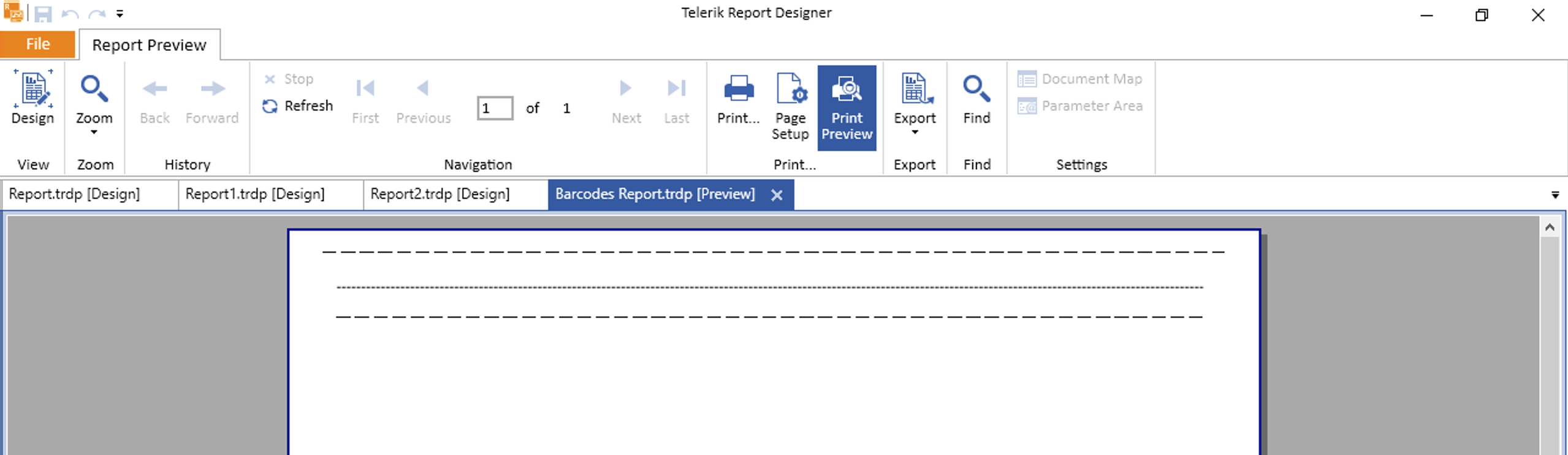
This is the outcome in the WPF viewer: