

I made sure that all files were saved and new assemblies have been generated, but the Main Report Preview shows the subreport with the original layout. If I quit and restart Visual Studio, the Preview will then be updated.
The source of my SubReport was in a nested class and in the preview of the main report I received the error "Invalid report type" although the same nested class was successfully discovered in the VS designer with the assembly-qualified name 'Test.Class1+DetailReport1, Test, Version=1.0.0.0, Culture=neutral, PublicKeyToken=null'.
When I tried using a class (without a nested class, e.g., 'Test.DetailReport1, Test, Version=1.0.0.0, Culture=neutral, PublicKeyToken=null') then I could get the subreport to render within the main report.
It could be the syntax for the qualified name is not handling nested classes.

Make the Design-Time parameter values of the WebServiceDataSource editable through code.
Currently, the design-time values can be edited only by the report designers or by saving the report with the TRDX extension and editing the XML.
In the XML, to change the design-time values, you may edit the ParameterValues property which is a string.
In such a case, the following exception is thrown
Inner exception: System.ArgumentException: The path is not of a legal form.
   at System.IO.Path.NormalizePath(String path, Boolean fullCheck, Int32 maxPathLength, Boolean expandShortPaths)
   at System.IO.Path.InternalGetDirectoryName(String path)
   at Telerik.Reporting.Interfaces.FrameworkDependentDeploymentModel.GetDirectory(Assembly assembly) in
The likely reason for the error is that since the assembly is loaded from the bytes, and not from a path, the assembly.Location in the Telerik.Reporting.Interfaces.FrameworkDependentDeploymentModel.GetDirectory method is Null.
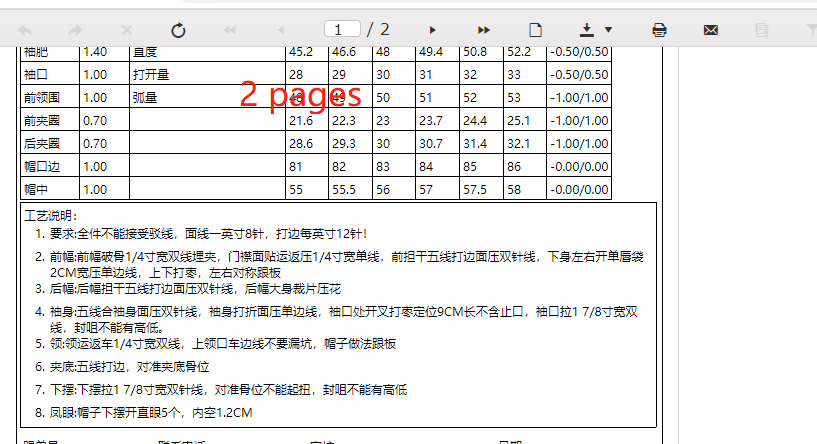
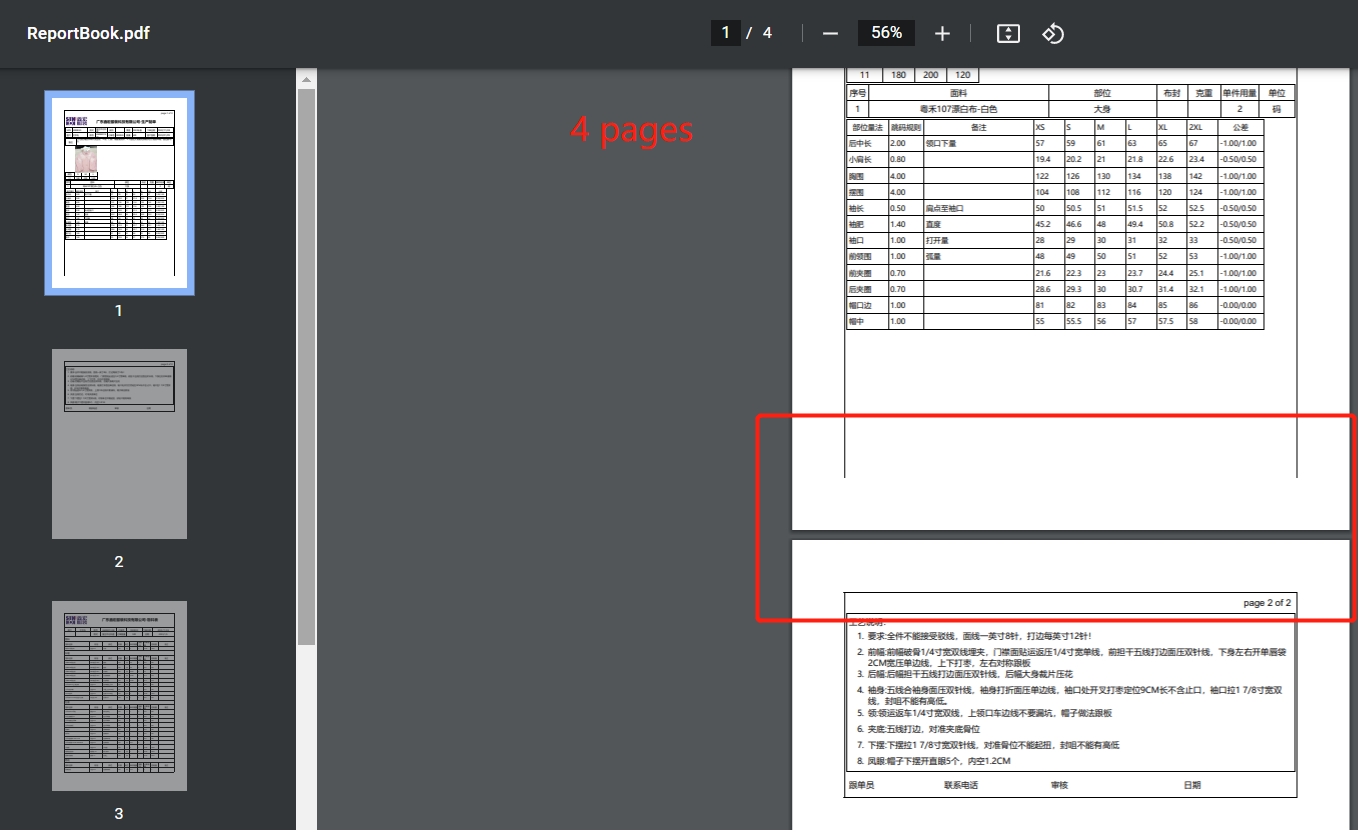

In some scenarios, the PrintOnLastPage functionality of the page sections does not work as expected.
For example, if the report with PrintOnLastPage is the last one in the report book, on the last page of the report book, which will also be the last page for that report, a page section will still be rendered even if PrintOnLastPage is False.
This happens when the default PageNumberingStyle.Continue is used by the reports.
On the other hand, if the last report has a PageNumberingStyle.ResetNumberingAndCount, the page section will not be rendered if PrintOnLastPage is set to False, so in this scenario, it works as expected.

I wanted to add some white space between the TOC text and the leader symbols in my TOC. Here is the default TOC when I don't use whitespace:

I tried the following Expression:
= Fields.group1 + " "
Here is the result - the TOC text of the first level was displaced as if the added whitespace is before the text:

The workaround I found is to add one LeaderSymbol at the end of the whitespace string:
= Fields.group1 + " ."

Still, it seems that there is whitespace trimming that is not correctly implemented for the TOC section.

Hi,
Have the possibility to have the "Select Case" or "Switch" function in the expressions.
Thanks!
The Telerik.Reporting.Report class has the property ExternalStyleSheets which is an ExternalStyleSheetCollection.
This collection consists of objects of the type ExternalStylesheet which has private Name and ResourceKind properties.
Would be great and make sense to make these properties public since that would help when the external stylesheets need to be resolved dynamically, though a custom IReportSourceResolver for example.

We separated our data objects into a library project and then referenced it via the web.config. It works as intended, both in the designer and during data retrieval, but to update the dll with more objects we have to restart the whole site.
It would be very useful if we could substitute our assemblies without restarting the website.
Hi
I need to adjust line spacing in multiple line textbox but currently there seems to be no way to do that. Please add this feature!
Thanks

I want to export a Report as a PNG image with transparent background.
I set the Style > Background to Transparent for the PictureBox in the detail section, for the Page and Detail sections, for the Report itself, and for Report > PageSettings. The PNG image is still rendered with white background.
Currently a single instance of the WPF Report Viewer will often use multiple different HttpClient instances to talk to the Report Server. This means that cookies added as part of earlier requests may not be sent in later requests. If the Report Server is behind a load balancer that uses cookies to implement 'sticky sessions', this loose behavior with cookies will cause requests to get routed to different servers which is not ideal. It is possible to use a storage mechanism on the server that natively supports a web farm (such as the Redis storage option) but that can be tricky to set up.
Instead, if the report viewer were to re-use the same HttpClient instance for all requests (including initial render request, export requests, print requests, etc.), the load balancer could work to route all requests to the same web server and then any storage mechanism (such as the simple File storage option) would work.
This issue was reported back in 2017 and I'm running into the problem again in 2022. See: https://www.telerik.com/forums/wpf-reportviewer-cookie-behavior
Due to breaking changes related to the Kendo state classes - https://docs.telerik.com/aspnet-core/styles-and-layout/components-rendering-overview#state-classes, report parameters loaded in the HTML5 Report Viewers that use the ListView widget, are not selected properly, thus the report is not updated with a new report source and the data does not change.

Using the Default or Material Kendo Theme (v5.6.0) with the Telerik HTML5 Report Viewer, the Boolean parameter which uses a Checkbox for it's display, is not visible (this may affect other themes as well).
I confirmed an older version v4.40.0 has a height and width set for the k-checkbox CSS class as such:
https://unpkg.com/@progress/kendo-theme-material@4.40.0/dist/all.css
.k-checkbox {
    border-radius: 2px;
    margin: 0;
    padding: 0;
    width: 16px;
    height: 16px;
    line-height: initial;
    border-width: 2px;
    border-style: solid;
    outline: 0;
    box-sizing: border-box;
    background-position: center;
    background-repeat: no-repeat;
    background-size: contain;
    display: inline-block;
    vertical-align: middle;
    position: relative;
    cursor: pointer;
    -webkit-appearance: none;
}
while the latest v5.6.0 does not:
https://unpkg.com/@progress/kendo-theme-material@5.6.0/dist/all.css
.k-checkbox {
    margin: 0;
    padding: 0;
    line-height: initial;
    border-width: 2px;
    border-style: solid;
    outline: 0;
    background-position: center;
    background-repeat: no-repeat;
    background-size: contain;
    display: inline-block;
    flex: none;
    vertical-align: middle;
    position: relative;
    cursor: pointer;
    -webkit-appearance: none;
}
The checkbox is actually on the page, but is so small it's basically invisible and completely unusable, requiring a manual CSS override to fix.
Boolean parameter checkbox is with a small size in the HTML Viewer with Kendo SASS theme created with ThemeBuilder.
The current workaround is to use the following CSS to set the width and height of the checkbox:
.k-checkbox{
   width: 16px !important;
   height: 16px !important;
}
In the Web Designer, I can create OhlcSeries but I cannot find a way to provide the OHLC marks. Whatever I enter for Y value, in the Design view I see the error "The XML serializer cannot resolve type with name: Telerik.Reporting.OhlcMarks". In Preview the error is "An error has occurred while processing Graph 'graph1':ohlcSeries1: OHLC values value cannot be null or empty when using NumericalScale".
If I created an OHLC chart with the Standalone Designer and opened it in the Web Designer, the Y value would display "[object Object]" as seen in the linked screenshot.