

I have cascading parameters, and in some cases, the data set for the dependent parameters is empty. In these cases, the parameter editor of the second parameter is displayed as an input/textbox rather than a dropbox without data.
In the Standalone Designer, the parameter editor is displayed as expected, with a dropdown without data.
The report for reproducing the issue is Product Line Sales-01.zip
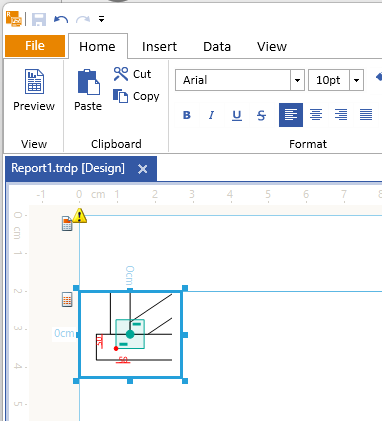
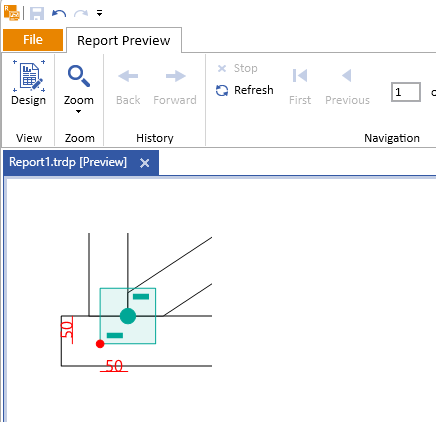
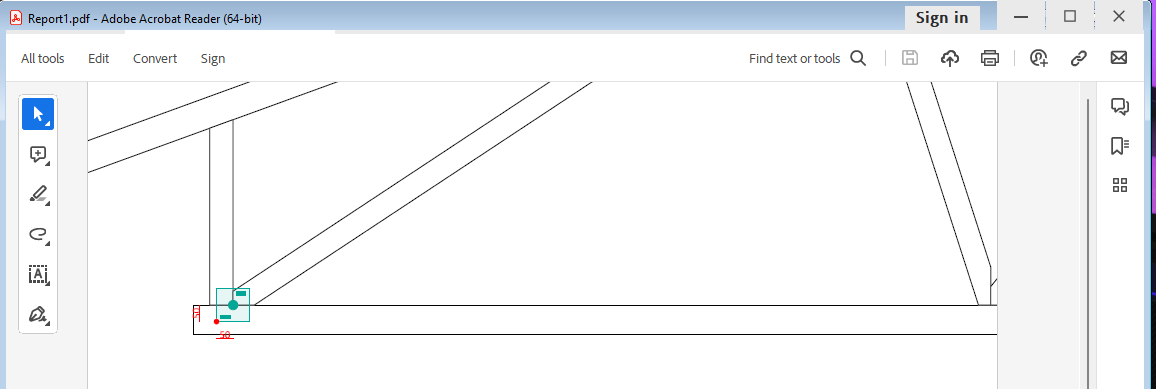
In the PDF rendering engine, clipping SVGs is not supported out-of-the-box. Instead, the whole SVG content is rendered without applying any clipping which can lead to differences between previewing the report in the report designer and when exported to PDF. For example:
In design
In the report preview.
In the PDF file.

The following warning is shown in the browser console when starting my Blazor application when I use the native Blazor Report Viewer:
WARNING: Processing source-maps of https://localhost:7025/_content/Telerik.ReportViewer.BlazorNative/js/reporting-blazor-viewer.js took longer than 11000 ms so we continued execution without waiting for all the breakpoints for the script to be set.Could not read source map for https://localhost:7025/_content/Telerik.ReportViewer.BlazorNative/js/reporting-blazor-viewer.js: Unexpected 404 response from https://localhost:7025/_content/Telerik.ReportViewer.BlazorNative/js/reporting-blazor-viewer.js.map:
In Web Report Designer HtmlTextBox input is just simple TextArea. There is a great need to be able to enter rich text as in a desktop application.
https://docs.telerik.com/reporting/report-items/htmltextbox/overview
Could you add a property to the TelerikReportViewer so the user can pass queryStringParams to server api calls. For my case, I need it to support multi-tenant.
Thanks
Output with Skia in Linux Docker:
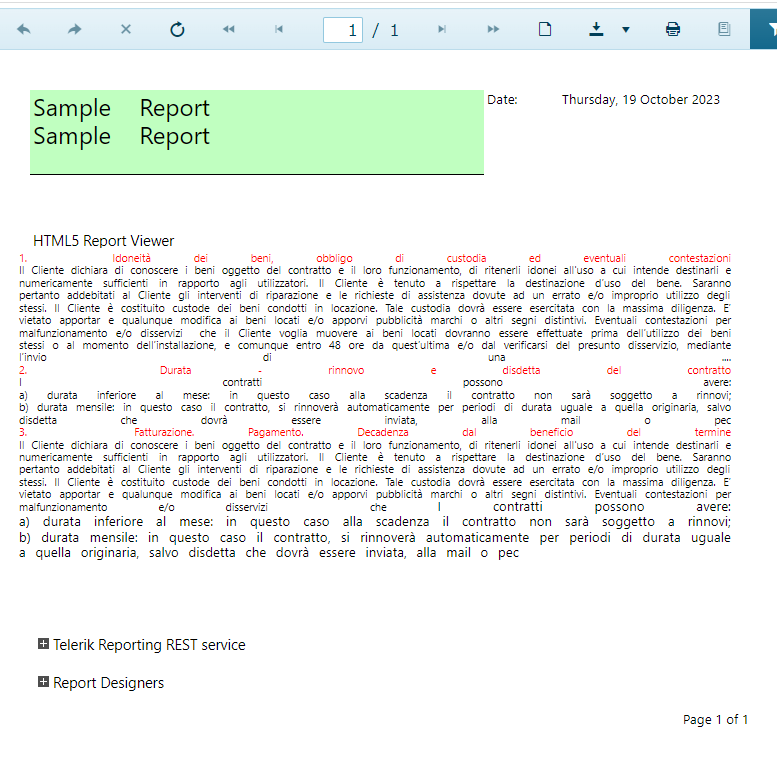
Expected output (Skia/GDI in Windows):
After updating the Telerik Reporting packages to v17.2.23.1010 and opting out to still use the Gdi graphics engine, when I attempt to render a report to PDF on Linux, the rendering fails with the following error:
Error: 0 : An error occurred while rendering the report in separate thread: System.NullReferenceException: Object reference not set to an instance of an object.
   at Telerik.Reporting.Paging.PageCompositionBase.<>c__DisplayClass87_0.<CreatePages>b__0()
   at Telerik.Reporting.Paging.PageCompositionBase.CreatePages()
   at Telerik.Reporting.BaseRendering.RenderingExtensionBase.Render(LayoutElement root, Hashtable renderingContext, Hashtable deviceInfo, CreateStream createStreamCallback, EvaluateHeaderFooterExpressions evalHeaderFooterCallback, PageSettings pageSettings)
   at Telerik.Reporting.BaseRendering.RenderingExtensionBase.Render(Report report, Hashtable renderingContext, Hashtable deviceInfo, CreateStream createStreamCallback, EvaluateHeaderFooterExpressions evalHeaderFooterCallback)
   at Telerik.Reporting.Processing.ReportProcessor.RenderCore(ExtensionInfo extensionInfo, IList`1 processingReports, Hashtable deviceInfo, IRenderingContext renderingContext, CreateStream createStreamCallback)
   at Telerik.Reporting.Services.Engine.ReportRenderer.Render(ReportRendererArgs args)
   at Telerik.Reporting.Services.Engine.Rendering.RenderWithCulture(ReportRendererArgs args)
   at Telerik.Reporting.Services.Engine.Rendering.ThreadFunc(Object o)
In the Desktop Report Designers, you may display the Text of the Tooltips on several lines by adding new lines (\n) inside the text.
In the HTML5 Viewrs, the new lines are ignored and the text is displayed on a single line. You may work around this by replacing the new lines with <br /> elements. It would be much easier for the users if this is done in the code of the viewer instead.

We upgrade to 17.2.23.1010 and after going through the report Upgrade Wizard we are getting this error for the CheckBox item:
Error CS0266 Cannot implicitly convert type 'System.Drawing.ContentAlignment' to 'Telerik.Drawing.ContentAlignment'. An explicit conversion exists (are you missing a cast?)
Conditional formatting property already exists in Telerik.Reporting.LegendItem class however does not exist on Telerik.Reporting.GraphLegend.
Would be great to have a ConditionalFormatting property into the Telerik.Reporting.GraphLegend to allows to perform bindings on this element.
Exemple of use case not possible currently: Bind the GraphLegend.Position property with an expression.
The issue is a known problem for Skia and Skiasharp.
It looks like the function MatchTypeface is deprecated and was removed with this Skiasharp PR.
HTML5 Report Viewer installation resources contain an old version of the Kendo blueopal theme - C:\Program Files (x86)\Progress\Telerik Reporting 2024 Q1\Html5\ReportViewer\styles.
Please update the kendo stylesheets to the Kendo version the report viewer currently uses.
.jpg)
When the Visual Studio Report Designer is used in VS 2022, Custom User Functions declared in the project containing the reports do not appear inside the designer's expression editor.
The functions do work when previewing the report but this issue forces users to type the function calls manually.
I am using Kendo UI Spreadsheet control in our project to present Tabular contents that end user can easily modify just like a normal spreadsheet operations and I saved it in database using toJSON method provided by kendo spreadsheet.
When I will get the database driven JSON data from kendo spreadsheet as mentioned above, I want to present it in Telerik Reporting using Table (Datasource of that Table will be from JSON data I saved earlier).
Currently there is no such feature available in Telerik Reporting and I would like to request that feature to be included in future release.
Thanks
Password-protected PDF documents generated with Telerik Reporting have blank pages when opened with an iPhone.
The RTF rendering automatically switches to the Tables rendering mode whenever a Crosstab/Table/List is detected in a report. This rendering mode throws an exception whenever the report contains PictureBox with one of the following sizing options.
- Center
- Normal
- Stretch
- ScaleProportional
The RTF export should work with all PictureBox sizing options regardless of the rendering mode.
To work around the issue currently, one can either force the rendering engine to use the Frames rendering mode using the RenderingMode device information property or set the Sizing property of all picture boxes in the report to AutoSize.