

When exporting a long report with ContinuousPaper = true in Word format, the output document has text cut.
Based on the limitation explained in the Pagination section in Design Considerations for Word Rendering article of our documentation, Word supports maximum page size of 22 inches wide and 22 inches high. If the page is higher than 22 inches, some data may not be displayed in Print Layout view. So, in Word, a long document couldn't be rendered.
At least, this property could be avoided when printed in Word format.


Reporting environment:
- UWP using the web viewer
- Odata web service to retrieve data (Web service data source)
The problem: I have a table that has several million records. I have a report with parameters to query those records. Example on a sales report: Customer (All or specific customer) and Product (All or specific product) and date range. If by mistake the user selects all customers, all products, and a date range of 10 years, he may get millions of records for the report. After several seconds he realizes that he entered the wrong parameters and wants to cancel the report. There is no way to cancel. The solution was to run this in another thread and kill the process. That seems like a hack and doesn’t stop the web request so the web service keeps working even after the report has been killed.
Change request: Allow canceling in two ways:
- The report viewer (we are using the web viewer) should have a cancel button
- We should be able to cancel a report programmatically.
The web data source should implement the “Cancellation Token” and cancel the web request when the report is canceled. Postman, browsers, and other tools use this technique so that the web service understands that the data is no longer needed and it can stop the request.
Some links explaining how to implement Cancellation Tokens:
- https://docs.microsoft.com/en-us/dotnet/api/system.threading.cancellationtoken?view=netframework-4.8
- https://docs.microsoft.com/en-us/dotnet/standard/threading/cancellation-in-managed-threads

Hi, can you organize the progress windows' program group and group packages by version? A sample of half of my list in windows in the file I joined.
Thanks,
Hi,
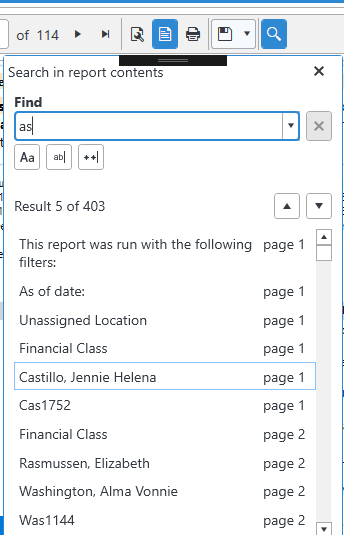
There is an issue where the search window that opens from the Report Viewer tool bar does not allow for deleting text from the search string input box using backspace.
The keyboard command provider seems to have many other keys covered for the intended behavior, but backspace does not seem to be handled appropriately.

After R1 2019 Telerik Web Report Viewers use Kendo splitter for resizing Parameters and Document map areas. At this point, there is no way to change the Parameters Areas position.


It would be extremely useful to have a Crosstab export the entire hierarchy as groups in Excel. SQL Reporting Services does this when exporting a report created there. I realize that this would mean generating the entire dataset prior to the export in order to expand all the data, but as I said, SSRS does this without a noticeable performance delay.
I am using the standalone report designer with an ObjectDataSource that returns ExpandoObject. I did create some new ExpandoObject objects and set property values as suggested in https://www.telerik.com/support/kb/reporting/details/how-to-use-objectdatasource-with-expandoobject. The problem I have that the dynamic properties of ExpandoObject are now showing in the data explorer.
If the controls and PDF generated from Designer or API from scratch will be 508 compliant? PDF needs to be tagged, so when a reader reads its images have text alternative for it to read.
Have control on the Parameters Area's initial state on creating the viewer

When dynamically create a new tab which contains a report viewer, only the first report is rendered correctly. The subsequent tabs with report viewers are empty.
Hi Support Team,
There an issue for exporting report to PowerPoint when there is grouping in table and tables goes to next page,
I got this error : "The given key was not present in the dictionary"
I've attached sample trdx file for your consideration.
Thanks,
Mozhgan Javadi