

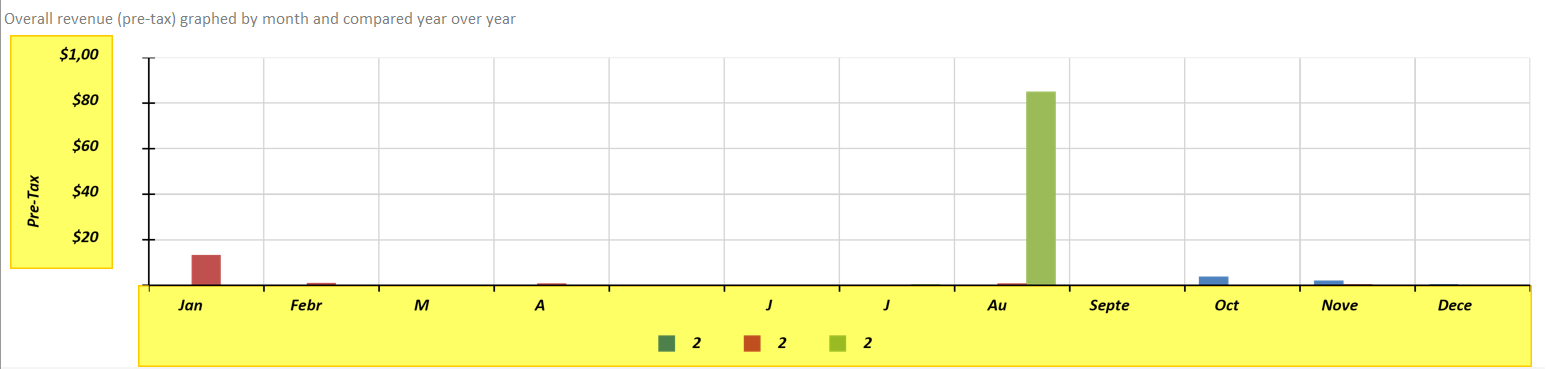
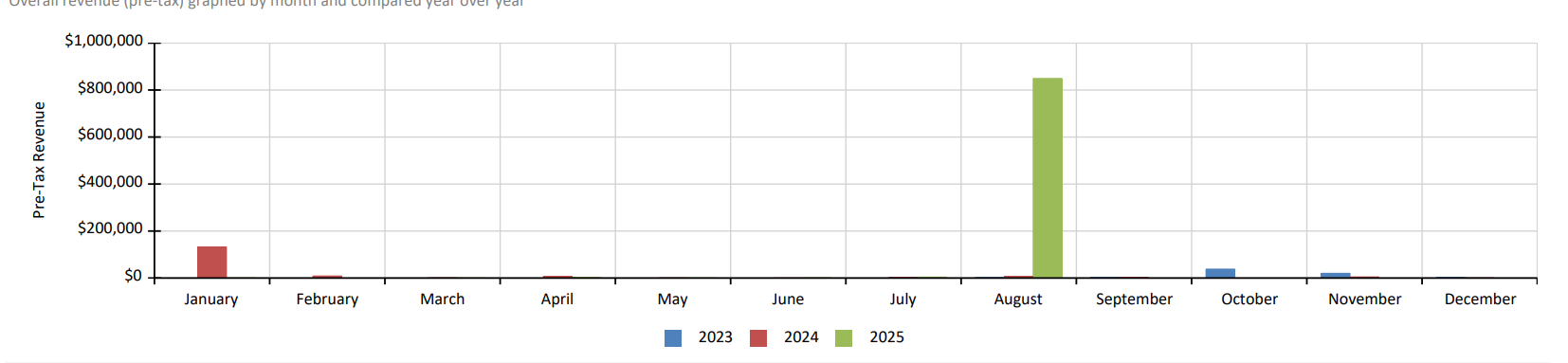
Graphs do not render captions and labels properly when exporting to Excel, Word, or Powerpoint. The problem appears to be worse using Skia on Linux, but the problem is present with GDI rendering as well. Worth noting that PDF export works properly.
Here is an example report exported to Excel via a Linux Azure Web App and below that is the exact same report from the same environment as PDF:
Here is that same report as a PDF (which mirrors how it looks in the HTML5 viewer):

In print preview, if you have "FIT_PAGE_WIDTH" as a default scale mode, once you click the "toggle full page/full page width" button, it's never possible to get it to return the original fit-page-width size (it seems to cycle between 3 different zoom modes, but none of them fill the entire control width).
It looks like the report viewer correctly sets the scale mode during initialization. However, when toggling the mode later, it sets it incorrectly.
If we initialise the control in "FIT_PAGE_WIDTH" mode it essentially renders as expected but zooming in can actually then cause it to zoom *out*.
Reproducible in the `CSharp.NetFramework.Html5IntegrationDemo` example project as well, once you set the `scaleMode` property to "In FIT_PAGE_WIDTH".
I am running the designer with the flag --roll-forward LatestMajor still getting an error in wizard when we try and open cs report
"Ensure that restore has run and that you have included 'net8.0' in the TargetFrameworks for your project."

I am using the HTML5-based report viewer while connecting to a Report Server. However, the responses from the Report Server have a status code of 409 with the following error message:
Thе endpoint "Resources" is currently not accessible.
Visual Studio 2022, Telerik Reporting 2025 Q2, Visual Studio Designer, C# code, running VS as admin, VS version is Microsoft Visual Studio Professional 2022 (64-bit) - Current Version 17.14.13 (August 2025)
A few days ago, the data explorer window stopped functioning, while it seems to be around the same time of the last VS update, I'm not 100% sure. The data explorer window just does not populate at all, appears to not update the screen at all (so you see whatever was there). I have tried system restarts, repair install on Telerik Reporting, closed the data explorer window and opened it again, searched for possible answers - nothing. I can run the report in Preview so the data connection is fine. Attached is a screenshot of when I open the Data Explorer - as you can see while the data explorer window shows, the contents is what was there previously. If I leave it open and restart VS the window comes up all white. This is happening for all reports (14 in this project).
Only VS extensions installed are AWS Tookit and Telerik.
VS is not showing any errors in the output window, the option for "Show output from", at least initially, has no entries for Telerik
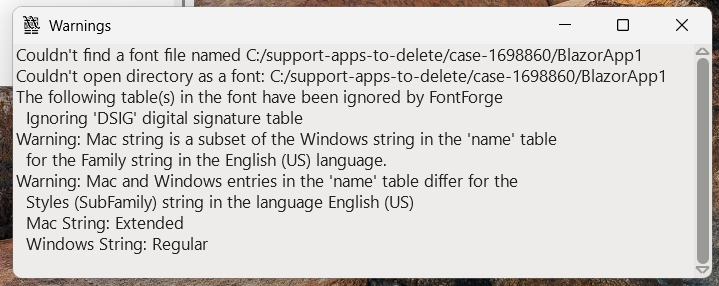
I use an approved government font for the reports. I have specified it in the `privateFonts` option of the report engine configuration. However, on Linux, it is not picked up during rendering. In FontForge, the font shows the following warning:
On Windows, it causes no issues.
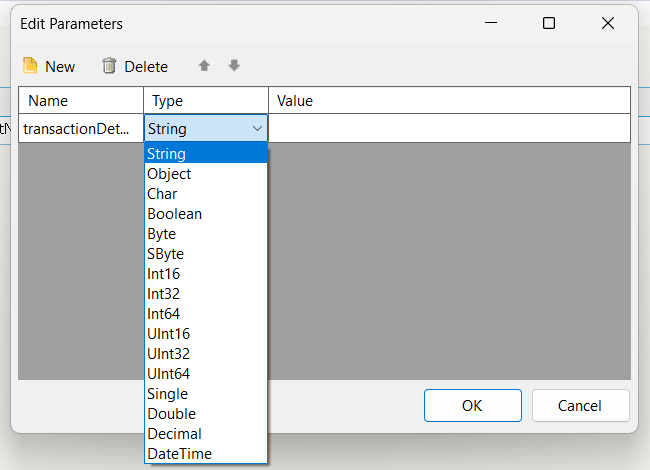
Currently, the only way to set ObjectDataSource parameters as nullable is by typing this manually in the `DataType` property as follows:
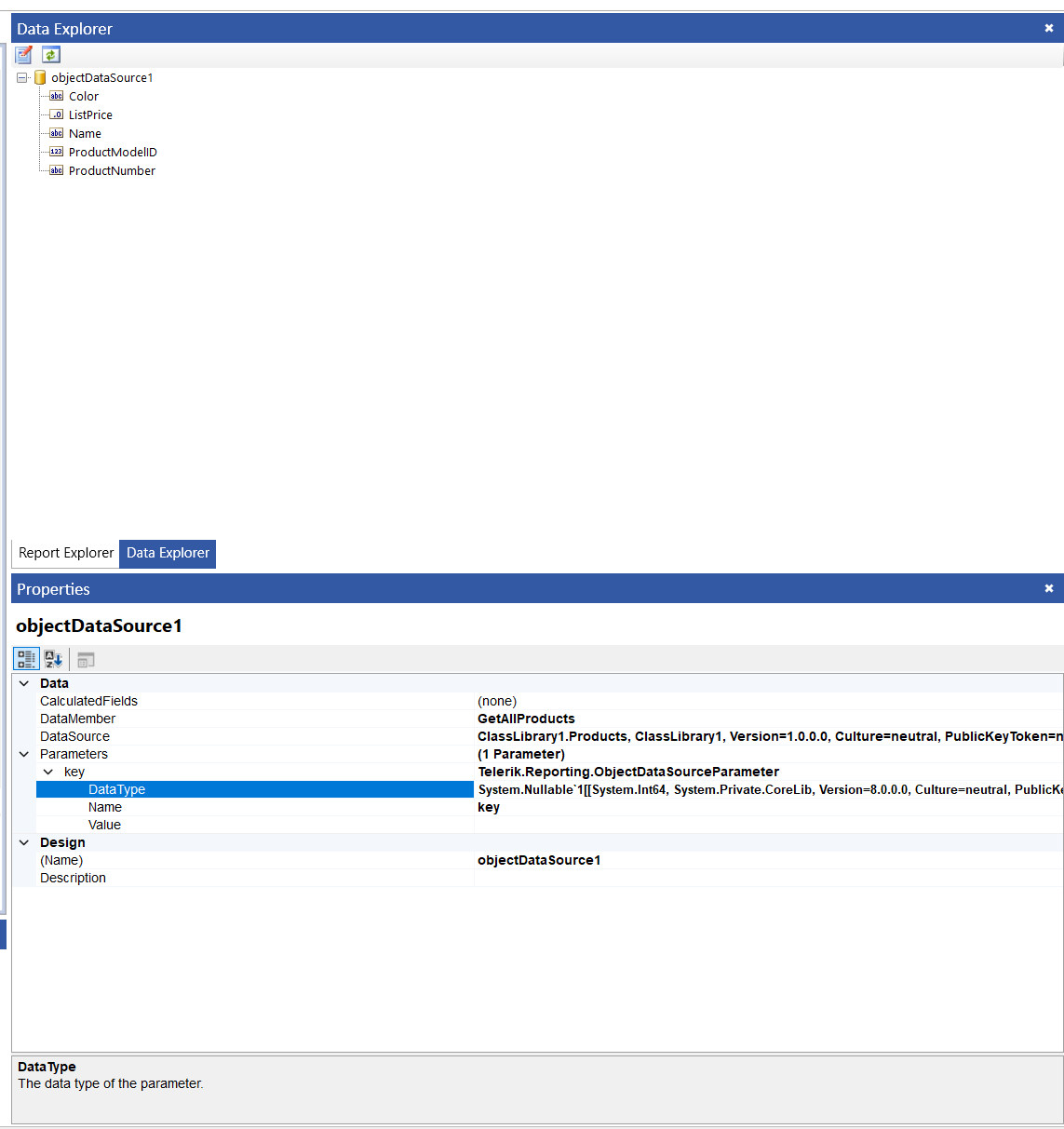
Consider allowing to do this through the "Edit Parameters" dialog:
We are using the Telerik Reporting component and are very happy
We really wanted to use the Table of Contents component in our reports
The Table of Contents works great but unfortunately does not support right-to-left in Hebrew
I guess for you this is a small fix and for us it will be a big relief
We ask for your help and improve the component for us so that the wonderful Table of Contents supports right-to-left
Thank you
Tamar

I would like to request the addition of FormulaPrefixCharacters.
We purchased a reporting component and need to use a table of contents for our reports
The table of contents does not support right to left - for Hebrew/Arabic language
This is really problematic and seems to me a basic need that should be included in the service
We expect a solution soon
Thank you
Currently, there is an MCP server that allows for integrating and developing report viewers, report designers, and Reporting REST APIs through Copilot. Consider allowing end users without Telerik Reporting experience to also build reports using AI.
We have some issues with cut off texts on our PDF reports. It only happens rarely and only with some fonts.
TSE note: This is an investigation item for tracking purposes. The actual font is included in the private GitHub issue linked to this item.
I am using the obsolete `Telerik.Reporting.Chart` type for a chart in a report. When I attempt to preview the report, an error is thrown:
The type "Telerik.Reporting.Chart" contained in assembly "Telerik.Reporting, Version=19.2.25.1001, Culture=neutral, PublicKeyToken=a9d7983dfcc261be" cannot be loaded.
To help improve the application's security, the reporting engine prevents loading types that are not essentially needed or listed as trusted by the user. If you consider particular types or assemblies as trusted include them in the corresponding TypeReferences or AssemblyReferences element of the 'Telerik.Reporting' configuration section in the application's configuration file.
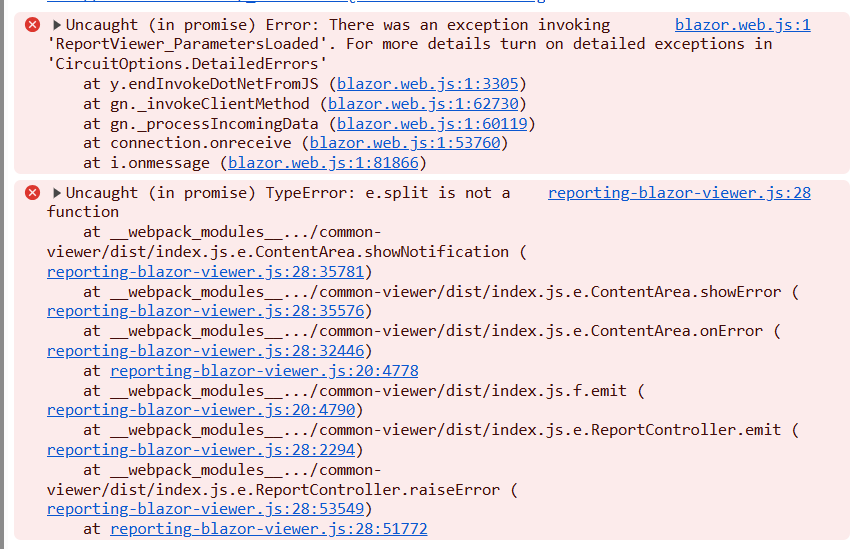
We see a console error when navigating away from the Blazor Native report viewer page. The page that contains the breadcrumb and the viewer has query-supplied parameters.
Currently, page breaks in reports are static and cannot adapt to dynamic conditions during rendering. This limitation makes it challenging to format highly variable reports where layout requirements depend on runtime data or page positioning.
The requested feature would allow developers to define expressions or rules that determine whether a page break should occur, considering factors such as:
- The current page number
- The position of a specific control on the page
- Other Internal report variables
Benefits
- Enables precise control over report layout for complex, data-driven scenarios
- Improves usability for industries requiring strict formatting standards (e.g., financial, healthcare, compliance reporting)
- Aligns functionality with competitive reporting tools like Crystal Reports, enhancing product competitiveness
- Reduces manual workarounds and simplifies report design for advanced pagination needs
Similar, but more specific request already exists:
https://feedback.telerik.com/reporting/1356665-add-conditional-page-breaks-based-on-report-group-page-number-duplex-printing
See also my ticket: 1701322
I have a solution with two projects: one containing a report, and another for the objects.
The first one has a project reference to the second, and the objects are used within an ObjectDataSource component in the report from the first.
I open the solution, build the project with the objects, but the Data Explorer of the ObjectDataSource component in the first project with the report does not get automatically updated. I have to reconfigure the ObjectDataSource manually for the change to take effect.
Related to:
Also affects Telerik.Reporting.Processing and Configuration: Attempt by security transparent method 'Telerik.Reporting.Processing.AssemblyRefManager.LoadAssembliesCore()' to access security critical method 'Telerik.Reporting.Configuration.ReportingConfiguration.get_Current()' failed.