

If you add two Bindings for the same property in the designer when you click OK, an error "Index must be within the bounds of the List. Parameter name: index" occurs and the Bindings are ignored.
I am using Kendo UI R1 2023 SP2 (version 2023.1.425) themes. Telerik Reporting scripts and stylesheets have not been updated to reflect the latest changes of Kendo UI.
1st photo shows using bootstrap themes, 2nd photo shows using other themes.
Hey team,
Please kindly speed up about this bug as this affects the project alot. Also would appreciate for the update.
After dragging a report viewer control from the Visual Studio toolbox to the surface of a Windows Form, the viewer is added to the component tray but it is not added to the Controls collection of the form. Thus, the viewer is not displayed when running the application.
Also, some properties of the report viewer, such as the ReportSource property, are not serialized properly after being modified through the Visual Studio properties window.
Currently, one can work around these issues by manually editing the InitializeComponent component method of the form's .Designer.cs file.
We have an application that is generating very large reports in "Print Preview" mode.
When the first page of the report is generated the Export button gets enabled. If the user does not wait for the report to be fully generated, and clicks the Export button, it doesn't do anything. We have also seen the application crash after clicking the Export button while the pages are loading.
There is no way to send a bearer token with the requests to the reporting service made by the native Blazor Report Viewer because the viewer does not expose a property for setting the token.
I installed the @progress/telerik-angular-report-viewer - npm (npmjs.com) package of version 19.23.718 in my project and noticed that the viewer's SASS template uses incorrect versions for its resource references.
    <link href="{service}resources/font/fonticons-17.1.23.719.css/" rel="stylesheet" />
    <link href="{service}resources/styles/telerikReportViewer-17.1.23.719.css/" rel="stylesheet" />
For the template to work with a Reporting service of the latest version(17.1.23.718), the template must be edited.

The DocumentMapVisible settings that I set in the initialization of the WPF Report Viewer are not respected.
I can hide/show these areas from the buttons in the report viewer's toolbar but am unable to have them hidden initially.
Currently, the only workaround is to set an event on this.ReportViewer1.RenderingEnd += ReportViewer1_RenderingEnd;
private void ReportViewer1_RenderingEnd(object sender, Telerik.ReportViewer.Common.RenderingEndEventArgs args)
		{
			this.ReportViewer1.DocumentMapVisible = false;
		}

It would be very convenient if we could just right-click on a calculated field, such as "Period" in the screenshot below, and be able to modify the existing expression (within a context window)
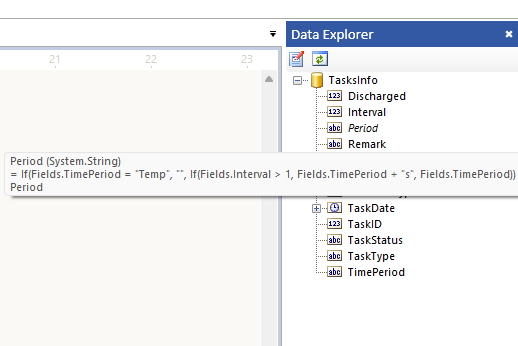
Instead, I now have to do the following:
1. Click on the Data Source
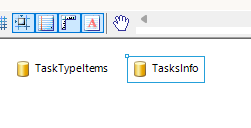
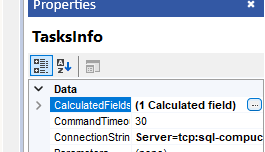
2. Click on the ellipses button within the "Calculated Fields" property of the Data Source's properties
3. Find the desired expression within the "Edit Calculated Fields" window
4. Click on the expression's drop-down and select <Expression>
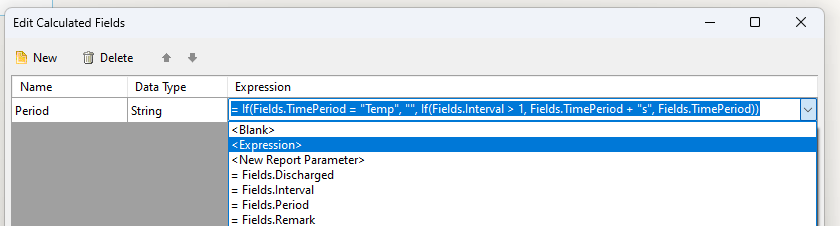
That's a lot of clicks for something that is done rather frequently!

I'm changing the font color to Transparent based on a condition in my report.
This works in the Standalone Designers for .NET and for .NET Framework.
In the WPF Report Viewers for .NET and .NET Framework though the Transparent color is not respected. Other Font colors like green are properly shown conditionally in the WPF viewers.
In PDF rendering, my SVG image does not get clipped according to the design-time look of the report while in Excel(XLSX), the same SVG content appears almost correctly.
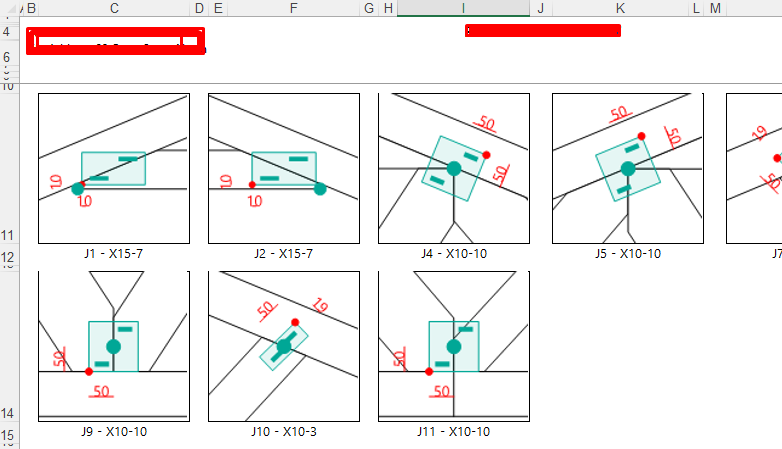

As documented slightly comically here: https://www.telerik.com/forums/can-not-for-the-life-of-me-get-a-report-to-run , and confirmed by other users on that thread, Telerik reporting can be incredibly unintuitive in the configuration steps.
Having just been through the wringer yet again - I just wanted to copy the configuration from one working project to another, and it's taken me about 6 hours of tearing my hair out to get it working, I'm giving some suggestions for improving this. These really are bugs, not features, hence the bug report.
My use case is the HTML5 report viewer running off the REST service in dotNet 6.
(1) Try systematically breaking one component at a time of the configuration, and check that the error message is correct.
eg. in builder.Services.AddControllersWithViews().AddNewtonsoftJson();
if .AddNewtonsoftJson() is left out, we get the error:
Cannot access the Reporting REST service. (serviceUrl = '/api/TelerikReportHandler/'). Make sure the service address is correct and enable CORS if needed. (https://enable-cors.org)
It is almost impossible to diagnose this - there is no reason that error could not indicate that NewtonsoftJson is not available. I working it out by going through the white paper, and thought 'that's in there but it's surely not going to fix that error message' but I added it anyway and hey presto, fixed.
Another example, not having the .css file referenced correctly in the HTML file referencing the viewer template, displayed a message telling me that the report viewer did not match the REST service version number, a completely incorrect error. Again, I realised the error, thought 'there is no way this is going to fix it', and it did. That's how misleading the errors are.
(2) Don't cache everything
Once I finally got it all working, I decided to break things deliberately to get the error messages so I could record them for my information next time I have to go around this loop. However, I then found that nothing on the client side could be broken. That .css file that was missing a minute ago and causing the error, now I could delete it completely and the reports ran just fine. I could delete the entire template folder and same behaviour, even after closing and restarting the project.
So clearly, once it's working your code is caching the files and/or config internally somewhere. That's a really, really astoundingly bad idea.
The reason I had all these problems in the first place was that I copied all the configuration code and files from a working project, and then the project I copied it to didn't work. I triple checked everything. No go.
I now realise that the working project had probably cached all the files it needed, but then I must have updated the project with non working files, but the project ignored all that and continued to work with its cached files. When I copied the files to a new project, only then did the problem become evident. This is incredibly unintuitive, frustrating and undocumented.
Telerik is not a bad product, but I have never failed to take less than half a day every time I have needed to change anything. If I thought the competitiors were any better, I'd jump ship but frankly I think they're all probably the same.
But if you took this advice, the process would become way, way easier to work through. All we need is good, clear, specific error messages and, for the love of god, *no* caching.
Running the Native Blazor Viewer page VS item template in a project that has authentication and authorization configured, breaks the application.
If the application contains an authorize attribute in its _Imports.razor file, the Reporting-related usings are placed in the middle of it.
@attribute [Authorize@using Telerik.Blazor
@using Telerik.Blazor.Components
@using Telerik.ReportViewer.BlazorNative
]
Additionally, the declaration that introduces the EndpointMiddleware in the Program.cs file of the application is added directly after the UseRouting declaration. This breaks applications that already have the UseAuthentication and UseAuthorization declarations because the UseAuthorization call needs to appear between the UseRouting and UseEndpoints calls.
app.UseRouting();
app.UseEndpoints(endpoints =>
{
	endpoints.MapControllers();
	// ...
});

app.UseAuthentication();
app.UseAuthorization();
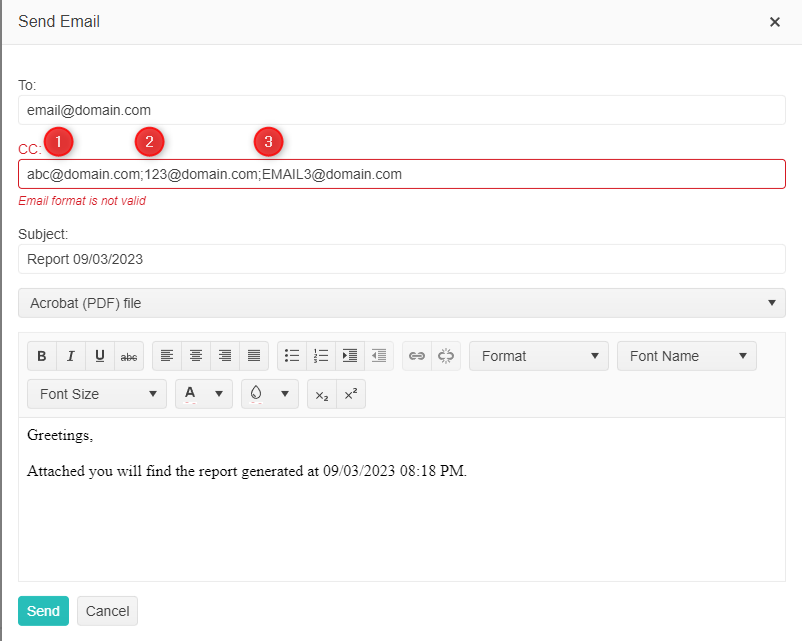
It would be lovely to be able to string multiple emails in the "To" and "CC" fields so users could email a batch of users at once. In my scenario there is an email distro group that needs to get a report when printed. I could write logic to pass multiple email accounts into the "CC" field, however, the functionality doesn't exist. Below is a visual example of what I'd like to achieve.
Currently, the Map's TileProvider UrlTemplate property may be set only to a hard-coded string. It would be very useful to be configurable as an Expression to allow for dynamic values.
When I am sending an email through the native Blazor Report Viewer and I type in the CC field, even if I delete what I have typed there, an "Email format is not valid" error will be displayed below the input and I will be unable to send the email.
This does not occur if I do not type in the CC input at all and it also works if I provide a valid email there.