Unplanned
Last Updated: 17 Feb 2026 09:17 by ADMIN
In this particular scenario, setting the EnableFiltering property to true will trigger the control to update its view. In some scenarios, an exception occurs when checking whether a column has a sort applied.
Unplanned
Last Updated: 11 Feb 2026 09:20 by ADMIN
Created by: Eric Moreau
Comments: 1
Category: GridView
Type: Bug Report
1
GridHeaderCellElement.Sort() method is missing.
Unplanned
Last Updated: 09 Feb 2026 14:10 by ADMIN
In this case, we have a hierarchical gridview with multiple templates for the child rows. The PageViewMode is set to ExplorerBar. Holding the Ctrl key does not select multiple rows. This is possible using only the Shift key.
Unplanned
Last Updated: 16 Dec 2025 09:37 by ADMIN
By default, in the hierarchy RadGridView, filtering the control will show the child row that matches the filtering criteria, along with its parent. The parent row itself could not match the filtering descriptor, which could lead to confusion. We could extend the current functionality of the control and expose a way to hide the parent in this case.
Unplanned
Last Updated: 30 Sep 2025 12:51 by ADMIN
In a hierarchy grid, when AutoGenerateColumns= true, this event triggers only for MasterTemplate.
Unplanned
Last Updated: 30 Jul 2025 08:07 by ADMIN
When updating, adding, or removing a row in Load-On-Demand Hierarchy, we will need to force the control to refresh. This will trigger the control to render all cells again.
Unplanned
Last Updated: 28 Jul 2025 13:22 by ADMIN
In the following scenario, we clicked on the GridViewSelectColumn header checkbox, which selects all the rows in the RadGridView. This will trigger the SelectionChanging event of the control. Canceling the event will cancel the whole operation. There is no API to remove specific rows from being selected in this operation.
Unplanned
Last Updated: 02 Jul 2025 11:50 by ADMIN
In themes ‘TelerikMetro’ & ‘TelerikMetroBlue’ when you group columns in GridView there are arrows to expand the groups, they are obviously larger than they should be
Unplanned
Last Updated: 20 Jun 2025 11:48 by ADMIN
Unplanned
Last Updated: 26 May 2025 07:44 by ADMIN
 After apply some filters, the treeview will not update automatically to tick or untick values that were included/excluded by the filter.
Unplanned
Last Updated: 13 May 2025 11:53 by ADMIN

The search functionality is inconsistent in Unbound Mode. Typing a word highlights all rows that contain that word or string, as expected. However, if the cursor is moved and additional characters are typed at the beginning of the search box, no results are returned, even if matching rows exist that contain the updated string combination.

The same behavior is not observed in bound mode.

Unplanned
Last Updated: 29 Apr 2025 08:39 by ADMIN
This behavior is related to how the control is measured while using the MS Form. In the given scenario, the control has many columns, and some of them are pinned. Moving to the last column and typing in the filter cell will filter the rows in the column. However, when filtering, if the row number is less than the viewport, the vertical scrollbar will disappear as it is not needed anymore, and the filter editor will be placed in the wrong column. This will mess with the filter cell editor. 
Unplanned
Last Updated: 04 Mar 2025 11:54 by Dickson
Unplanned
Last Updated: 30 Jan 2025 12:57 by ADMIN

In this case, the RadGridView AutoSizeRows and ColumnGroupViewDefinition are enabled. The rows will have different heights depending on the cell content. When exporting the RadGridView to PDF, the rows will have equal size and won't respect the current size in the view. Thus longer text in a cell will be cut off. 

The same behavior is observed when exporting to PDF or XLSX. In addition, this is also observed when printing the RadGridView.

Unplanned
Last Updated: 20 Nov 2024 15:10 by ADMIN
Created by: Micah
Comments: 1
Category: GridView
Type: Feature Request
2
Add support for data annotations.
Unplanned
Last Updated: 25 Nov 2024 12:22 by ADMIN

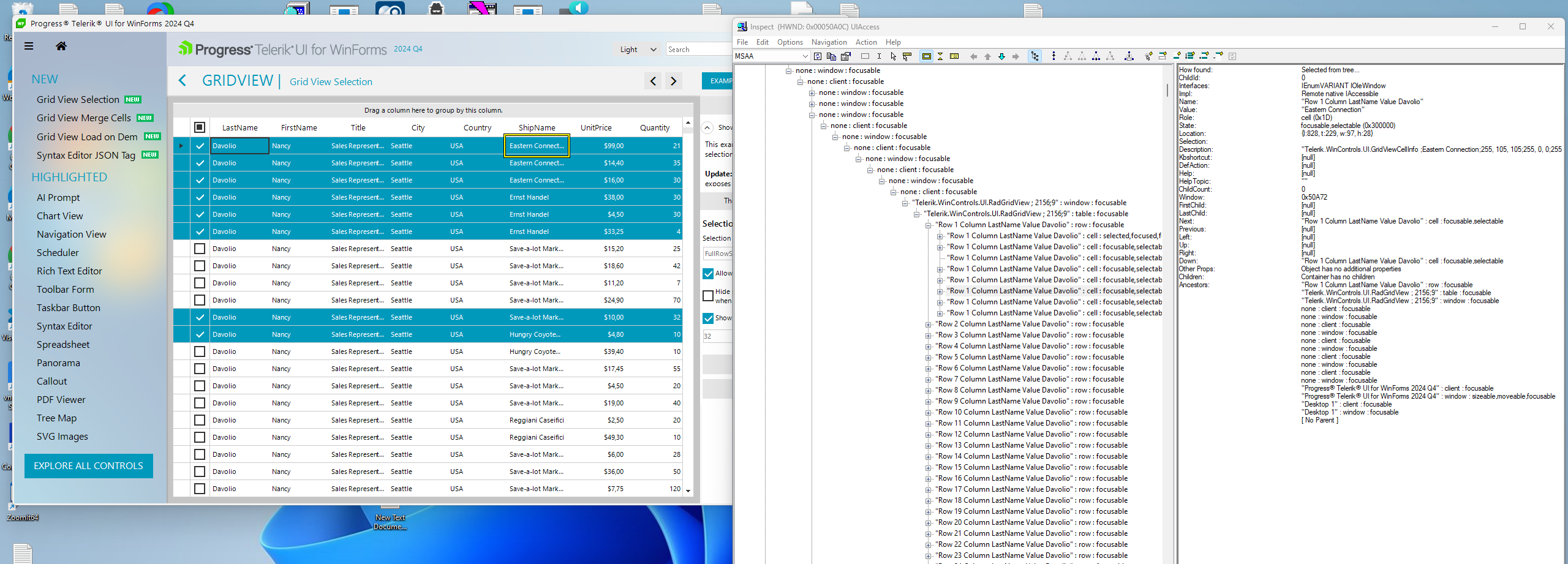
Incorrect or missing accessible object names in the Inspect.exe tool (MSAA).


Unplanned
Last Updated: 17 Oct 2024 14:30 by Yurii

ConditionalFormatting dialog elements are overlapping in the Windows 11 theme. The text is clipped on the right:

Unplanned
Last Updated: 16 Oct 2024 14:40 by Yurii
DateTime and TimeSpanPicker editors popup is not resized to fit the content in Windows 11 theme;
Unplanned
Last Updated: 11 Oct 2024 10:21 by ADMIN
In this case, we have an enum column. When the DataFilter dialog is shown and we click to enter the filter value, an exception is thrown.
Unplanned
Last Updated: 01 Aug 2024 10:45 by ADMIN
In this case, we have null values in some cells. When filtering the column, these cells will be ignored. 
1 2 3 4 5 6