

I believe I have the updated item, but it still does not work. I'm using Telerik Report Designer version 14.0.20.219 and I'm adding the WebServiceDataSource as follows with the following results (BTW this from a remote session at 1920x1080 and the program handling of this resolution is poor):
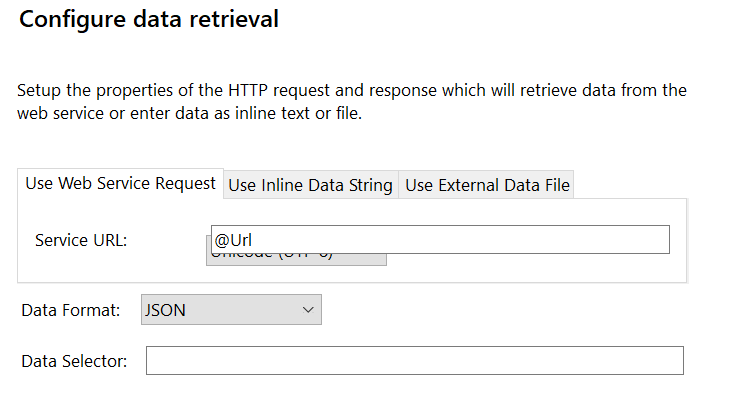
Add service URL parameter:
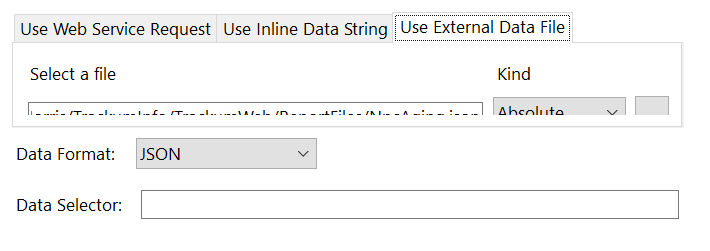
Set External Data File:
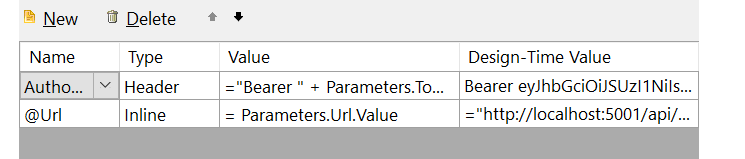
Set Parameters:
Click download - which will fail for the Web data source and should load the JSON data file; but:
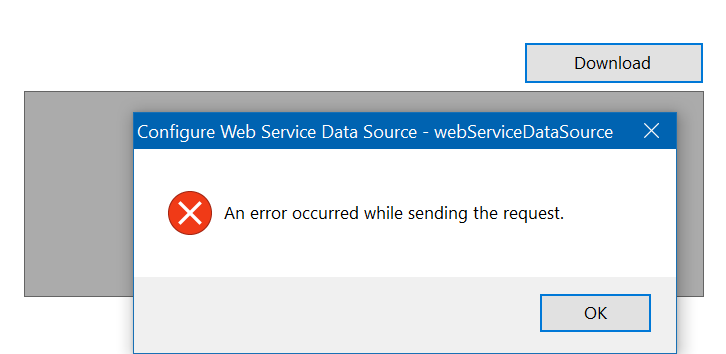
Please advise -- and please work on the handling of this screen resolution.


Digital signature (certificate) in Word and Excel files.
In the same way that today it is possible to sign the PDF.
Something needed to make the document official.
Tranks

The labels of the axes and data points of a Bar chart are not correctly placed in PDF rendering when using .NET Core. The Graph is rendered on multiple pages. The appearance on the first page is correct and deteriorates on the next pages.
In.NET Framework, the same report is rendered as expected.
The label connectors are not displayed when the graph contains a second coordinate system, which is configured for non-pie charts, but is not used by the graph series.
Pie chart coordinate system has Category Scale for its Radial Axis and Numerical Scale for its Angular Axis.
The pdf documents generated with Telerik Reporting are not compatible with the BlueBeam Revu PDF editing tool.
For example, if we select a text and try to change the font size, the selected text inverts (upside down) and flies to the left of the document.


The pinch zoom feature on mobile devices is not working as expected.
- On iOS devices, the zooming is fidgety, zooming is not accurate where the pinching gesture occurs.
- On Android devices, Zoom In on the report will take the page to the top left.
Hi Team ,
* We have created a ASP.NET MVC Project --> Created a new application related to our company which includes login page and the next page
* For creating a report , we have created a Telerik report library --> And then we have designed a report and added a mvc report viewer page .
* But we get certain errors saying few packages are not installed .
We have attached the solution and screenshot for your reference
alot modern apps will be using uwp would be nice if we could use reporting with it