



I am using the Standalone Report Designer to connect to the Report Server for .NET. However, in the .NET version, I see an error "The JSON value could not be converted to System.Data.DataTable.") when opening the query designer or when attempting to use the preview functionality at the last step of the SqlDataSource wizard.
In the .NET Framework version of the Standalone Report Designer the wizard itself works as expected, but the Data Explorer does not show the available fields and I have to enter them manually.
We've recently deployed a new infrastructure with multiple instances running Telerik Report Servers behind a load balancer.
In this new structure, we noticed a new intermittent bug when rendering some reports using the HTML5 report viewer, which is breaking some of our images included in PictureBox controls due to 400 Bad Request errors.
Upon further inspection, it seems the error happens because one of the instances is returning the following error instead of loading the image, hence the intermittency.
Provided document Id has expired. Please refresh your browser to generate a new one.
Please provide support for the FirebirdSql.Data.FirebirdClient, so that I can connect to my Firebird database.
Currently, I have to use the Firebird ODBC driver instead.
I extensively use sub reports with drill-down, drill-through actions and to fetch data, into the main report, extracted from different datasets based on a set of certain parameters.

When I upload these reports to the server, I assign main and sub reports to two separate categories 'Main' and 'SubR' so that I can manage reports and users' permissions accordingly.

Currently, it is not possible to 'hide' the reports under 'SubR' category for a user so that all the sub reports are hidden from view, leaving visibility of main reports only for that user.

I tried by restricting user's access to the category 'SubR' so that sub reports are not visible in the list and avoid confusion from user's perspective. But when I restrict user's access to the category 'SubR', all the main reports that contain sub reports do not run correctly and start displaying 'unable to access subreport1...' error. The same error comes up if I have included a report in the main report, accessible by drill-through action.

I would like to request for a functionality to 'Hide / Display' reports in conjunction with 'Read' access to the reports. This will provide further granularity to the way the reports can be made accessible and still be hidden from view.
I am setting up a scheduled task with reports with WebServiceDataSource on the Telerik Report Server for .NET. When I try run the scheduled tasks, I get the following error message when the data source contains JsonPath:
Could not load file or assembly 'JsonPath.Net, Version=2.0.0.0, Culture=neutral, PublicKeyToken=17ed63f672b0e278'. The system cannot find the file specified.
When there is no JsonPath in the WebServiceDataSource, the error is as follows:
Could not load file or assembly 'System.Text.Json, Version=10.0.0.0, Culture=neutral, PublicKeyToken=cc7b13ffcd2ddd51'. The system cannot find the file specified.
For example, the 'Activity' and 'items per page' in the Scheduled Tasks are not available in the 'sr.js' file:
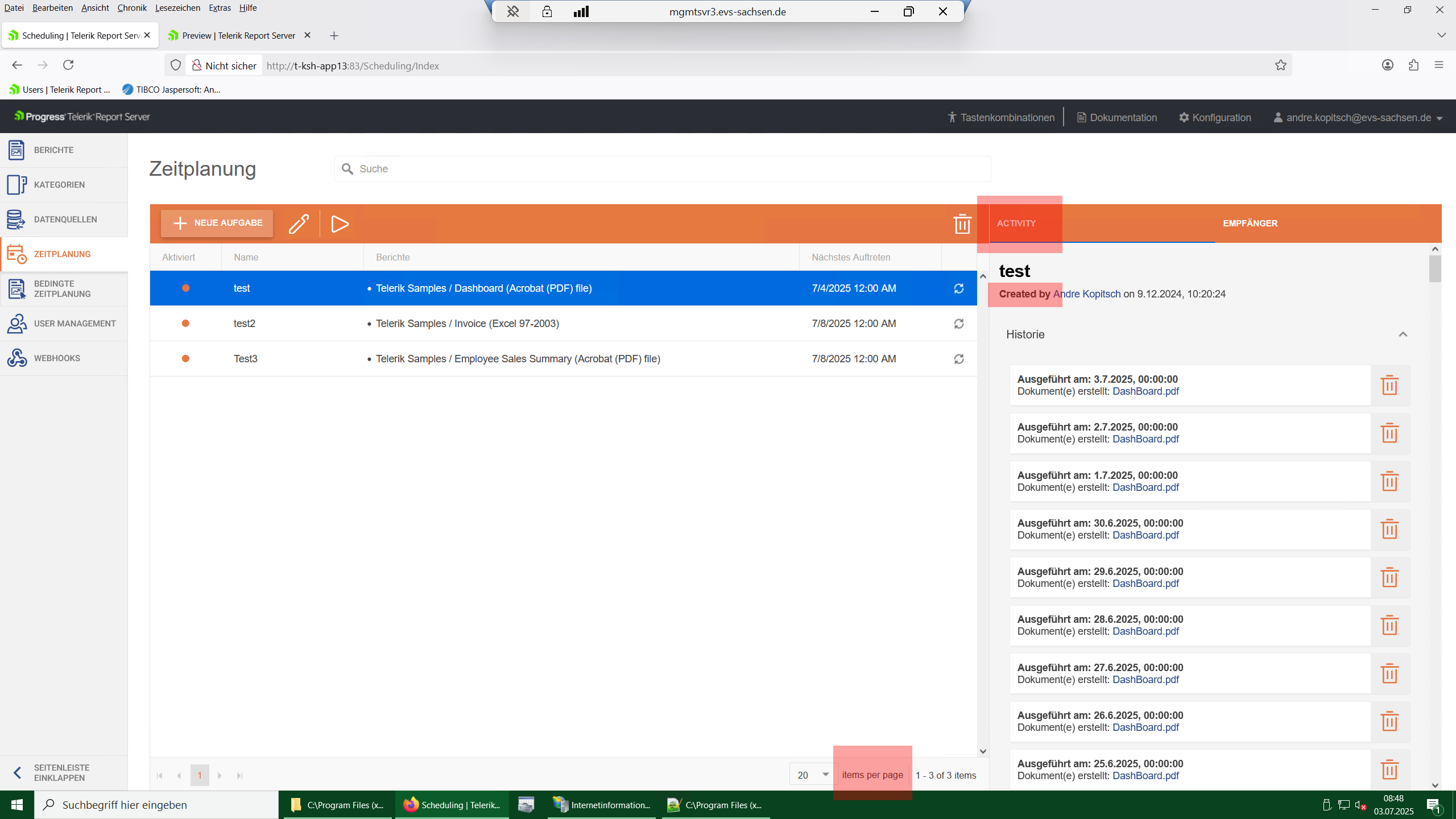
This doesn't let us translate the whole Report Server.
Provide an official and supported migration path from the Telerik Report Server built on .NET Framework to the newer .NET-based Report Server, allowing reuse of existing storage and configuration.
Organizations running long-lived Telerik Report Server installations want to adopt the newer .NET version for performance, longevity, and platform alignment, without rebuilding their entire environment.
Lack of migration support is currently a blocker for adoption and increases operational costs.
Suggested Solutions
A migration tool or script that converts credential storage to the new hashing algorithm
A supported upgrade path that forces password resets but preserves users and roles
HTML5 Report Viewer cannot connect to report server for .NET.
The old report server still connects us expected.
Steps to reproduce.
1. Configuration -> Mail Template -> Schedule Task Attachment -> Subject set to empty.
2. Update and Save changes.
3. Access Reports
Hi,
I'm trying to customize the interface language (english to german) of our report server web application without success. I set some language entries in the sr.user.js file in the script folder of the web application but the labels of the report server remain english. When I do this in the original file (sr.js) it works well.

I am using the Reporting/Report Server 2024 Q4, and my report uses the Amiri font.
Other export formats work as expected, however, the PDF export fails with an "Object reference not set to an instance of an object" error message and produces a corrupted/empty PDF.
In my MSSQL database, I use SQL Server Authentication with a password that contains '^' and '<'. I connect without problems through the MSSQL Management Studio.
When I try to pass the connection string with this user, I receive an Internal Server Error and cannot set up storage with it.
When you revert to another Report revision and don't refresh the browser page, the date of the active report in the Revisions History is different from the Report Date Modified. The user needs to refresh manually to match the dates.
The issue is demonstrated in the linked muted video.