

I would like to suggest adding a seamless typing feature in the Kendo Vue DateInput component, enabling automatic navigation between each section (day, month, year, hour, minute) without requiring separators or manual navigation.
✳️ Expected Behavior:
When typing a date and/or time, such as 20/04/1997 14:35, the cursor should automatically move to the next segment when the expected number of digits is reached:
For dates:
- Typing 20 → cursor jumps to month.
- Typing 04 → cursor jumps to year.
- Typing 1997→ date completed.
For times:
- Typing 14 → cursor jumps to minutes.
- Typing 35 → time completed.
👉 User flow example:
20 -> (day filled, move to month)
04 -> (month filled, move to year)
1997 -> (year filled, move to hour)
14 -> (hour filled, move to minute)
35 -> (minute filled)
✅ This would apply to all DateInput modes:
- Date only.
- Time only.
- DateTime combined.
❌ Current Situation in Kendo Vue DateInput:
- Manual use of arrows or mouse to move between segments.
- Need to type separators (
/,:, etc.) explicitly. - No automatic focus jump when a section is completed.
✅ Requested Feature:
- A prop to enable/disable automatic segment navigation in DateInput.
- Applies to both date and time segments, depending on the configured format.
🛑 Why it matters:
- Faster and more fluid typing experience.
- Matches native behaviors found in <input type="date">or
<input type="time">in many browsers. - Important for data-heavy environments (administrative forms, back-office systems, repetitive entry).
- Accessibility-friendly: reduces the need for manual cursor manipulation.
⚙️ Additional context:
After discussing this with your team, I understand that this behavior is not currently planned and custom implementations are challenging to achieve.
Still, exposing this behavior as an optional prop would allow those who need this fluid UX to benefit from it, without affecting existing users.
Thank you very much for considering this suggestion!
Currently, Kendo UI for Vue suite provides export to Excel through the kendo-vue-excel-export package. The Excel export is a nice feature but the CSV export is another functionality that is often used.
Please add Vue wrappers for Kendo Drag and Drop functionality.

Describe the bug
When binding the Scheduler Wrapper component to a remote datasource, there are two requests sent to the remote service.
To Reproduce
- Open this StackBlitz example and run it.
- Open the Network tab of your browser and see the requests
Expected behavior
Only one request should be sent to the remote service
Screenshots

As of this moment the barcode components are only available in wrapper components. We would like to see a native Vue version for this aswell. Especially for the QR code option could be a big addition to the package
Can you add the Badge component to the Kendo UI for Vue suite?
The Badge is available in the Angular and React suites but is not available for Vue.

Hi.
The PDF Viewer component is something that is available in some of the other Kendo products like KendoReact, Kendo UI for jQuery, etc. Can you add the component also in the Kendo UI for Vue Native suite?
The PDF Viewer will be a nice feature that will make the Vue suite even better.
It seems sensible for the title (displayed on hover) for a Grid's column menu to use the column's 'title' property (if supplied) rather than the name of the field. Field names in databases are seldom 'human readable' so the title would be more appropriate.
I realize a custom column menu could be used, but this is overkill just to change the hover title.
I am using Kendo Vue Wrapper Grid that is editable. I am using the propery
:editable-create-at="bottom"
but the new rows are always added at the top.
There is another open issue related to this.
https://github.com/telerik/kendo-ui-core/issues/5198
Please provide a fix.
Describe the bug
at Nuxt Environment
- pagable info option doesn't render information about the current page and the total number of records (both of setting true / false, all)
- set pageable info option false, error raise like this.
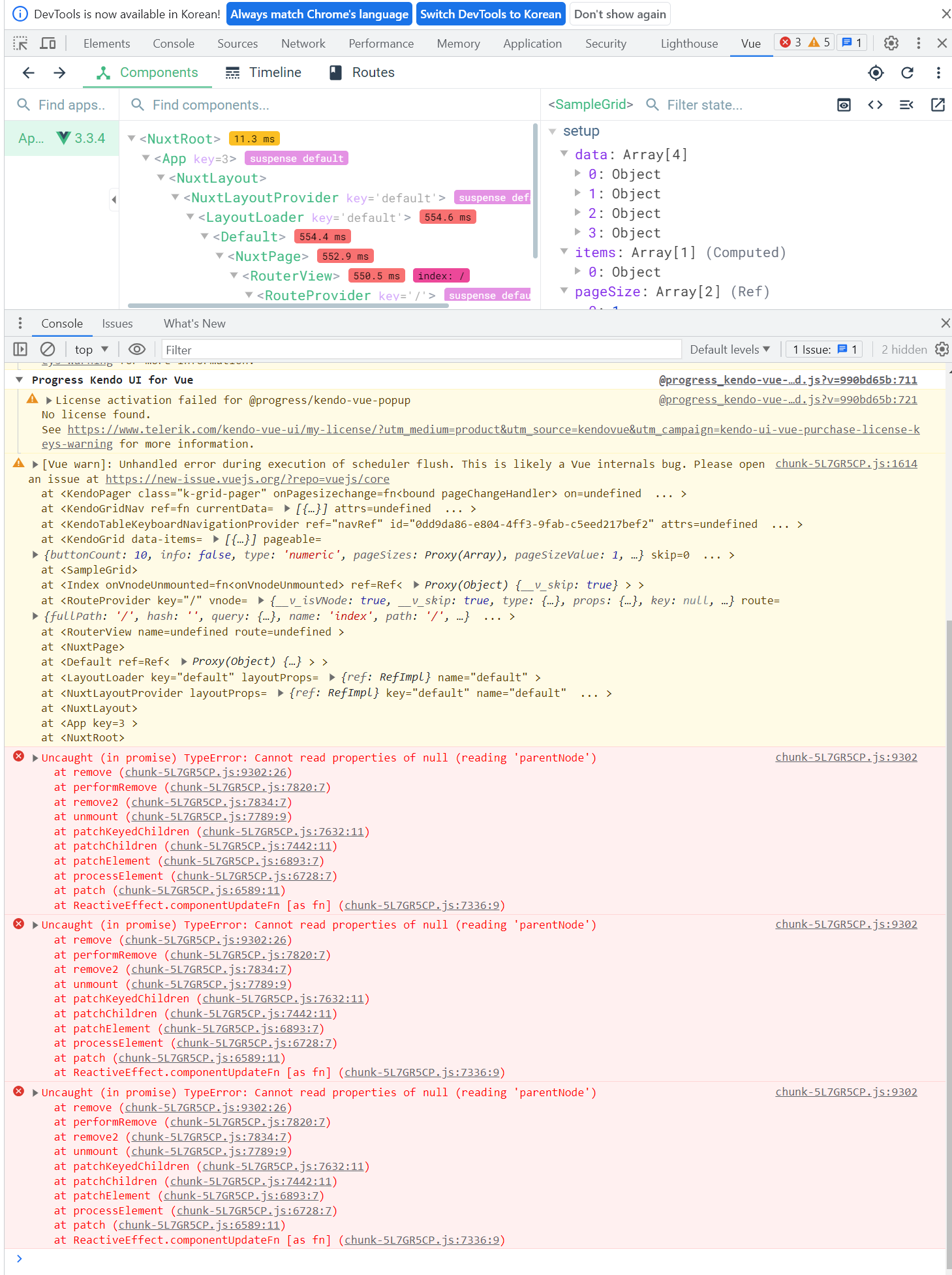
To Reproduce
- https://stackblitz.com/edit/nuxt-starter-mcocsr
Expected behavior
- render information about the current page and the total number of records
- do not error raise
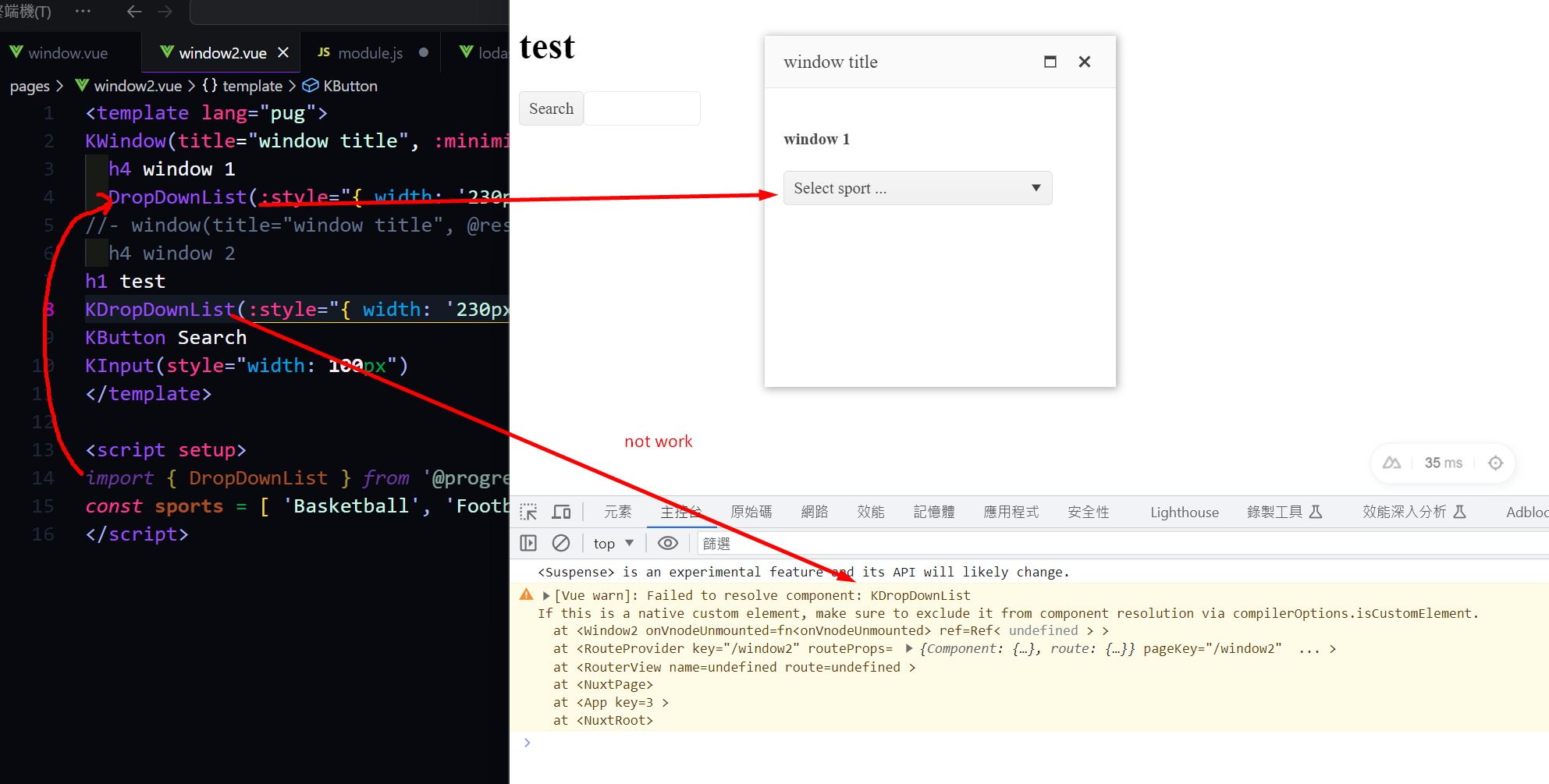
Nuxt 3 has a robust module system, which is highly beneficial for importing components easily. I have previously used modules like element-plus, headlessUI, and Vuetify. However, as we are currently transitioning to Kendo UI, we have encountered difficulties in finding a similar module. It is essential for us to be able to import Kendo UI components seamlessly and efficiently. Therefore, we have developed a module similar to the one for element-plus. During the process of writing and testing the code, everything has fallen into place. However, we have encountered an issue with importing the UI DropDownList from the module. It would be greatly appreciated if Kendo UI could provide an official Nuxt 3 module.
out test module
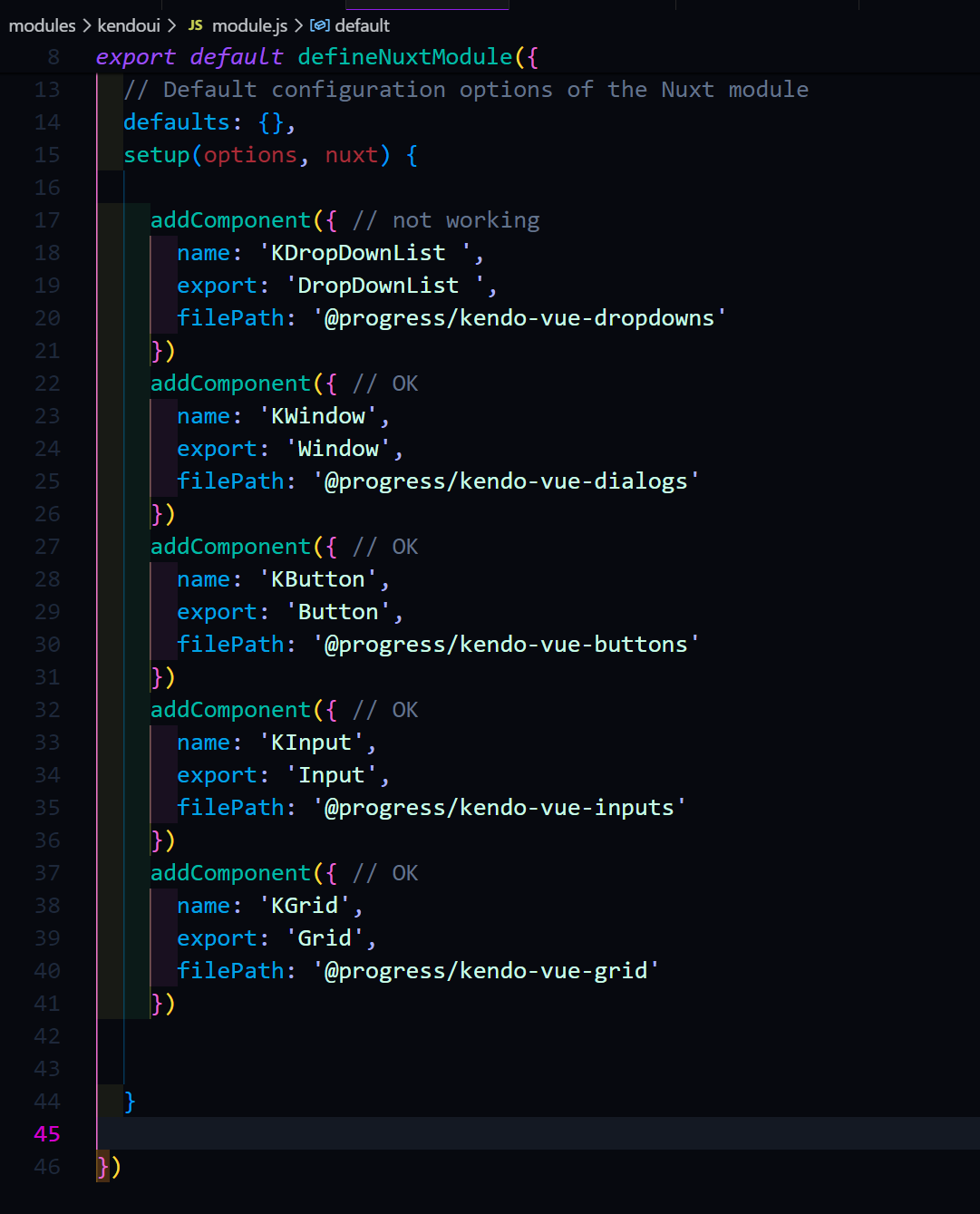
KDropDownList not work but else compoents work good.

I’ve encountered an issue when using the KendoUI Grid component inside a dialog. When I try to open the column menu, it opens briefly and immediately closes itself, making it unusable.
This behavior seems to be related to a conflict with the UI component library I’m using (Ark UI). However, since the Grid’s source code is not open source, it’s difficult to pinpoint exactly where the issue originates or where a patch could be applied.
Reproduction:
Here is a minimal reproduction on StackBlitz: https://stackblitz.com/edit/rmldf7vs?file=src%2Fmain.vue
Expected Behavior:
When clicking the column menu button, the menu should remain open, allowing the user to interact with it.
Actual Behavior:
The column menu opens and instantly closes, without any interaction.
Notes:
- The issue only appears when the Grid is rendered inside a dialog.
- It might be related to focus/blur or click outside detection behavior conflicting between Kendo and Ark UI.
- Tested with the latest version of @progress/kendo-vue-grid.
Let me know if any additional details are needed!
Thanks!

We are requesting the implementation of external source drag and drop functionality for the Kendo UI Native Vue Scheduler component (@progress/kendo-vue-scheduler). This feature enables users to drag items from an external list or container — such as a task panel or resource list — and drop them onto Scheduler time slots to create new events.
vue- ^3.5.34
@progress/kendo-vue scheduler - ^8.3.0
@progress/kendo-theme default - 14.0
@progress/kendo licensing- latest
It would be beneficial for Kendo UI for Vue Grid columns to provide a built-in option for text truncation with ellipsis and an optional tooltip for overflow content
A dedicated column picker would be far more intuitive: its discoverability is higher, and features like the indeterminate ‘select all’ checkbox and instant search align with the law of approximation.
For our users handling large datasets, this makes for a much faster, more cohesive tool.