

I have upgraded a huge project we have, from Kendo UI 2017 to the latest version.
I managed to fix all the incompatibility issues that I had with the latest version and now it's ready to go live.
In the final regression tests our customer found a bug and now we are stack and cannot deploy the project.
Here is the problem:
In the DropdownList, if you type something and then press the clear button, the change event is firing two times. One with the value that you typed before and then one again with an empty value (the right one). The biggest problem is that there is no way to determine that the first event is coming from the clear button and not from the user, so I cannot find any workaround this.
I searched and I found that this started after this change.
You can check this dojo for a reproduction of the problem.
Steps:
Type "it" in the dropdownlist,
Wait for the items to popup
Don't select any item but press the clear button of the dropdownlist
You can see the attached image the wrong events.
If you select a version after 2019 R3, the change event is firing twice. If you select an older version the change event is not firing at all.
I can understand a change event with an empty value and I don't have any problem with that, but the first event is totally wrong.
Is there any quick solution to this so we can catch the deadline and deploy the new version of our project?
Thank you for your time,
John Dendrinos

Hello,
Drop down widget is defaulted to first option even though ng-model is undefined, in case where we bind same value to k-data-value-field and k-data-text-field.
Please have a look on the below sample code where you can find issue. My expectation is drop down should not default when model value is not assigned.
Code:
<!DOCTYPE html>
<html>
<head>
<base href="https://demos.telerik.com/kendo-ui/dropdownlist/angular">
<style>html { font-size: 14px; font-family: Arial, Helvetica, sans-serif; }</style>
<title></title>
<link rel="stylesheet" href="https://kendo.cdn.telerik.com/2019.1.115/styles/kendo.common-material.min.css" />
<link rel="stylesheet" href="https://kendo.cdn.telerik.com/2019.1.115/styles/kendo.material.min.css" />
<link rel="stylesheet" href="https://kendo.cdn.telerik.com/2019.1.115/styles/kendo.material.mobile.min.css" />
<script src="https://kendo.cdn.telerik.com/2019.1.115/js/jquery.min.js"></script>
<script src="https://kendo.cdn.telerik.com/2019.1.115/js/angular.min.js"></script>
<script src="https://kendo.cdn.telerik.com/2019.1.115/js/kendo.all.min.js"></script>
</head>
<body>
<div id="example" ng-app="KendoDemos">
<div class="demo-section k-content" ng-controller="MyCtrl">
<input kendo-drop-down-list
k-data-text-field="'name'"
ng-model="data"
k-data-value-field="'name'"
k-data-source="productsDataSource"
style="width: 100%"></input>
</div>
</div>
<script>
angular.module("KendoDemos", [ "kendo.directives" ])
.controller("MyCtrl", function($scope){
// $scope.data=0;
$scope.productsDataSource = new kendo.data.DataSource({
data: [{
'name':'Active','id':0
},{'name':'Cancel','id':1}]
}
);
});
</script>
</body>
</html>
Bug report
Binding an MVVM DropDownList to a property that is null results in an error on the console.
Reproduction of the problem
- Open this example - https://dojo.telerik.com/@martin.tabakov@progress.com/eNUMeLix
Current behavior
An error is thrown
Expected/desired behavior
No errors should be thrown
Environment
- Kendo UI version: 2023.1.117
- Browser: [all]
Bug report
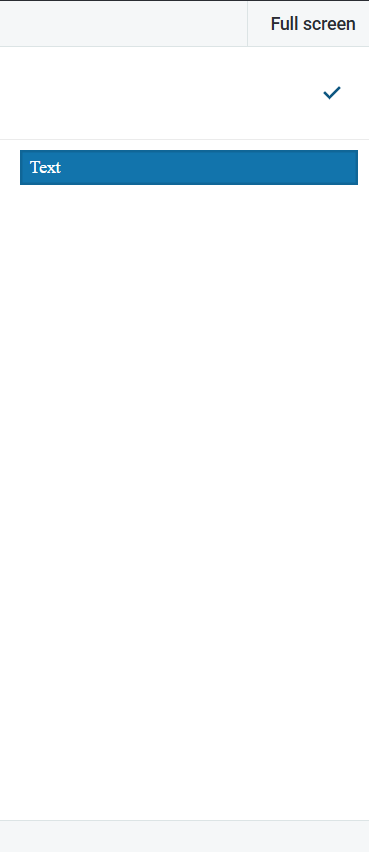
Setting `autoWidth = true` breaks height in mobile adaptiveMode
Reproduction of the problem
https://dojo.telerik.com/wUbmMdkt
autoWidth: true"
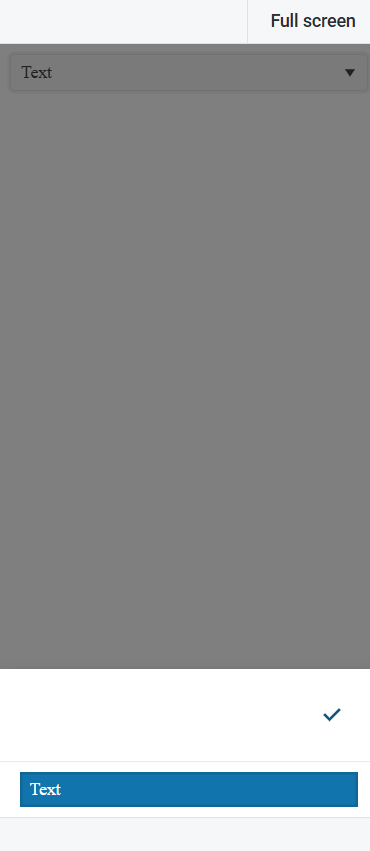
autoWidth: false
Environment
Kendo UI version: [all]
Browser: [all ]
Bug report
When the DropDownList is configured with autoWidth:true, each opening of the component increases the width of the popup with 1px
Reproduction of the problem
- Open this Dojo example - https://dojo.telerik.com/VzPJHcmm
- Open the DropDownList multiple times
Current behavior
The width of the popup increases with each opening
Expected Behavior
The width should remain the same
Environment
- Kendo UI version: 2025.1.227
- Browser: [all]
Bug Report
The cascade event is triggered on initialization of the DropDownLists
Reproduction of the issue
- Open this Dojo - https://dojo.telerik.com/nGNFvRwt
- Open the browser console
Current behaviour
The cascade event is triggered on initialization
Expected behaviour
The event should be triggered when the value of the "parent" DropDownList is changed.
Bug report
`DropDownListSelectEvent.dataItem` is undefined when using keyboard to select the optionLabel, but is defined when using the mouse
Reproduction of the problem
Steps
Dojo: https://dojo.telerik.com/IvEXOvUH
Make a selection (e.g. "Apples").
Select the optionLabel item.
Expected
The value of DropDownListSelectEvent.dataItem is the same whether the selection is made via keyboard or mouse (assumedly).
The value of DropDownListSelectEvent.dataItem is clearly specified in the API docs when selecting the optionLabel.
Actual
The value of DropDownListSelectEvent.dataItem is "Select an option…" when selecting with the mouse.
The value of DropDownListSelectEvent.dataItem is undefined when selecting with the keyboard.
Environment
Kendo UI version: 2024.1.130
Browser: [all]
Bug report
The value of a disabled DropDownList is not announced in the below screen reader -> browser combinations:
NVDA with Chrome
JAWS with Chrome
The value is correctly announced by NVDA in Firefox.
After testing the scenario with the ComboBox, the value was correctly announced in all screen reader -> browser combinations.
Reproduction of the problem
- Open this Dojo example in Chrome with JAWS/NVDA - https://runner.telerik.io/fullscreen/ERAxiqIy/3
- Click the Enable checkbox
- Select a value from the DropDownList
- Click the Enable checkbox again.
- Focus the Checkbox and press the down arrow key.
Current behavior
The screen reader announces the disabled state of the DropDownList, but does not announce its value.
Note - the value of the regular select element below the DropDownList is announced.
Expected/desired behavior
The value of the disabled DropDownList should be announced in the above mentioned combinations.
Environment
- Kendo UI version: 2023.1.117
- Browser: [Chrome]
Bug report
When navigating between inputs and after using Shift+Tab for focusing on a previous input the DropdOwnList popup does not close on pressing 'Enter' key.
Reproduction of the problem
- Open Dojo
- Focus the text input
- Press Tab to focus the DropDownList
- Press shift-tab to focus the text input
- Press again Tab to focus the DropDownList
- Press Alt+down to expand the dropdown
- Press the down arrow to select an option in the dropdown
- Press Enter key
Current behavior
The popup does not close. If we directly focus the DropDownList and follow steps 6-8 the popup will close.
Expected/desired behavior
The DropDownList should close when pressing the 'Enter' key.
Environment
- Kendo UI version: 2022.3.1109
- Browser: [all]
The dropDownList supports several keyboard shortcuts as documented in https://demos.telerik.com/kendo-ui/dropdownlist/keyboard-navigation. However, when e.g. a KeyDown event is triggered (and handled) by the widget, its propagation is not stopped. This behavior can be witnessed in this DOJO.
In our case, we e.g. use dropDownLists inside dialog windows that can be closed via ESC. When pressing ESC while a dropDownList is focused, this not only closes the dropDownList (as expected), but also closes the dialog.
The dropDownList should stop the propagation of events that it handled.
The DropDownList's Keyboard Navigation Docs specify that the arrow keys move the highlight in the dropDownList, while Enter selects the highlighted item.
However, in reality, the arrow keys already select items. Via keyboard, it is not possible to select e.g. the third item in the list without selecting the first and the second item first (by pressing the down arrow).
E.g. the docs for Angular describe a different behavior.

Bug report
DropDownList: dataItem(e.item) returns undefined when selecting across different groups
Regression since 2026.1.212
Reproduction of the problem
1. Open the next Dojo: https://dojo.telerik.com/aVJUwDTZ
2. Open the DropDownList.
3. Select an item from a group different from the one currently active/selected.
Observe the console for this.dataItem(e.item).
Current behavior
undefined is logged for this.dataItem(e.item)
Workaround: https://dojo.telerik.com/LUdpEmnY
Environment
Kendo UI version: 2026.1.212 or newer
Browser: all
Bug report
When the DropDownList is used as an editor in the Gantt, sometimes the DropDownList popup closes on double-click. The issue is observed when the trackpad's click is set to light and a double-click is performed.
Reproduction of the problem
- On a Macbook Pro set the trackpad click to light
- Run this dojo
- Double-click on an item in the title column
Current behavior
Sometimes the DropDownList opens and closes.
Screencast
Expected/desired behavior
DropDownList should remain open
Environment
- Kendo UI version: 2021.1.330
- Browser: [all]
Bug report
Even if no filtering is configured, when the delay option is different than 0 navigation between the items in the DropDownList does not work correctly.
Reproduction of the problem
- Open the Demo
- Focus/Open the DropDownList
- Click 's' - Small is selected
- Click 'l' - Large is selected
- Repeat multiple times
Current behavior
The correct item is not always selected. In the demo, no delay is configured, but the default value is 500. The delay is supposed to affect the DropDownList only when filtering is enabled.
Note: Currently, when the filter option is configured, changing selection without opening the DropDownList is not possible.
https://dojo.telerik.com/@iankodj/AhUgaXuf
Workaround
Set delay to 0 - Dojo
Expected/desired behavior
The selection of the items should be correctly changed when typing, even if a delay different than 0 is configured.
Also, it should be possible to change the selected item by typing in the keyboard even if the filter option is set and the DropDownList is closed.
Environment
- Kendo UI version: 2021.1.224
- Browser: [all]
Bug report
In DropDownList when virtualization is enabled and the value of the widget is set through the value method, the cascade event is fired twice.
Reproduction of the problem
- Open the Dojo example.
- Click the 'Set value' button
Current behavior
The cascade event will be triggered twice.
Expected/desired behavior
The cascade event should be triggered only once.
Environment
- Kendo UI version: 2010.2.617
- Browser: [all ]
I am using a DropDownList with dynamic items that are grouped.
When opening the dropdown without items in the datasource the fixed group header is displayed empty.
When removing the last item from the datasource after the DropDown has already been opened, the first group header is still displayed when opening the dropdown.
I would expect the group header to never be displayed if there is no data.
See Dojo: https://dojo.telerik.com/EviPepIJ
Bug report
When filtering the DropDownList data when a limited amount of items remain the popup container is displayed above the DropDown element when sufficient space is available below the element
Reproduction of the problem
- Run this dojo
- Enter "123" - the popup container with the list of items is displayed below the DropDown element
- Enter "1234" - the popup container with the list of items is displayed above the DropDown element when sufficient space is available below the element
- Enter "12345" - the NoDataTemplate is displayed above the DropDown element when sufficient space is available below the element
Expected/desired behavior
The popup container with the list of items should be displayed below the DropDown element when sufficient space is available below the element
Environment
- Kendo UI version: 2020.1.406
- Browser: [all]
Bug Report
When a filterable DropDownList uses a tooltip for each item, the DropDownList will close.
Reproducible
DropDownList Filter + Tooltip Issue | Kendo UI Dojo
Steps to reproduce are in the Dojo
Expected Behavior
The DropDownList should remain open with the tooltip.
Workaround
Use a flag to handle when the DropDownList will close:
DropDownList/ToolTip - Prevent Closing | Kendo UI Dojo
Environment
- Kendo UI version: 2025.2.702
- jQuery version: All Supported Versions
- Browser: all
With Kendo version 2025.2.520 the filterInput text has been set and the current value is 'Filter'. However, there is no built-in option in the API that provides the possibility to change the text. As the text is not part of the messages, it can not be localized in case another language is used.
Dojo - https://dojo.telerik.com/zidaocyO
Add the filter input text to the messages so localization and customizing the text are possible.