Bug report
When the timezone of the machine and the timezone set in the Scheduler are in different days, the currentTimeMarker is not displayed in the Timeline view.
Reproduction of the problem
- Change the timezone of the machine to 'Fiji' or another timezone, thus the 'Honolulu and the chosen timezones are on different days. For example, when it is 3 am on 01.06 in Honolulu, it is 1 am on 02.06 in Fiji.
- Open the Dojo linked here where the timezone is set to 'Pacific/Honolulu' - https://dojo.telerik.com/@NeliKondova/UVuDAJib
Current behavior
When the timezone of the machine and the timezone set in the Scheduler are in different days, the cusrrentTimeMarker is not displayed in the Timeline view.
Expected/desired behavior
The cusrrentTimeMarker should be displayed in all the views.
Environment
- Kendo UI version: 2023.1.425
- Browser: [all ]
Hi Team,
I would like to ask for virtualization for the Kendo UI Scheduler when there is no grouping.
Thank you!
Hi Team,
I would like to request adding the EventsPerDay configuration for the Week view.
Thank you!
Bug report
Reproduction of the problem
- Open the Dojo - https://dojo.telerik.com/FLFnHPpW
- Try to change the start/end of the events by dragging
Current behavior
Incorrect hint is displayed and the events can not be resized correctly.
Expected/desired behavior
The events should be properly resized.
The issue is related to the used theme. The behavior is correct when using the themes version 12.0.0
Hi Team,
I want the scheduler to respond to mobile phones and tablets, e.g. I have many columns in the day view. I want to have specific columns, e.g. the first 2 or 3 to be visible and the rest to scroll horizontally so that you can see them within the scheduler and not have to scroll the page horizontally.
Thank you!
Bug report
On Safari, the Scheduler throws an error.
Reproduction of the problem
- Open and run this Dojo example - https://dojo.telerik.com/UZATyPgT/10
- Check the browser console
Current behavior
An error is thrown on the browser console
Expected/desired behavior
No errors should be thrown
Environment
- Kendo UI version: 2025.1.227
- OS: iOS 15.4.1
- Browser: [Safari18.4]
Bug report
In the Scheduler, when mobile is set to "tablet", and RTL is enabled, the event dates are shifted with one day.
Reproduction of the problem
- Open this Dojo example - https://dojo.telerik.com/IPBwjaVc/4
Current behavior
The events are rendered on the 30 and 01 slots, instead of 29 and 30 as defined
Expected/desired behavior
Events should be rendered on the 29th and 30th slots, as configured
Environment
- Kendo UI version: 2025.2.702
- Browser: [all]

Hi,

I'm trying to define individual business hours for the scheduler. The  scheduler only uses a single start/end time for each work day. I want to define start/end times for each day specifically (ie. Monday has different times than Tuesday).
Eg:
Sunday working hours       @ 10:00 to 12:00
Monday working hours       @ 9:00 to 16:00
Tuesday working hours      @ 10:00 to 18:00
Wednesday working hours@ 06:00 to 12:00
Thursday working hours     @ 08:00 to 14:00
Friday working hours           @ 11:00 to 12:00
Saturday working hours      @ 11:30 to 13:00

Can anyone resolve my problem.

Thanks in advance
Hi Team,
I would like to request a way to incorporate adding a reference to the model for group cells in the Kendo UI Scheduler. Perhaps using a uid for the cell may help.
Thank you!
Hi Team,
I would like to request the inclusion of a PDF template property to allow the printed PDF page to have a custom layout like the Kendo UI Grid's page-template in this live demo. For example, adding a title to the top of the page.
Thank you!

Currently, when interacting with the "More Events" button:

The widget navigates to the "Day View" by default - if it happens to be present. It would be beneficial if there is a configuration that allows explicitly dictating the navigation behavior.
Describe the bug
When there is an event that lasts multiple days, but is not an all-day event the title and the up arrow overlap, thus it makes the reading of the title harder.
To reproduce
Open the Dojo - https://dojo.telerik.com/@NeliK/IruYeGEc
Expected behavior
The arrow and the title should be rendered with some margin
Screenshots

Workaround
 .k-event-template{
      margin-top: 8px !important;
    }
Affected package (please remove the unneeded items)
- theme-default
- theme-bootstrap
- theme-material
- theme-tasks
Affected suites (please remove the unneeded items)
- Kendo UI for jQuery
- Kendo UI for Angular
- Kendo UI for React
- Kendo UI for Vue
Affected browsers (please remove the unneeded items)
- All
Bug report
If an all-day event is resized to multiple days and then the user tries to resize the event back to one day, the event is not always resized.
Reproduction of the problem
- Open the Scheduler Demos - https://demos.telerik.com/kendo-ui/scheduler/move-resize
- Try to resize Alex`s birthday (06/14) or Bob's Birthday (on 06/29) to multiple days
- Then try to resize the event back to a single day
Current behavior
The issue is occasionally reproducible and does not occur for all all-day events. The event is resized back only if the user tries to drag the mouse down and then resize. Here is a screencast - https://somup.com/cZeX6QpRlX.
Expected/desired behavior
It should be possible to resize back the all-day events back to one-day duration without moving the mouse down.
Environment
- Kendo UI version: 2024.1.130
- jQuery version: x.y
- Browser: [all ]
Hi,
Currently the Scheduler has no option to limit the axis of the drag and drop.
Kendo.Draggable already has this feature, however setting it in the scheduler has no effect.
https://docs.telerik.com/kendo-ui/api/javascript/ui/draggable/configuration/axis
in this dojo i have a little workaround to achieve this behavior.
https://dojo.telerik.com/oWuvUsIt
Bug report
If you configure a Scheduler's endTime (e.g. 16:15), and you have an event that ends past that endTime (e.g. 16:30), the event will not be properly visible.
Reproduction of the problem
- Open this Dojo example - https://dojo.telerik.com/esihUMUv/8
- Scroll to the 3 PM slot, where a Tennis Practice event should be scheduled
Current behavior
The Tennis Practice event is only briefly visible
Expected/desired behavior
The event should be visible respecting the view's endTime
Environment
- Kendo UI version: 2023.3.1114
- Browser: [all]
As for the current version of the Telerik Scheduler, if using the Adaptive Rendering Mode for the Scheduler
.Mobile(MobileMode.Auto)the Adaptive Slot Height feature (https://demos.telerik.com/kendo-ui/scheduler/adaptive-slot-height) does not work for a mobile screen in a Month view. Due to this, there is no opportunity to dynamically change the height of the slots in a Month view so that they can fit the events in the specific slot. Thus, in case dots standing for the events in a month view are customized and replaced by regular events, the scheduler cells do not change their height to account for the events number. The only options to display all the events per day in a month view on a small screen are now either to make the height of all scheduler cells really big (not user friendly) or decrease the height of the events depending on their number to fit them in a cell (not desirable behavior).
Taken all this into consideration, adaptive rendering mode needs the same adaptive slot height feature which exists now only for a regular mode of the scheduler.
### Bug report
When using the Scheduler on a mobile device and trying to edit an existing event through the Month view, the editor template does not load the event details. The Scheduler opens an empty editor to create a new event.

### Reproduction of the problem
1) Create a Scheduler and enable its adaptive rendering (mobile: true).
2) Open the Scheduler on a mobile device and select the Month view.
3) Try to edit an existing event.
4) The opened editor template does not load the event details.
A Dojo sample for reproduction: https://dojo.telerik.com/uherEWib
### Expected/desired behavior
The events must be editable when using the Month view, and the adaptive mode is enabled.
### Environment
* **Kendo UI version: 2023.3.1114
* **jQuery version: 3.7.0
* **Browser: [all]
Hi Team,
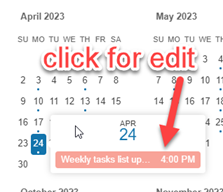
I would like to request a way to directly edit events in the Kendo UI Scheduler's year view. For example, maybe a way to click on events to edit:
Thank you!