

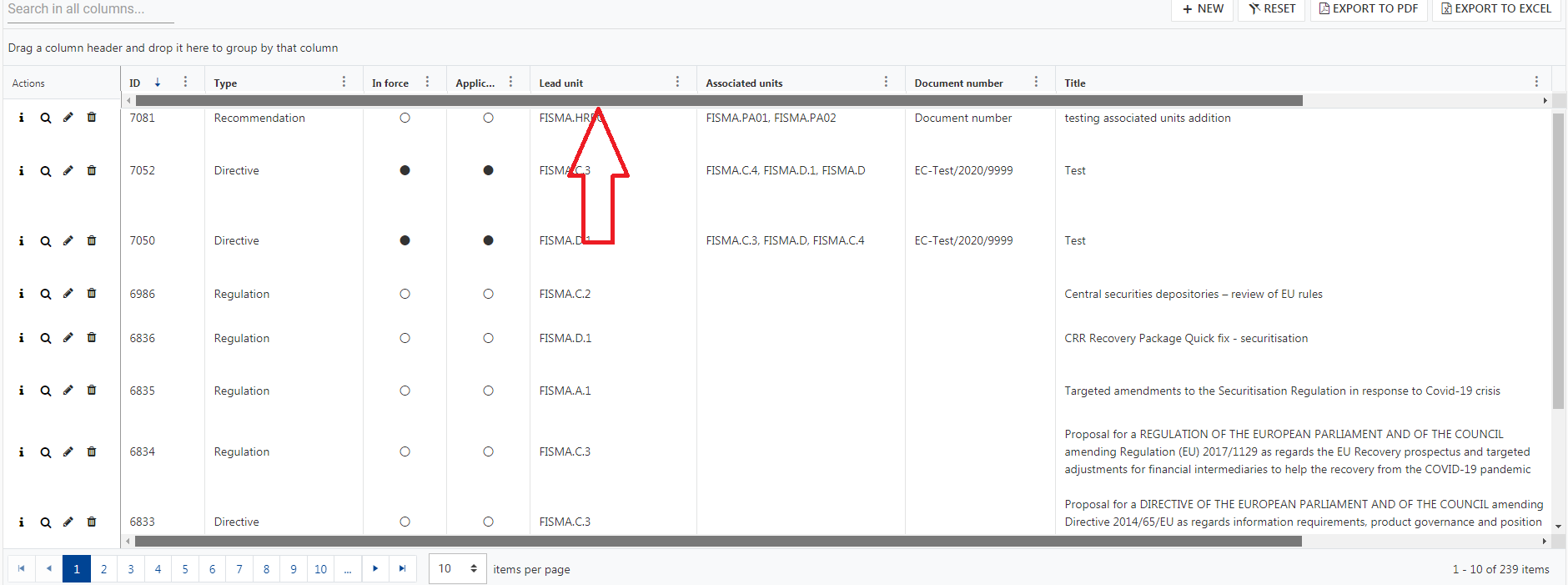
A built-in option for enabling a second scrollbar on the top of the Grid like the following screenshot would be nice feature to have:

Please add support for bulk selection (as well as bulk deselection) using Shift+Click when in checkboxOnly mode.
Alternatively, it would be useful to have access to a setting to allow Shift+Click bulk selection/deselection when in checkboxOnly mode.
Essentially the most basic GridComponent when ngIf'd in and out will not be collected -- apparently because of orientation change / resize change listeners not being appropriately removed.
Steps to Reproduce
Click the TOGGLE TABLE button to hide the table
Click the TOGGLE TABLE button to show the table
repeat several times
Take a memory snapshot
There will be HTMLTableRowElement items that grow each iteration of toggling the table.
The HTMLTableRowElements retention shows that they eventually lead to a resize listener, or an orientation change listener.
Thank you for providing information about customization using <kendo-grid-message>
We can customize text inside drag a column here.... using <kendo-grid-message>
but in that line I am willing to add column chooser and one icon
i.e in tag <kendo-grid-group-panel> I want to add column chooser and one icon
please find below screen shot, in highlighted areas I want to add mentioned things

I want to replace highlighted areas in tag <kendo-grid-group-panel> as

Please help me for this issue
There is a bug with the kendoGridGroupBinding directive when changing the input data and using virtual scrolling. If you have many rows and scroll down to a lower virtual page and then change the input data to a small subset the grid will think there is no data. And if you then change back to the full data set you have to start scrolling down before the grid repaints with data.
Reproduction available here https://tyb2ys--run.stackblitz.io
Steps:
1. scroll down halfway in the grid
2. click the "Show subset" button. Note the grid shows the no records message but should show three rows
3. click the "Show all" button. Now the grid shows the scrollbar and the no records message is gone but it is not showing data. You have to scroll down past where you previously were with all data before it repaints the rows
One workaround is to have an ngIf on the grid to destroy and recreate the grid when the input data changes, something like this:
Hi, the following steps to reproduce the problem:
- Run the code snippet taken from kendo angular demo column menu, edited only for reproduce the problem: https://stackblitz.com/edit/angular-ugdmvg?file=app/app.component.ts
- Perform a vertical scroll of the grid (according to the display resolution maybe is necessary resize the window).
As you can see, the three dots menu of the not ticky columns are not hidden when overlapped by sticky columns.
Best regards,
Alessandro
Please provide support for spanned columns with multi-column headers combining the already existing features:
https://www.telerik.com/kendo-angular-ui-develop/components/grid/columns/spanned/
https://www.telerik.com/kendo-angular-ui-develop/components/grid/columns/headers/
Please provide a how-to example that demonstrates how to move from one cell to the other using "Tab" in an editable Grid with virtual columns.
When there are more columns than are visible within the viewport the columns are virtualized which is expected.
However, when editing a row and we want to tab through the fields, we can only tab through the fields that are in the viewport and once we tab from the last viewport field our focus leaves the grid entirely and we cannot navigate to the remaining fields at all.
Thank you.
I'm facing an issue where having locked columns in my grid makes the UI performance bad:
1. The page takes more time to stabilize than when not having the columns locked.
2. The scrolling lags.
I'm using (locked) property for columns, and the issue happens regardless of the grid content or number of locked columns.
Please advise or fix accordingly.
Regards,
Ban
Please provide row virtualization as addition to the current virtual scrolling functionality.
Current behavior
Virtual scrolling is currently tied to the pageSize. This is not always desirable as page size can be much higher than the visible area to optimise for network latency.
For example if the pageSize is 200 rows and the grid is only 10 rows high we'll be rendering 190 more rows than needed at initialization time.
Expected behavior
Virtual scrolling should include an option to render only the visible rows at any given time.
I have being trying to implement the multiple row selection function but am unable to get multiple rows selected at once, even though I have multiple selected mode enabled,Is it possible to archieve this in Kendo ui grid in Angular?
Please see my function bellow. event=1 row always even though I select more one row.
if (event.length>0) {
Given: a kendo grid with resize enabled.
And: the input locked on kendo-grid-colum is undefined (by ex. due the component class property not initialized)
When: the user double click on the column resize handler
Actual: the column width is set to 0
Expected: the colum autofit behaviour remain consistent and set the column width as usual.
When filter popup is opened, it need to be closed by click outside of it
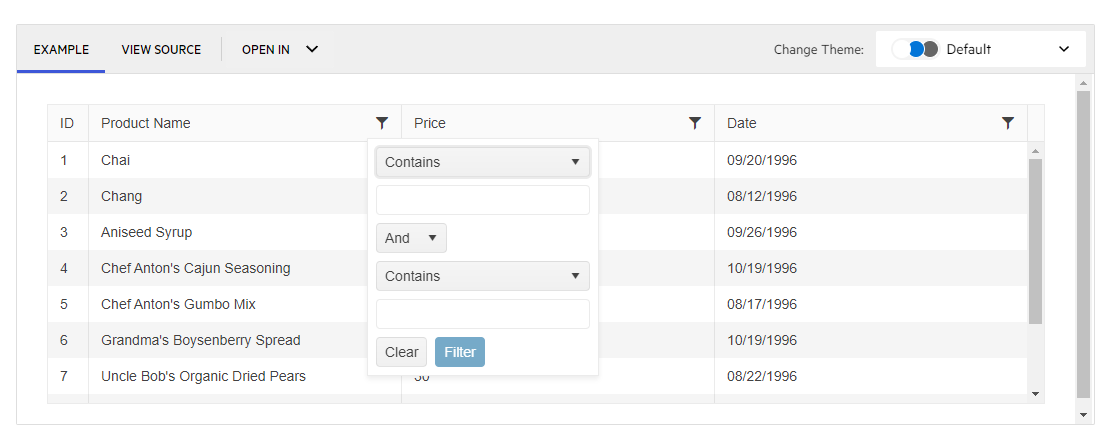
However, popup is closed only after second click outside.
After popup was opened and closed for the first time - next times everything works correctly, so it can be reproduced only after refreshing the page with this component
It can be reproduced in example in your documentation: https://www.telerik.com/kendo-angular-ui/components/grid/filtering/filter-menu/#toc-custom-filters/
https://stackblitz.com/edit/angular-4bbepg?file=src%2Fapp%2Fapp.component.ts
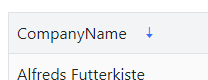
The sort indicator (down arrow) remains after removing the sort (setting the [sort] input to undefined)
Thanks,
-Adam
Previously igrid 5.0.0 introduced sortable column headers and their contents being wrapped in spans with inner cell and link classes
<span class="k-cell-inner">
       <span class="k-link>......
now after upgrading to 11.2.0 it looks like ALL column headers get this additional element nesting even if they aren't sortable which is greatly affecting how column headers display since .k-link has a display: flex value. As well as many other styles.
Before
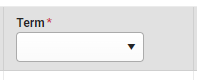
After
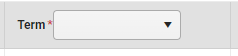
There are also "link" like styles applied to any and every column even if it doesn't sort giving the false impression that a column header is clickable.
This can be seen from kendo's own stackblitz for the grid https://stackblitz.com/edit/angular-lyxxa7?file=src%2Fapp%2Fapp.component.ts where if you inspect the header elements you'll see they've been wrapped in the sortable span elements. If this is intentional to wrap all column headers in we'll just have to work around it but we're curious if applying the sortable styling to ALL column headers was done on purpose or a bug.
input to grid:
@Input()
public additionalExcelExportInfos: { additionalWorksheetTitle: string,
parameters: { key: string, parameterValue: any }[]
};
output in excel file:
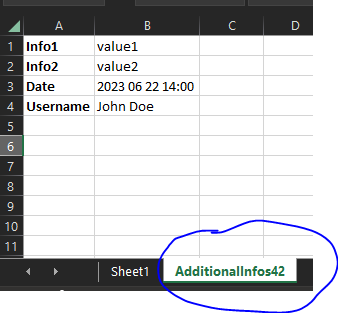
https://www.telerik.com/kendo-angular-ui/components/grid/examples/column-menu/set-column-position/?theme=default-ocean-blue&themeVersion=6.6.0
Hello,
I tried to implement this new feature : https://www.telerik.com/kendo-angular-ui/components/grid/scroll-modes/virtual#controlling-the-expanded-state-of-all-root-level-groups
You can see in the demo that if you remove all grouping, the content is now limited to 50 lines instead of displaying the whole 1000.
I found a workaround by expanding all before removing the grouping but it is not very user friendly.
If you can patch it ASAP that would be great.
And thank you to finally have pushed this long awaited feature !