

In this particular scenario, the RadDropDownListEditor element inside the RadComboBoxColumn cell contains an empty string item. So when we try to clear the value of the cell and leave it empty, the internal logic will return the last selected valid value. The following code demonstrate a simple example:
DataTable dt = new DataTable();
dt.Columns.Add("id", typeof(int));
dt.Columns.Add("codice", typeof(string));
dt.Columns.Add("nome", typeof(string));

dt.Rows.Add(0, "", "");
dt.Rows.Add(1, "I622", "Seravezza");
dt.Rows.Add(2, "G628", "Pietrasanta");
dt.Rows.Add(3, "L833", "Viareggio");
The first row in the DataTable which the RadGridView contains an empty value. If for example, the second row is selected and we use Backspace/Delete to clear the text and move to another cell. The selected item won't be changed. The cell value won't be cleared. To workaround this we could avoid using empty strings. We could use space or some other symbol to allow the user to clear the value from the drop-down popup.
dt.Rows.Add(0, "", "-");
OR
dt.Rows.Add(0, "", " ");

An exception occurs when trying to export the RadGridView using the ExportToPDF class with the following message.
System.SystemException: 'System.MethodAccessException: Attempt by security transparent method 'Telerik.Pdf.Gdi.GdiFontEnumerator.get_FamilyNames()' to call native code through method 'Telerik.WinControls.NativeMethods.EnumFontFamiliesEx(IntPtr, LOGFONT, FontEnumDelegate, Int32, Int32)' failed.  Methods must be security critical or security safe-critical to call native code.
   at Telerik.Pdf.Gdi.GdiFontEnumerator.get_FamilyNames()
   at Telerik.Apoc.Pdf.FontSetup.AddSystemFonts(FontType fontType)
   at Telerik.Apoc.Render.Pdf.PdfRenderer.SetupFontInfo(FontInfo fontInfo)
   at Telerik.Apoc.Fo.FOTreeBuilder.Parse(XmlReader reader)'
This exception is observed only when the referenced DLLs target the .Net Framework 4.8 version.
To reproduce:
1.Open the Demo application >> VirtualGrid >> First Look example and resize a column.
2.Then, move the form to a monitor with higher than 100% DPI scale factor.
Expected: the columns' width settings should be preserved.
Actual: the columns' width settings got reset.
In this case, we have GridViewTextBoxColumn and GridViewComboBoxColumn after it. We want to trigger the edit on the second column at the moment it is navigated with the key arrow navigation. To do that BeginEdit() method is called. However, manually calling this method will trigger key events on the editor inside the GridViewComboBoxColumn which will bubble to the parent and move the current cell to the next column (skipped the GridViewComboBoxColumn )
This behavior could be workaround by delaying the execution of the BeginEdit() method.
public class CustomGridBehavior : BaseGridBehavior
{
    Timer timer = new Timer();
    public override bool ProcessKey(KeyEventArgs keys)
    {
        var result = base.ProcessKey(keys);
        if((keys.KeyCode == Keys.Left || keys.KeyCode == Keys.Right) && this.GridControl.CurrentColumn is GridViewComboBoxColumn)
        {
            timer.Interval = 100;
            timer.Tick += Timer_Tick;
            timer.Start();
        }
        return true;
    }

    private void Timer_Tick(object sender, EventArgs e)
    {
        timer.Stop();
        this.GridControl.BeginEdit();
    }
}this.radGridView1.GridBehavior = new CustomGridBehavior();

Code snippet for reproducing the error:
            DataTable dt = new DataTable();
            dt.Columns.Add("Id", typeof(int));
            dt.Columns.Add("Title", typeof(string));
            dt.Columns.Add("Price", typeof(decimal));

            for (int i = 0; i < 10; i++)
            {
                dt.Rows.Add(i, "Row" + i, 0);
            }

            this.radGridView1.DataSource = dt;
            this.radGridView1.AutoSizeColumnsMode = GridViewAutoSizeColumnsMode.Fill;

            GridViewSummaryItem summaryItem = new GridViewSummaryItem();
            summaryItem.Name = "Price";
            summaryItem.Aggregate = GridAggregateFunction.StDev;
            GridViewSummaryRowItem summaryRowItem = new GridViewSummaryRowItem();
            summaryRowItem.Add(summaryItem);
            this.radGridView1.SummaryRowsBottom.Add(summaryRowItem);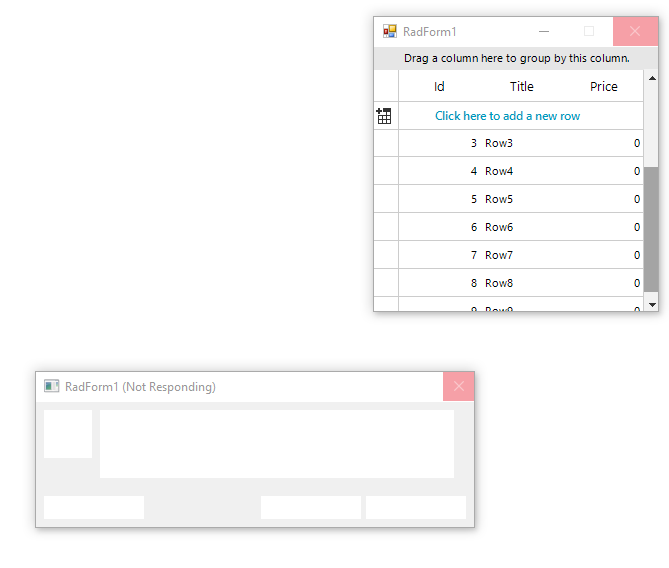
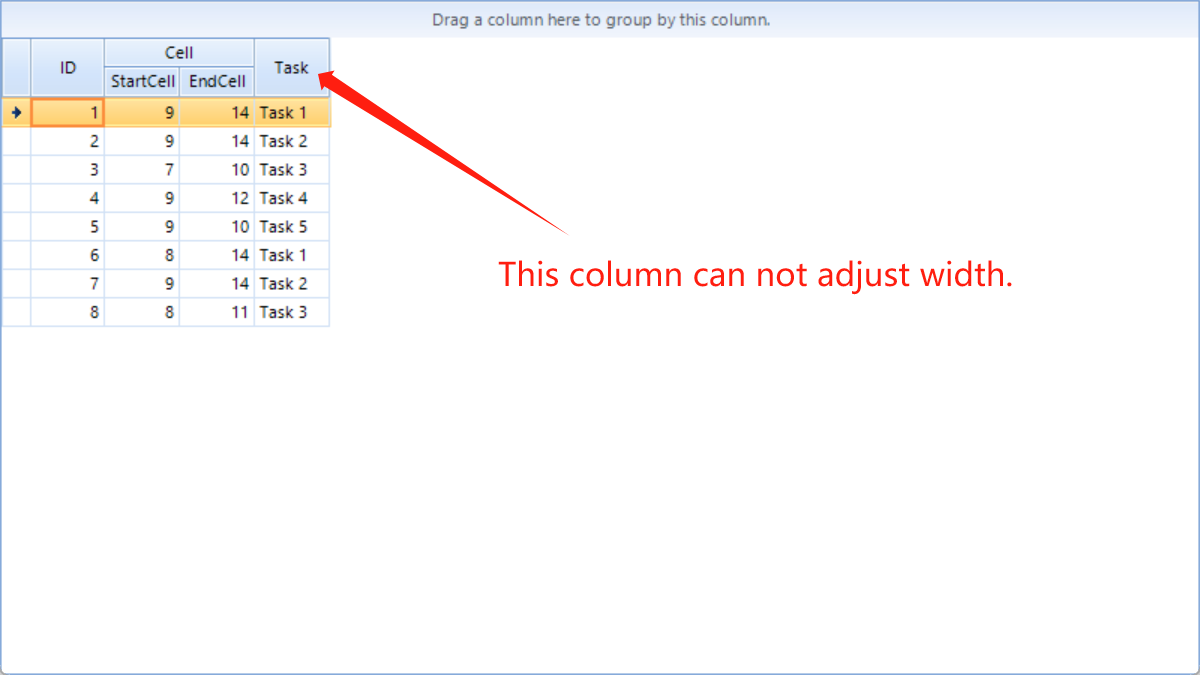
Click the first cell of a column
Scroll down and press Shift key and click the last cell of the column
Check that total rows label is 20.000 but selected cells label is less than 19.997

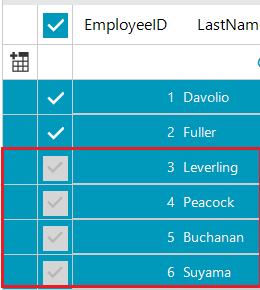
- Group by some column or create hierarchy.
- Select all from the parent header check box or in the header.
- Expand parent row
- As a result, the row expands, but selection disappears.
Call stack:
Telerik.WinControls.GridView.dll!Telerik.WinControls.UI.GridGroupHeaderRowElement.Initialize(Telerik.WinControls.UI.GridViewRowInfo rowInfo) Line 100
	at Telerik.WinControls.UI\GridGroupHeaderRowElement.cs(100)
Telerik.WinControls.GridView.dll!Telerik.WinControls.Export.GridExportUtils.GetRowHeight(Telerik.WinControls.UI.RadGridView radGridView, Telerik.WinControls.UI.RowElementProvider rowProvider, Telerik.WinControls.UI.CellElementProvider cellProvider, Telerik.WinControls.UI.GridViewRowInfo gridViewRowInfo, bool exportVisualSettings) Line 158
	at Telerik.WinControls.Export\GridExportUtils.cs(158)
Telerik.WinControls.GridView.dll!Telerik.WinControls.Export.GridViewSpreadExport.AddRow(Telerik.WinControls.UI.GridViewRowInfo gridViewRowInfo, int rowIndex) Line 960
