

I use an approved government font for the reports. I have specified it in the `privateFonts` option of the report engine configuration. However, on Linux, it is not picked up during rendering. In FontForge, the font shows the following warning:
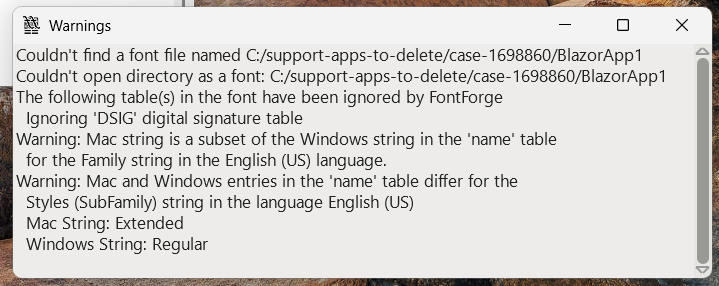
On Windows, it causes no issues.
Currently, the only way to set ObjectDataSource parameters as nullable is by typing this manually in the `DataType` property as follows:
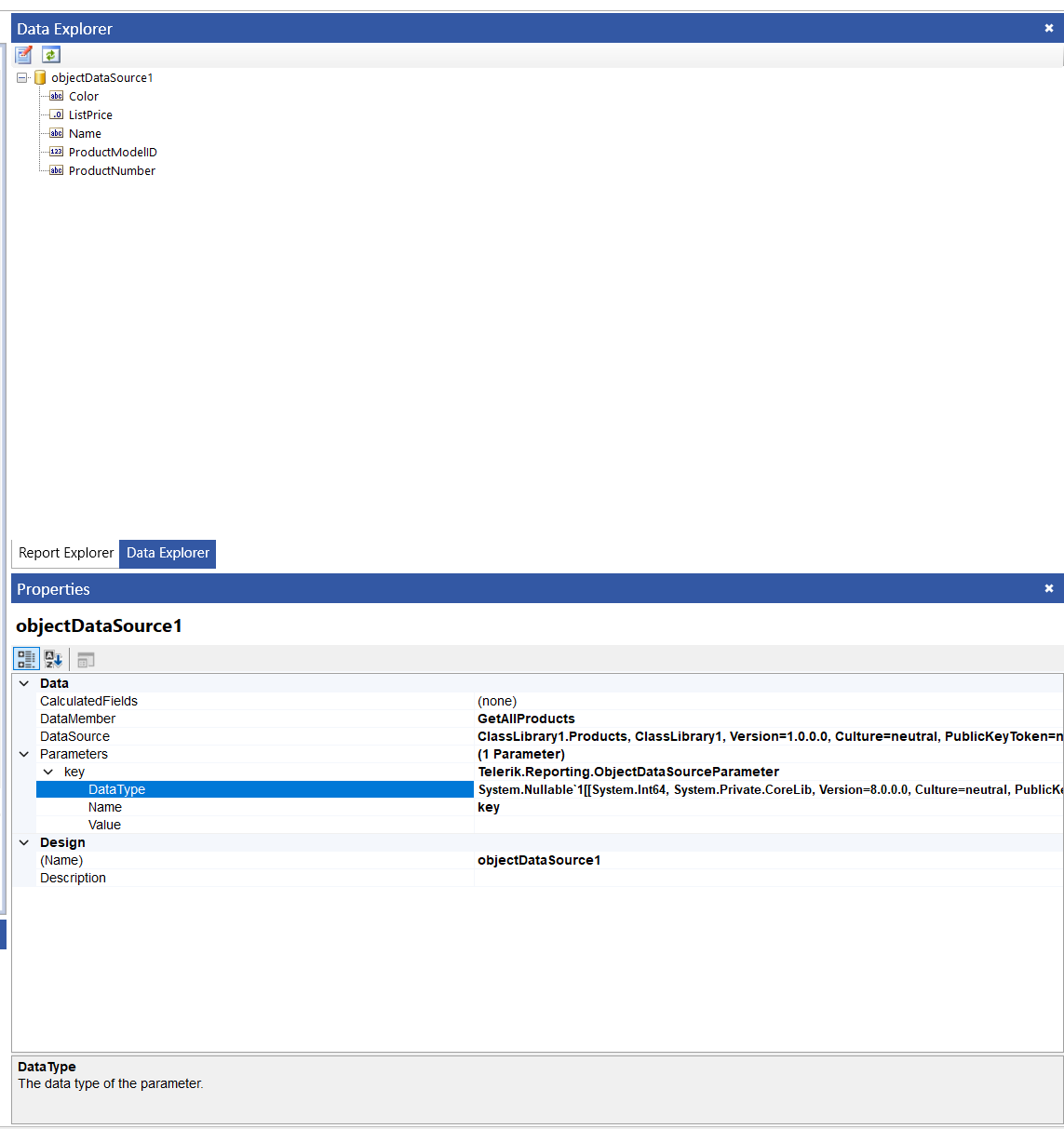
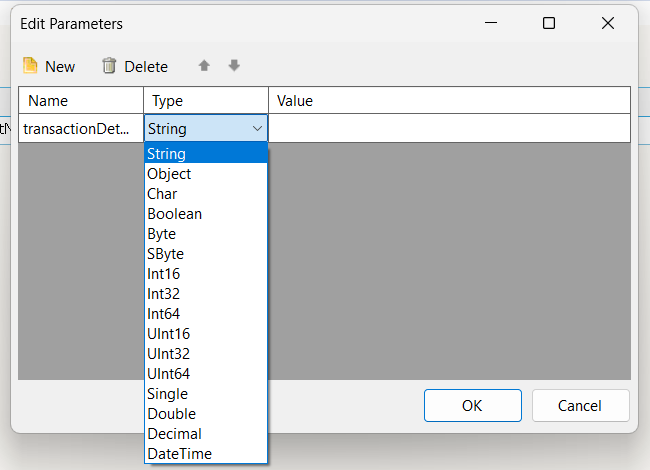
Consider allowing to do this through the "Edit Parameters" dialog:
We are using the Telerik Reporting component and are very happy
We really wanted to use the Table of Contents component in our reports
The Table of Contents works great but unfortunately does not support right-to-left in Hebrew
I guess for you this is a small fix and for us it will be a big relief
We ask for your help and improve the component for us so that the wonderful Table of Contents supports right-to-left
Thank you
Tamar

I would like to request the addition of FormulaPrefixCharacters.
We purchased a reporting component and need to use a table of contents for our reports
The table of contents does not support right to left - for Hebrew/Arabic language
This is really problematic and seems to me a basic need that should be included in the service
We expect a solution soon
Thank you
Currently, there is an MCP server that allows for integrating and developing report viewers, report designers, and Reporting REST APIs through Copilot. Consider allowing end users without Telerik Reporting experience to also build reports using AI.
We have some issues with cut off texts on our PDF reports. It only happens rarely and only with some fonts.
TSE note: This is an investigation item for tracking purposes. The actual font is included in the private GitHub issue linked to this item.
I am using the obsolete `Telerik.Reporting.Chart` type for a chart in a report. When I attempt to preview the report, an error is thrown:
The type "Telerik.Reporting.Chart" contained in assembly "Telerik.Reporting, Version=19.2.25.1001, Culture=neutral, PublicKeyToken=a9d7983dfcc261be" cannot be loaded.
To help improve the application's security, the reporting engine prevents loading types that are not essentially needed or listed as trusted by the user. If you consider particular types or assemblies as trusted include them in the corresponding TypeReferences or AssemblyReferences element of the 'Telerik.Reporting' configuration section in the application's configuration file.
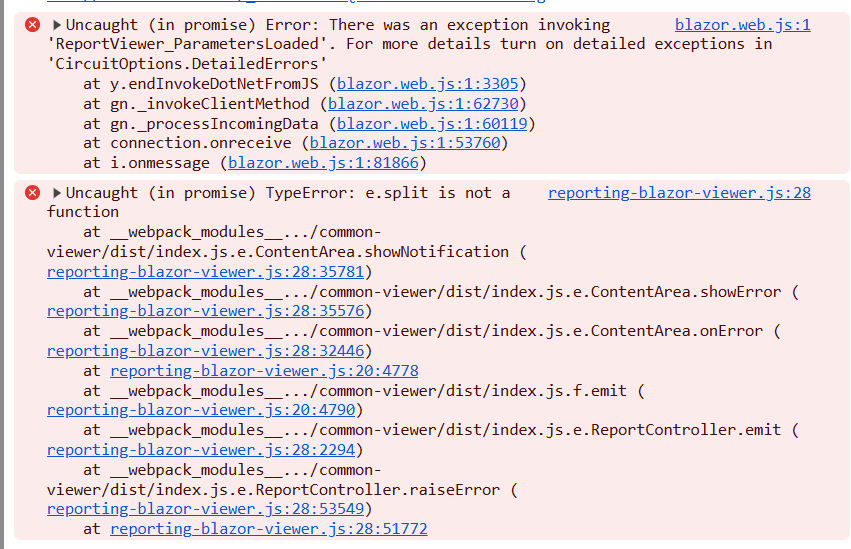
We see a console error when navigating away from the Blazor Native report viewer page. The page that contains the breadcrumb and the viewer has query-supplied parameters.
Currently, page breaks in reports are static and cannot adapt to dynamic conditions during rendering. This limitation makes it challenging to format highly variable reports where layout requirements depend on runtime data or page positioning.
The requested feature would allow developers to define expressions or rules that determine whether a page break should occur, considering factors such as:
- The current page number
- The position of a specific control on the page
- Other Internal report variables
Benefits
- Enables precise control over report layout for complex, data-driven scenarios
- Improves usability for industries requiring strict formatting standards (e.g., financial, healthcare, compliance reporting)
- Aligns functionality with competitive reporting tools like Crystal Reports, enhancing product competitiveness
- Reduces manual workarounds and simplifies report design for advanced pagination needs
Similar, but more specific request already exists:
https://feedback.telerik.com/reporting/1356665-add-conditional-page-breaks-based-on-report-group-page-number-duplex-printing
See also my ticket: 1701322
I have a solution with two projects: one containing a report, and another for the objects.
The first one has a project reference to the second, and the objects are used within an ObjectDataSource component in the report from the first.
I open the solution, build the project with the objects, but the Data Explorer of the ObjectDataSource component in the first project with the report does not get automatically updated. I have to reconfigure the ObjectDataSource manually for the change to take effect.
Related to:
Also affects Telerik.Reporting.Processing and Configuration: Attempt by security transparent method 'Telerik.Reporting.Processing.AssemblyRefManager.LoadAssembliesCore()' to access security critical method 'Telerik.Reporting.Configuration.ReportingConfiguration.get_Current()' failed.
Hi, our project uses the Telerik Report Service with Asp .NET Core with Keycloak as Session Provider, every time the user tries to use an Report, after some time, he gets Unauthorized error.
To solve this I've implemented a way to specify the login promise (that is called before each request) when starting the HTML5 Report Viewer.
What if it becomes an native feature?

When using A4 paper or narrow-edge leading media the Web Viewer prints everything perfectly.
When using a 60mm x 30mm label, therefore "wide-edge" leading media, the web viewer prints the label in landscape, even though the print is in portrait!
Just because the media is "landscape" surely it is the print on the media that determines the orientation?
When using the Windows System Print Dialogue this does not occur, on the using the print from the Web Viewer. This is because the Web Viewer converts it to PDF first to print (I believe). Surely, in the code you can state NOT to rotate, OR rotate it back to the correct orientation for wide edge leading media.
The label design is portrait so all the "print / pdf" code needs to do is to query this and not assume that wide edge leading media automatically prints in landscape.
I'm using VS 2022, the demo reporting (Telerik_Reporting_2026_Q1_20_0_26_211). When using the "Telerik Report 2026 Q1 Wizard", I select the following
- "Table Wizard"
- Current Data Sources
- Add New Data Sources
- Select "Object Data Sources
- I select my Assembly and data object.
- I select the Data source Member
See attach file when I finish the wizard.
.png)
Is there a telerik reporting xml schema definition document somewhere? This is so that we can more effectively get AI to automatically build telerik reports.
We render reports to PDF with ReportProcessor.RenderReport, and several renders run in parallel in the same process (background jobs). Occasionally the report items show this error inside the generated PDF instead of their values: "An error has occurred while processing TextBox 'textBox8': Operations that change non-concurrent collections must have exclusive access. A concurrent update was performed on this collection and corrupted its state. The collection's state is no longer correct."
Exception and stack trace:System.InvalidOperationException: Operations that change non-concurrent collections must have exclusive access. A concurrent update was performed on this collection and corrupted its state. The collection's state is no longer correct.
at Telerik.Reporting.Processing.Data.GenericObjectDataDescriptor.TryGetValueInternal(String name, Object data, Object& value)
at Telerik.Reporting.Processing.Data.DataMember.TryGetValueOverride(String name, Object& value)
at Telerik.Reporting.Processing.Data.DataObjectBase.TryGetValue(String name, Object& value)
at Telerik.Reporting.Processing.Expressions.FieldsNodeEval.Eval(Object data, Object context)
at Telerik.Reporting.Expressions.FunctionNodeEval.Eval(Object row, Object context)
at Telerik.Reporting.Processing.TextBox.ProcessItem()
at Telerik.Reporting.Processing.ReportItemBase.ProcessElement()
at Telerik.Reporting.Processing.ProcessingElement.Process(IDataMember dataContext)