

If you set a default value of integer subreport parameter to '3233' or another valid integer, when executing the main report there will be an exception stating that the value for this parameter is not valid and the report processing is canceled. The parameter exists only in the subreport and not in the main report.
The error disappears if the value of the parameter is set with an Expression, for example, '=3233'.
Provide the option to save custom report settings in the storage and enable specific rendering device settings based on custom settings.
Example use case:
- on the Report Server - Report view, the user should have a button for report settings;
- this button will open a custom dialog that contains various inputs;
- clicking Save on the custom dialog, the save operation will be handled by the Report Server implementor and the implementor should be able to get the user input and save various settings in the Report Server storage for the selected report;
- on rendering the report through the Preview, Scheduled Task, or Data Alert, the report server engine should invoke a custom event/code that can read the storage report settings and based on them provide rendering device settings to use during the report rendering.

Poor Error Handling: Unhandled exception
Error pages containing stack traces were found on these pages:
https://reports.abc.com/Account/ForgotPassword POST parameters: __RequestVerificationToken, Email
https://reports.abc.com/Account/Login POST parameters: __RequestVerificationToken, Username, Password, RememberMe, ReturnUrl https://reports.abc.com/api/reportserver/documents/C$39cae14f81d$9809a8279f1$72d6f30af5b7ed1809a23e
Stack traces are call chains of line numbered source code that usually result from unhandled exceptions. Unhandled exceptions are circumstances in which the application has received user input that it did not expect and doesn't know how to deal with. In many cases, an attacker can leverage the conditions that cause these errors in order to gain unauthorized access to the system. Recommendations include designing and adding consistent error-handling mechanisms that are capable of handling any user input to your web application, providing meaningful detail to end-users, and preventing error messages that might provide information useful to an attacker from being displayed.
There are vulnerabilities in the Report Server related to Cross-Site Scripting.



I create a Report Book in the Standalone designer that is connected to my Report Server. When I add the first two reports, the Report Book is rendered as expected. When I add the third one, it fails with the exception:
Report processing was cancelled.
Index was out of range. Must be non-negative and less than the size of the collection.
Parameter name: index
Here is a link to a short video demonstrating the problem. All the individual reports run correctly.
This leads to users not being able to open the report from the table and sends them to a bad URL since the category is undefined.
Hello,
It would be nice to edit raw html or paste html into the mail template editor.
In a Scheduled Task created with the Report Server API, the day of the week in the recurrence rule is not shown in the Edit Task window of the Report Server Manager. A detailed description of the issue is available in this forum post.
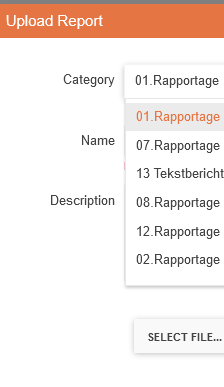
When I do a sort or filtering in the report section on the server and I edit a report (f.i. add revision) the sorting and filtering is gone.
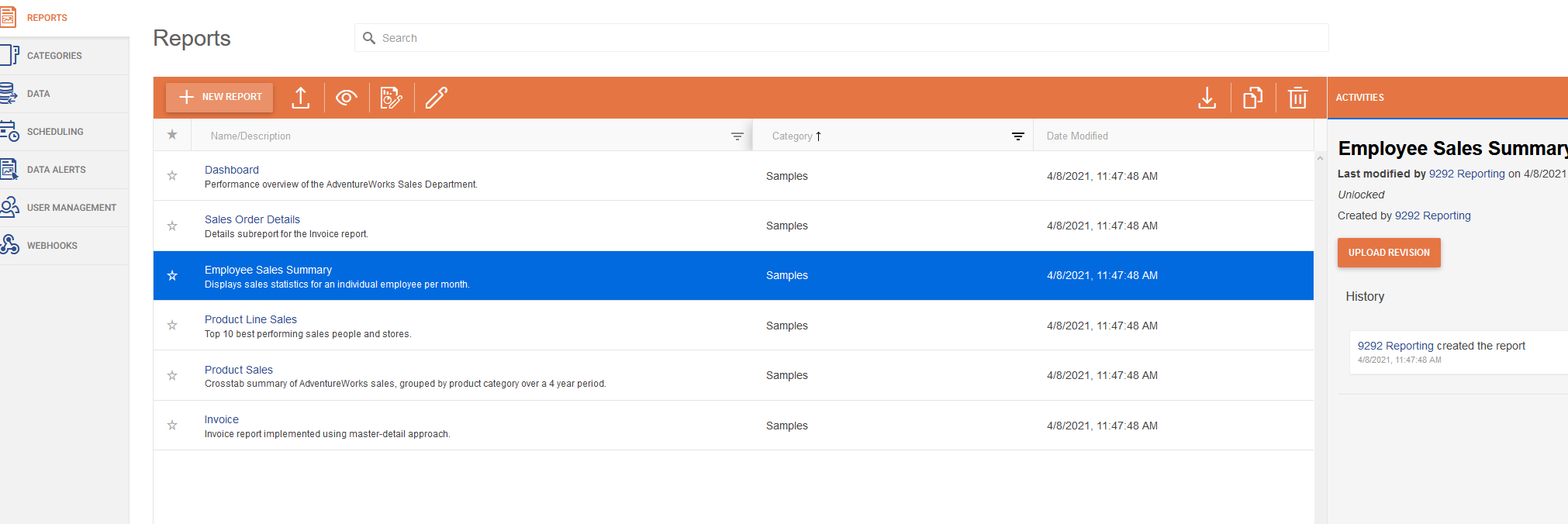
It's much nicer to keep the sorting and or filtering
In the Schedule I want to set the specific name of the attachment instead of the Report's intern name.
I have a report named Report xyz per period with parameters for day-, week and month report.
When I make a schedule I cannot set the name of the attachment when I sent it by mail, it's alway Report xyz per period.
Hello, almost every time I select a scheduled task that I have to scroll down to select in the Scheduling tab, the grid view jumps back up to the top of the task list, making it very annoying to look through tasks.
1. Open Scheduling tab.
2. Scroll down in scheduled task grid view below the first N rows displayed.
3. Select row corresponding to a scheduled task.
4. Task grid view returns to the top N rows of the scheduled tasks.
Thank you
The CommandTimeout property of the MSSQL Storage is respected when provided in the ReportServerAdmin.config of the Report Server, for example with the following code:
<?xml version="1.0" encoding="utf-8" ?>
<configuration>
  <configSections>
    <section name="reportServer" type="Telerik.ReportServer.Web.Configuration.ReportServerConfigurationSection, Telerik.ReportServer.Web" requirePermission="false" allowLocation="true" />
  </configSections>
  <reportServer>
    <storage provider="MsSqlServer">
      <parameters>
                <parameter name="ConnectionString" value="Data Source=(local)\MSSQLSERVER01;Initial Catalog=RESTStorage;Integrated Security=SSPI" />
		<parameter name="commandTimeout" value="360" />
      </parameters>
    </storage>
  </reportServer>
</configuration>
The user should be able to provide this value from the Configuration page for the Storage settings, as this is done for the connection string.
We are using Azure Redis Cache for the Report Server storage. Azure Redis stops the support for TLS 1.0 and 1.1 as stated in Remove TLS 1.0 and 1.1 from use with Azure Cache for Redis.
If I set Azure Redis to allow TLS 1.0 everything works fine.
If I switch the minimum TLS version in Azure to 1.2 (or 1.1 for that matter) I start to get the error:
No connection is available to service this operation: GET TRS\1\SV
   at StackExchange.Redis.ConnectionMultiplexer.ExecuteSyncImpl[T](Message message, ResultProcessor`1 processor, ServerEndPoint server)
   at StackExchange.Redis.RedisBase.ExecuteSync[T](Message message, ResultProcessor`1 processor, ServerEndPoint server)
   at StackExchange.Redis.RedisDatabase.StringGet(RedisKey key, CommandFlags flags)
   at Telerik.Reporting.Cache.StackExchangeRedis.RedisStorage.GetBytes(String key)
   at Telerik.Reporting.Services.Engine.PersistableObject.GetInt(String key)
   at Telerik.ReportServer.Engine.StorageUpgrader.UpgradeStorageVersion()
   at Telerik.ReportServer.Web.Models.ReportServerWebHost..ctor(IStorage storage)
   at Telerik.ReportServer.Web.WebApiConfig.ConfigureDependencyResolver()
   at Telerik.ReportServer.Web.WebApiConfig.Register(HttpConfiguration config)
   at System.Web.Http.GlobalConfiguration.Configure(Action`1 configurationCallback)
   at Telerik.ReportServer.Web.WebApiApplication.Application_Start()
The articles I can find all state that we should add "sslprotocols=tls12" in addition to "ssl=true" in the connection string to support TLS 1.2. When I do this I get the error "Keyword 'sslProtocols' is not supported".
This won't let me use Azure Redis Cache.
I suspect the issue is due to the deprecated package that you use for the Redis database connection.
For that reason, I would like it to be updated to the new one so that I may continue to use Azure Redis.