

We could improve the existing logic by raising it indifferently.

The vertical and horizontal scrollbar positions get cached during scrolling. If you scroll around and then resize the RadRichTextEditor so that the scrollbars are no longer needed and then you resize the editor again to show the scrollbars, the cached position is used, instead of resetting it to 0,0.
This reproduces when the LayoutMode of the editor i set to FlowNoWrap.
To work this around, reset the scrollbars' Value to 0 on SizeChanged.
private void RadRichTextEditor1_SizeChanged(object sender, EventArgs e)
{
    Normalize(radRichTextEditor1.RichTextBoxElement.VerticalScrollBar);
    Normalize(radRichTextEditor1.RichTextBoxElement.HorizontalScrollBar);
}

private static void Normalize(RadScrollBarElement sb)
{
    int maxUser = Math.Max(sb.Minimum, sb.Maximum - sb.LargeChange + 1);

    if (sb.Visibility != ElementVisibility.Visible)
    {
        sb.Value = sb.Minimum;
        return;
    }

    if (sb.Value > maxUser)
    {
        sb.Value = maxUser;
    }
}
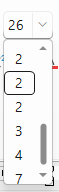
Font size drop-down:

In Microsoft Word, the drag-and-drop functionality for Structured Document Tags (Content Controls) allows users to reposition an entire content control and all its contents within the document using the mouse.
What it does
When a user selects the boundary/frame of a content control rather than the text inside it:
- The entire content control is treated as a single unit.
- The control, including its metadata (tag, title, locking settings, data binding, etc.), moves to a new location.
- The content control remains a content control after the move.
- Nested controls move together with the parent control.
- Users can reorganize document sections without cutting and pasting.
Typical workflow
- Hover over a content control until its boundary becomes visible.
- Click the control's tag or border to select the whole control.
- Drag it to another location in the document.
- Release the mouse button to drop it at the new location.
Common use cases
- Reordering form sections.
- Rearranging template building blocks.
- Moving clauses in legal documents.
- Organizing repeating sections or structured content in reports.
- Reorganizing content that is bound to custom XML data.
Important limitations
The behavior may be restricted when:
- The content control is configured as "Content Control Cannot Be Deleted".
- The document is protected.
- The control resides in certain structures (for example, specific table layouts or protected regions).
- Editing restrictions are applied.
Word allows users to treat a content control as a movable document object, enabling the entire SDT and its contents to be repositioned via drag-and-drop while preserving the control's structure and properties.