We have a column in our grid bound to a complex JSON object. When a different column's value is changed, we need to change the nested properties in the complex JSON object.
To do this, in the grid's Save event, we are calling model.set("theComplexObject.NestedProperty", newValue). However, doing this does not automatically update the UI for that row's cell. Furthermore, it never seems to mark the column dirty. Manually calling grid.refresh() will fix the issue, but the grid we are working on has a lot of columns and it adds a performance hit.
This approach works for all of our other columns that do NOT use complex objects. They correctly show the dirty flag and new model value after the save operation completes.
Below is a Dojo example with the save event wired up and a complex name column. It's worth mentioning that the dirty flag also doesn't appear to be working on the eye color column. This may be another bug introduced in a newer version of Kendo.
https://dojo.telerik.com/ZHkxwJee
- Change the age for a column and click off the cell. The eyeColor updates, but the name does not. The dirty flag gets put in the first cell for some reason (this happens when updating the second row too... it adds the dirty flag to the first cell in the first row).
- Enabling the currently commented line that does e.sender.refresh() will fix the display issues, but the dirty flag still doesn't show for the name column.
When a pager control uses responsive mode, but renders initially as hidden, the control fails to render properly.
The control should render to the appropriate responsive mode regardless of whether the control is visible or not when it is initially rendered.
Hi Team,
I would like to request the source code from the AI Service from the Kendo UI Grid demos be available to download.
Thank you!
Hi team,
I think there is a bug in the dependency detection.
In the attached "config_buged.js" i have chosen some components. The component "chiplist" was partially checked due to dependency.
When lunching my application I got the error :
Message: e(...).kendoChipList is not a function
at init._createList (kendo.custom.min.js:91:8505)
at new init (kendo.custom.min.js:91:3218)
at init._attachGroupable (kendo.custom.min.js:133:96797)
at init._groupable (kendo.custom.min.js:133:96348)
at init._continueInit (kendo.custom.min.js:133:33864)
at new init (kendo.custom.min.js:133:33735)
at HTMLDivElement.<anonymous> (kendo.custom.min.js:1:42737)
at jQuery.each (jquery-3.1.1.js:368:19)
at jQuery.fn.init.each (jquery-3.1.1.js:157:17)
at e.fn.<computed> [as kendoGrid] (kendo.custom.min.js:1:42713)
I was forced to totaly check the "chipList" component as seen in the attached file config.json
The Kendo-UI Diagram widget supports moving the whole diagram using the pan() method. However, the given offset does always have to be absolute.
Consider the following example:
The diagram is zoomed in and therefore not fully visible - assume a current offset of (-100, -100). The users should be able to pan using keyboard shortcuts. Whenever pressing one of the arrow keys, the diagram is moved in the corresponding direction by e.g. 50px:
If the user presses [ArrowRight], pan() needs to be called with an offset of (-50, -100).
If the user presses [ArrowUp], pan() needs to be called with an offset of (-100, -150).
However, since I do not know how much the diagram has already been moved, I cannot set the absolute offset required.
I have seen that pan() returns the current offset when being called without arguments, but this is not documented. Is this safe to use for that purpose or is there a better alternative? If yes, the documentation should be updated.
See demo page: https://docs.telerik.com/kendo-ui/api/javascript/ui/colorpicker/configuration/clearbutton
The example uses "<input id="colorpicker" type="color" />". Opening the preview reveals a black color.
Change the input-tag to div and the 'clear'-style is presented in the preview.
Or remove the color type when using the input-tag: "<input id="colorpicker" />" also correctly represents clear.
I can also locally reproduce it with Kendo UI jQuery v2024.4.1112.
https://dojo.telerik.com/yBSdUQYS demonstrates the issue:
When a grid detail row is expanded, and pushUpdate() is called on it, the row collapses.
What is expected is for the grid row to remain in its prior state (expanded or collapsed.)
Until this is fixed, is there a work-around, other than manually re-expanding the detail row(s)? This is not a feasible work-around in which multiple nested grid rows are collapses and re-expanded, as this causes the UI to jump unexpectedly for the user.
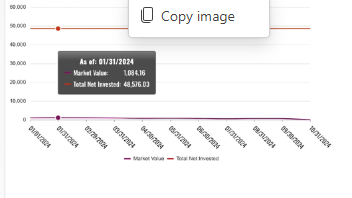
Line Chart Crosshair doesn't display on Tablets.
Display's fine on Desktop & also on Mobile, but tested on iPad and Android tablets the Crosshair line does not display.
kendo.2020.1.114
While upgrading and testing the latest 2024.4.1112 release I have noticed the loading indicator, for both the ComboBox and MultiColumnComboBox, has moved from the dropdown button to inside the edit control.
Is this a a bug or a design decision?
If it is the latter I can find no mention of this breaking change in the release notes, or were you hoping nobody would notice?
To me the old design whereby the loading indicator replaced the dropdown arrow was more logical giving the impression to a user the button was unavailable.
So my finial question ... How do we get the old functionality back?
Regards
Alan
Have just tripped over the following whereby html escaped title data is being shown in the Excel column headers when the grid is exported to Excel.
To illustrate the problem run the following dojo
https://dojo.telerik.com/AwUMarUl
As you can see the first column title is not shown due to the angled brackets
The second column has the angled brackets escaped so the title shows correctly in the grid.
Now when the grid is exported the column headings are as follows:
<Product Name> <Unit Price>
which is not what is expected ... Any & all html escaped characters should be un-escaped.
Regards
Alan
i've tried to apply autoFitColumn method for treelist accordingly to the documentation, https://docs.telerik.com/kendo-ui/api/javascript/ui/treelist/methods/autofitcolumn#autofitcolumn , and seems it assumes only "simple" columns structure, i.e. no nested headers.
I am trying to upgrade my Kendo UI JQuery installation from 2022 to 2024 and it is not going smoothly. One issue I'm having is that now my grids with locked columns do not span the whole width of their container. In the old version, the k-grid-table would expand to fill the width of the k-grid-content but now it seems that the columns retain their width, rather than growing like they used to. So now there is a large white space between the last column and the vertical scrollbar. I did notice that if I remove the inline style in the developer tools that is applied to the k-grid-table in the unlocked section, it fixes it. It should continue to expand all columns evenly to fill the available width like it did in versions past or this should be an option that the user can set. To leave that space without any user choice is a bug.
Old Version:
New Version:
Note, I reported this in a forum post. I know I can write code as a workaround but that is cumbersome, especially when I have many grids and multiple developers working on the project.
When I incell edit multiple rows I only receive a sync callback through `change` on the datasource for the last row with only that last row in the "changedItems". This results in the grid not removing the dirty indicator for any of the other rows, only the last one is removed. The rows are updated properly and I if I were to manually call grid.refresh() it removes the indicators. If I update the rows individually it has no problems.
Here I've updated only the first row:
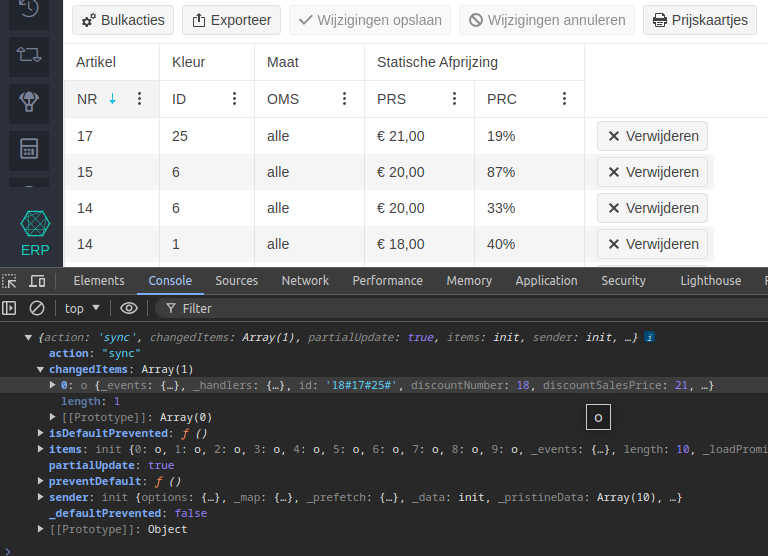
Here I've updated only the second row:
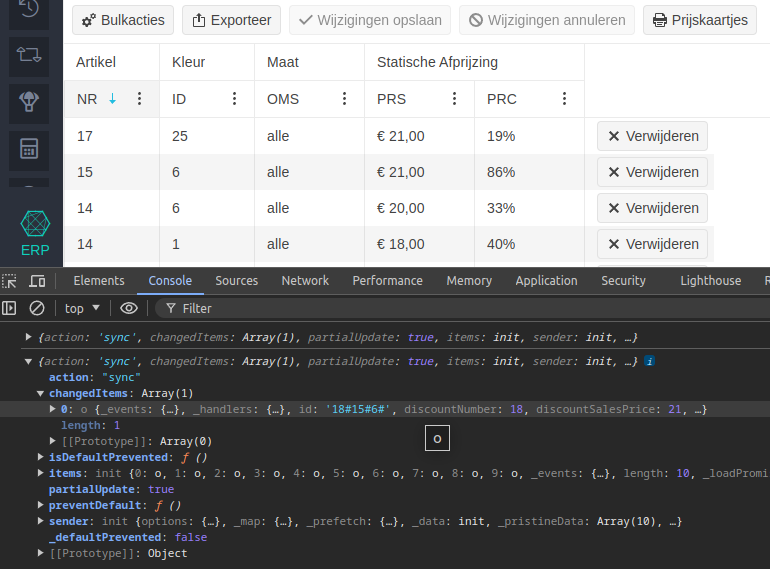
Here I've updated the first 2 rows at the same time and only the last one is detected as updated:
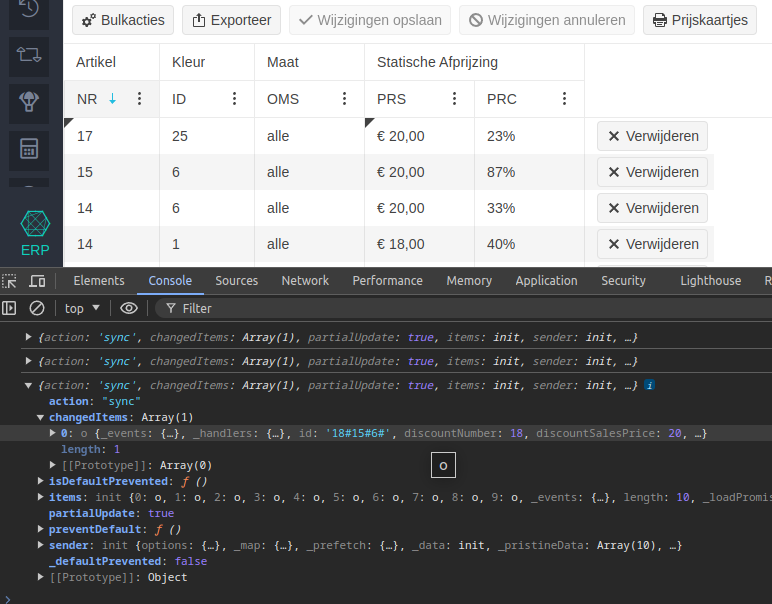
Here I've updated the PRS column for all 4 rows to "5" and it saved correctly, but only the last row is detected as updated in the grid:
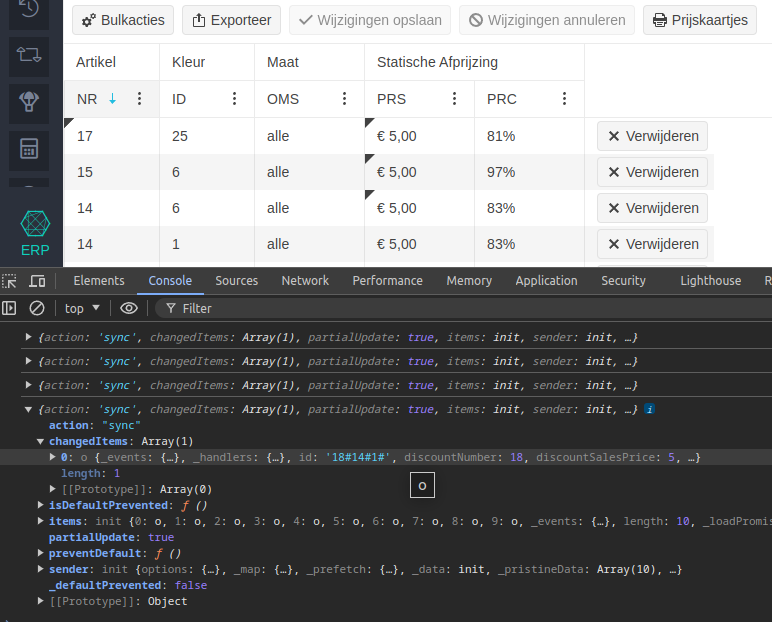
As there's a lot of code involved I can't just paste it here, I can provide snippets or information about particular settings though.
Hello!
Prior to 2024.2.514 (2024 Q2), the DateRangePicker would "force users first to select start and then end range regardless of the date input selected" [1,2]. However, with the latest 2024 Q2 release, clicking the End input on the DateRangePicker selects the range end.
I did not see this specifically mentioned in the release notes, https://www.telerik.com/support/whats-new/kendo-ui/release-history/kendo-ui-for-jquery-2024-2-514-(2024-q2), so I am reporting this as a bug.
Here is a basic Dojo to demonstrate: https://dojo.telerik.com/IWAbUpuV. You can see the previous behavior by changing the library to the previous version (2024.1.319).
References
Context: There is an item that illustrates the issue here: https://www.telerik.com/forums/kendo-datepicker-value-not-populated-after-refresh-firefox-only
In Firefox, when using the asp-for tag helper to bind a c# DateTime field to an input element, then calling kendoDatePicker() on that element, the control fails to populate on a soft-refresh (F5). Upon reloading using F5 in Firefox, the input's type is set to datetime-local, and the input 's control variation is changed to the default date picker. Then, the Kendo UI DatePicker is initialized with a blank input which normally has a type of text.
Example project and video of issue are attached.
This is the pertinent code (also happens in latest version of Kendo as well):
    public class IndexViewModel
    {
        public DateTime DateAsDateTime { get; set; }
    }
public IActionResult Index()
{
return View(new IndexViewModel { DateAsDateTime = DateTime.Today });
}@model IndexViewModel
<input id="dtDate" asp-for="@Model.DateAsDateTime">
<script type="text/javascript">
$(document).ready(function () {
$("#dtDate").kendoDatePicker();
});
</script>
I would like be able to have a vertical scrollbar on a kendo grid without enabling horizontal scrolling.
Currently when the scrollable feature is set to true, scrolling is enabled for both horizontal and vertical.
I would like to see something like:
scrollable:{ vertical : true, horizontal: false }
Can that be done?
Thank you!
Hi,
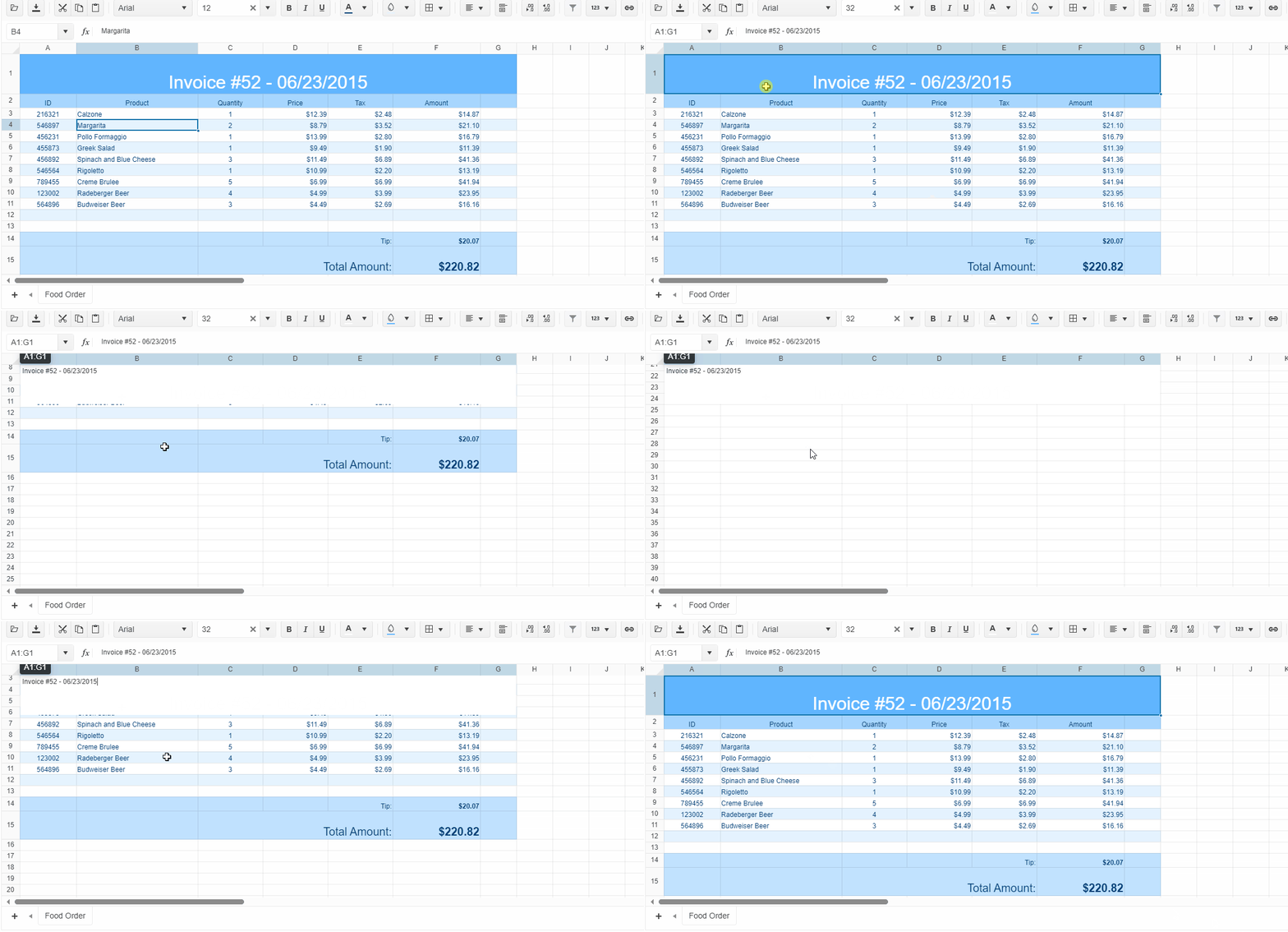
When I double click a cell and enter into editing mode, scrolling up or down will make the editor div out-of-place.
It should follow the target cell instead.
This can be easily reproduced here: https://demos.telerik.com/kendo-ui/spreadsheet/index
It seems Kendo UI for Angular/React also have the same issue.