

When binding a dropdown to a list (with .BindTo()) instead of a DataSource, none of the object's properties besides "Text" and "Value" are available in the Template, and will throw a ReferenceError that the property is not defined.
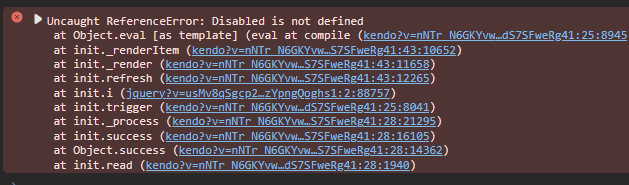
But this only occurs if the list of items it is bound to is of the type SelectListItem, or inherits from that type.
If the list is of items that do not inherit from SelectListItem, then all properties can be used in the Template with no error.
Screenshot of example project output:
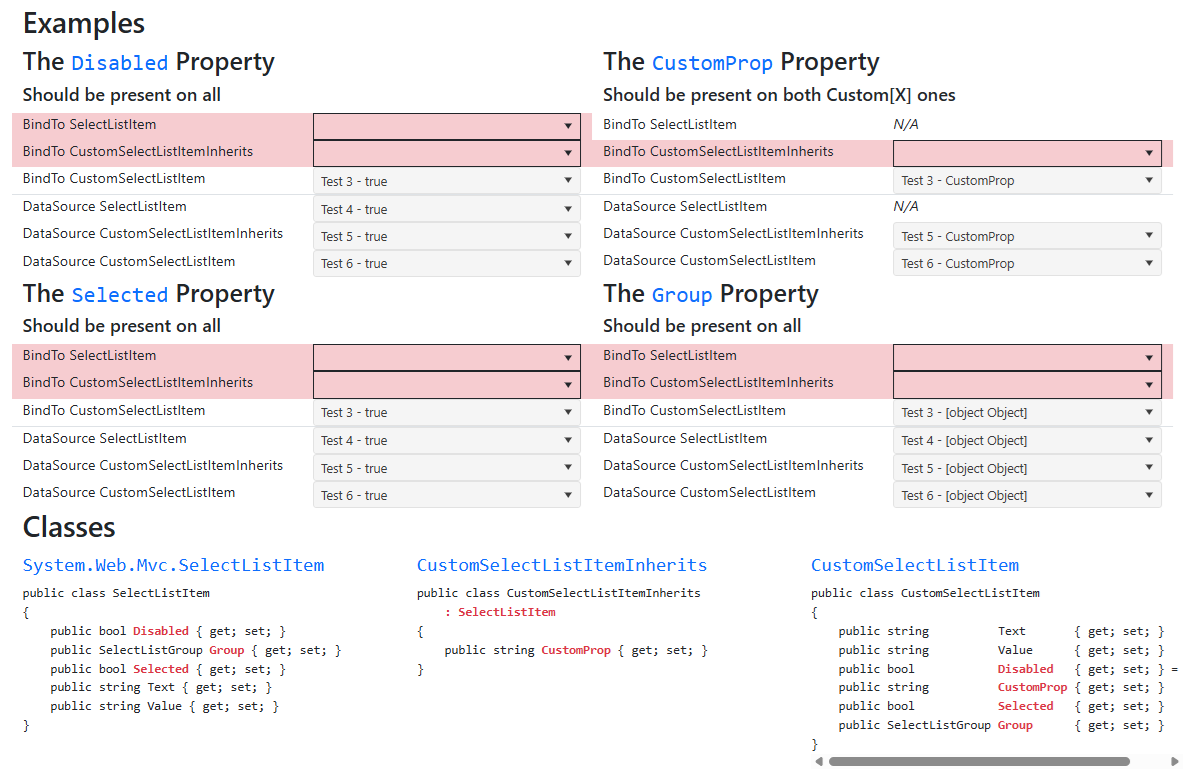
Explanation:
Each dropdown on the page has a .Template() which simply displays the "Text" property and one other property (listed in each section's heading). Example:
"#= Text # - #= Disabled #"
If the property is not working correctly, a unhandled ReferenceError will occur and the dropdown will fail to initialize. These failed rows are highlighted red.
This only occurs when the dropdowns use .BindTo() and a list of either SelectListItems or of a class that inherits from SelectListItem. The dropdowns bound to lists of CustomSelectListItem, which does not inherit, have no issue with the additional properties.
This bug has been occurring since at least 2021.3.1109, but I confirmed is still present in the latest version.
