

Enabling/Disabling the ListBox on the client is not persisted across PostBacks.
To replicate the issue
ListBox markup
<telerik:RadListBox runat="server" ID="RadListBoxA" CheckBoxes="true" Enabled="false">
    <Items>
        <telerik:RadListBoxItem Text="Item 1" />
        <telerik:RadListBoxItem Text="Item 2" />
        <telerik:RadListBoxItem Text="Item 3" />
        <telerik:RadListBoxItem Text="Item 4" />
    </Items>
</telerik:RadListBox>

<telerik:RadButton runat="server" ID="RadButton1" Text="Toggle State" AutoPostBack="false" OnClientClicked="ToggleListBoxStates" />
<telerik:RadButton runat="server" ID="RadButton2" Text="Postback" AutoPostBack="true" />
OnClientClicked event handler
function ToggleListBoxStates(sender, args) {
    var listBoxA = $find("<%= RadListBoxA.ClientID %>");
    listBoxA.trackChanges();
    listBoxA.set_enabled(!listBoxA.get_enabled());
    listBoxA.commitChanges();
}
Run the example, change the ListBox state and do a PostBack.
Notice, the state changes back.
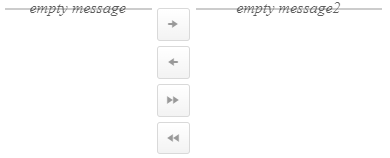
Code to replicate the issue
<telerik:RadListBox
    RenderMode="Lightweight"
    runat="server"
    ID="RadListBoxSource"
    AllowTransfer="true"
    TransferToID="RadListBoxDestination"
    ButtonSettings-AreaWidth="35px">
    <EmptyMessageTemplate>
        empty message
    </EmptyMessageTemplate>
</telerik:RadListBox>
<telerik:RadListBox
    RenderMode="Lightweight"
    runat="server"
    ID="RadListBoxDestination"
    ButtonSettings-AreaWidth="35px">
    <EmptyMessageTemplate>
        empty message2
    </EmptyMessageTemplate>
</telerik:RadListBox>
In our application we use ListBox with property EnableMarkMatches set. When we enter a search criteria with the keyboard you see in the selected rows the search criteria Bold. (See attached screenshot)
When u click with the mouse on this bold search criteria you get an error message in the console of the browser:
RadListBoxScripts.js:1223 Uncaught TypeError: Cannot read properties of null (reading 'get_enabled')
at c.RadListBox._onClick (RadListBoxScripts.js:1223:6)
at HTMLLIElement.<anonymous> (RadListBoxScripts.js:476:4)
at HTMLDivElement.dispatch (jQuery.js:3:12445)
at r.handle (jQuery.js:3:9174)
This issue is reproducible at
https://demos.telerik.com/aspnet-ajax/listbox/examples/functionality/keyboardsupport/defaultcs.aspx?
Anyway, if item is moved from one listbox to the other one by one with the arrow, it works good. Item is assigned the biggest SortOrder number and appears last in sorting order.
However, move of multiple items (or all items) at the same time, creates the same SortOrder value for ALL the moved items. Is that expected behavior? I removed move all button since it makes it very hard to sort items once they all have the same SortOrder value.
After updating to the new version, our RadListBoxes are behaving strangely. This problem is especially apparent when using a RadListBox with checkboxes that need to scroll.
When the RadListBox has enough elements and a restricted height, it lets you scroll through the items. If you check an item's checkbox, the list box appears to select the first item you can see. At that point, the item that appeared selected becomes marked or something, and you will not be able to check or select any other item in the RadListBox unless that item is visible. It also snaps the scroll position of the RadListBox back to the marked row.
We have an old local install of our project running the 2025.3.825 version, and the RadListBoxs work just fine. This issue was likely caused by a change somewhere between the 2025.3.825 and 2025.4.1321 versions.
Steps to recreate:
1. Check an item's checkbox
2. Scroll the items until you cannot see the one you checked.
3. Try to check another item's checkbox.
There is significant latency when a user has many images in a list or dropdown list, particularly those with sub-choices that also have images. Because of this, we tried implementing design-time templates to allow lazy loading of images for ListBox and ComboBox. While implementing a solution is possible, it was much more complicated than expected.
One specific problem we encountered was that when using a template, the ListBox wraps its internal label in a span (which the ComboBox doesn't do). This results in problems with data-binding (requiring an item-by-item solution) and requires specialized css to handle. Even after the basic solution was working, sub-choices still had a problem accessing text and image data. This could be solved with a custom frontend runtime template, but it was not an elegant solution.
Our feature request is for lazy loading to be an option for images for the ListBox and ComboBox. This would significantly improve the user experience with long lists and drop-downs.