

- open the given URL using valid credentials.
- Navigate to 'Reply' button and invoke it.
- Navigate to 'table' button and invoke it.
- Now, try to navigate to table cells to select the size of the table and observe
Actual Result:
After invoking 'table' button, user is unable to select the size of the table i.e, Keyboard focus is not going to 'Insert row and column cell components.
Tab index property is not defined.
Expected
Control(s) must be accessible to keyboards and other assistive technology. Common causes of this problem include a) the element does not have a proper role assigned, b) the element needs tab-index="0" attribute to be focusable, or c) the component is not registering keypresses.
User should be able to navigate to insert row and column cell components to select the size of the table.
User Impact
When interactive components are not accessible, assistive technology users are blocked, which leads to everything from inaccessible content, features, and functionality, up to entire applications or sites.
When typing into a date picker and trying to type Feb 29th, 2024 (or any other leap year ofc) the date is updated incorrectly by the kendo date picker validation. As the user types the year their previous entry of 29 is updated to 28. This should update check should probably not occur until the user is done updating the input. If there is some fix or workaround we can do on our end to resolve this issue please let us know
Here's a video of the bug in our application
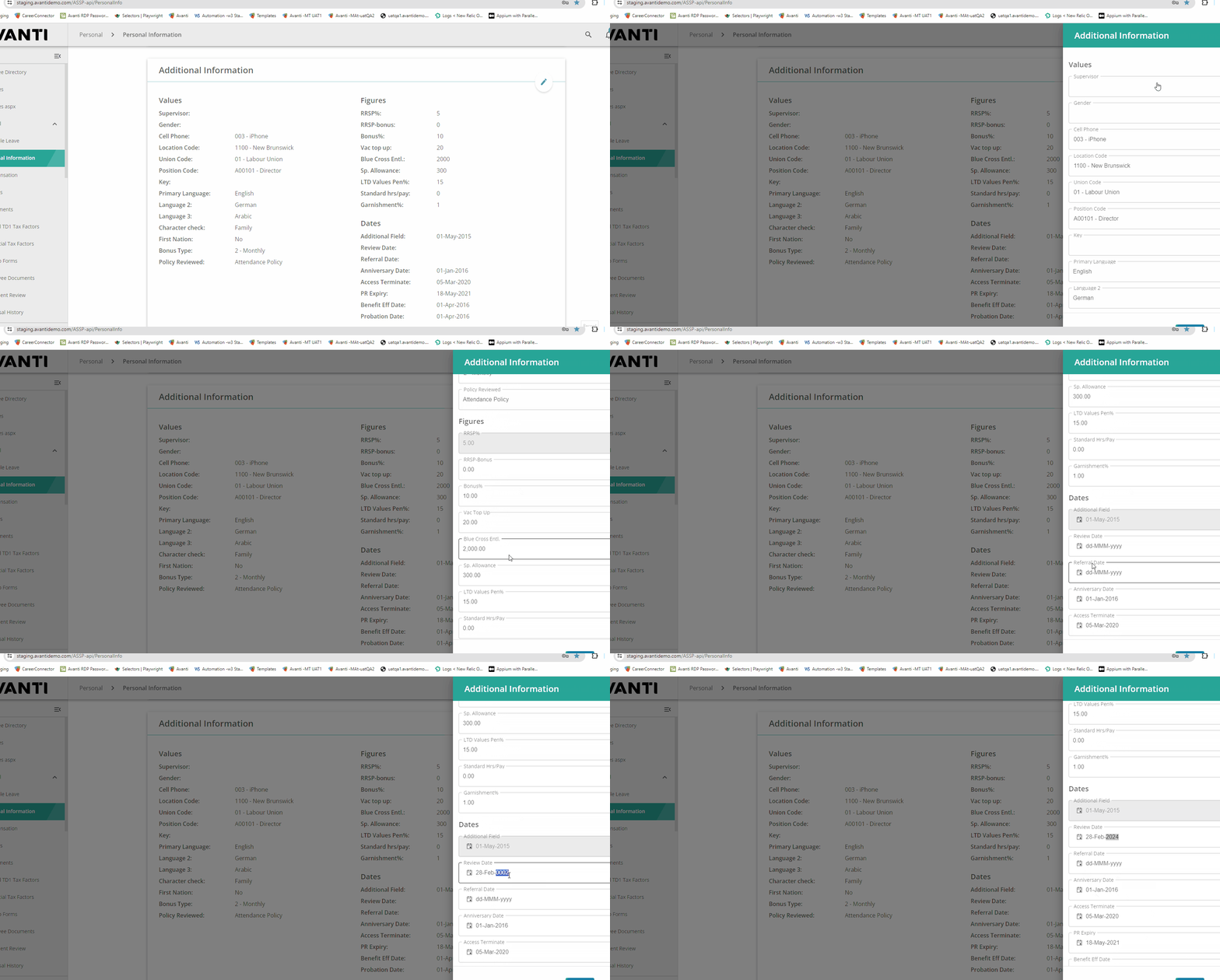
However, I was also able to reproduce the exact same behavior even in the documentation:
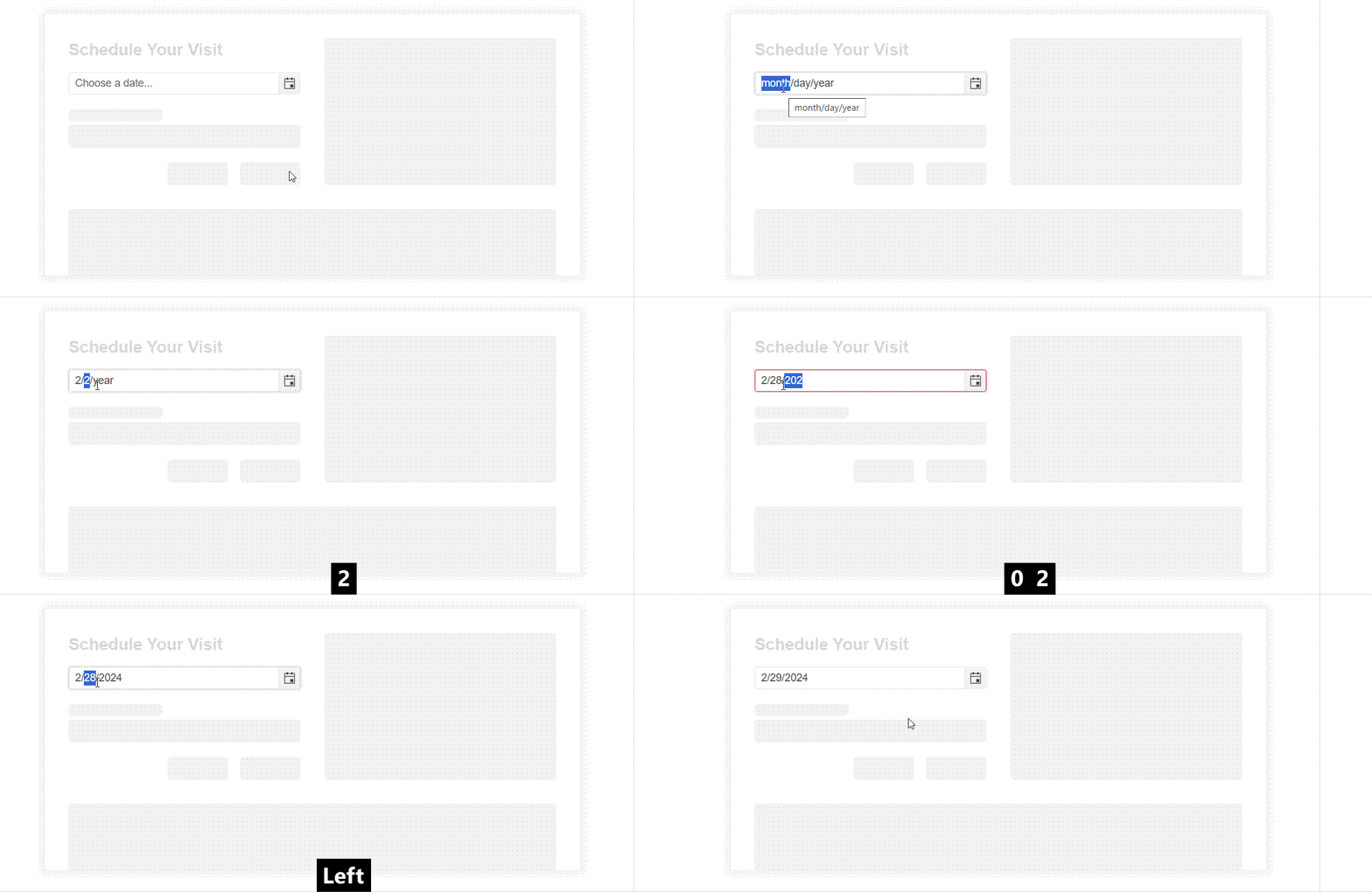
Environment (OS, Application, Versions):
OS Version: 22H2 (OS Build 25352.1)
Edge Dev: Version 121.0.2277.112 (Official build) (64-bit)
Repro Steps:
1. Open https://codepen.io/oneID/pen/LYaGREP and turn on NVDA.
2.Navigate to Populate grid and activate it using enter key.
3.Navigate to Expand button under domain in export to excel table.
4.Verify if the accessible name and role for the expand button is correct or not.
Actual Results:
Accessible name for the 'expand' button is not correct, Expand button is defined as link.
Expected Results:
Accessible name of 'expand' button should be sufficient for screen reader user. Accessible name should contain value available in domain as well.
Role should be defined as 'Button' as its behaving as button.
This is a bug on your documentation website.
Go to https://www.telerik.com/kendo-react-ui/components/grid/ for example to see that the side panel on the left is empty in an Edge browser. It flickers then it disappears.
It works fin in Chrome and Firefox.
Hello,
We have recently upgraded our packages to version: "@progress/kendo-react-grid": "^6.1.0". While testing the new look and feel of the application we've noticed that the pagination is no longer working on several grids from the application. After investigating for a while, we have found the property that is causing the issue(rowHeight), please take a look at the Stackblitz example from below.
https://stackblitz.com/edit/react-wwzkjy?file=app%2Fmain.tsx
As you can see, in the example the pagination is not working. If we remove the property "rowHeight" from the grid the pagination is working again. We are not sure how these two are related but can you tell us what is going wrong and how we can fix it?
Thanks!

Hi team,
Im my example (see here), I've added a 'name' attribute to the 'Persons' resource data, and changed the textField mapping to use the 'name' field, however the scheduler is still displaying the results of the 'text' attribute.
Leading me to think that the scheduler is hardcoded to only look for the text attribute, because if its changed/removed, the scheudler does not display anything, regardless of what the 'textField' value is.
Please advise.
Thanks,
Grant

On this page: https://www.telerik.com/kendo-react-ui/getting-started/
There's a syntax mismatch in end-of-line semicolons.
This line ends with a semicolon:
```js
import '@progress/kendo-theme-default/dist/all.css';
```
This line does not end with a semicolon:
```js
import { Calendar } from '@progress/kendo-react-dateinputs'
```
All teams that I know of consider it to be an error to do both ways in the same file.
The solution is to pick one way then be consistent. The broader solution is to use a linter, such as ESLint, that can process the code to ensure you're using your expected syntax and formatting.

Submitting here as it is an important regression with React 18 breaking all popup animations.
According to https://www.telerik.com/kendo-react-ui/components/installation/source-code/#toc-source-repository the repo should be updated nightly. However it does not seem to be.
~/Projects/kendo-react-private (master)   git remote -v
origin https://kendo.git.progress.com/kendo-react-private.git (fetch)
origin https://kendo.git.progress.com/kendo-react-private.git (push)

~/Projects/kendo-react-private (master)   git fetch --tags

~/Projects/kendo-react-private (master)   git pull origin master
From https://kendo.git.progress.com/kendo-react-private
 * branch                master     -> FETCH_HEAD
Already up to date.

~/Projects/kendo-react-private (master)   git tag | grep v5
v5.0.0
v5.0.0-dev.202201182040 ~/Projects/kendo-react-private (master)   git log
commit 4bf2535e414ba2f342ddbef8daac9ec052f04cc2 (HEAD -> master, tag: v5.0.0, origin/master, origin/HEAD)
Author: kendo-bot <kendouiteam@progress.com>
Date:   Tue Jan 18 22:41:34 2022 +0200

    chore(release): publish 5.0.0-dev.202201182040
v5.0.0 seems to be the latest tag. Could someone verify that the github repo is actually being updated?
Thanks for any help!
toODataString throw exception on text filter changed from is null to contains.
https://stackblitz.com/edit/react-ertg4z?file=app%2Fmain.jsx
Repro step:
1. Choose filter by Name which is using text filter.
2. Change filter from Is null to contains.
3. toODataString threw exception.

Click icon to close as well as open
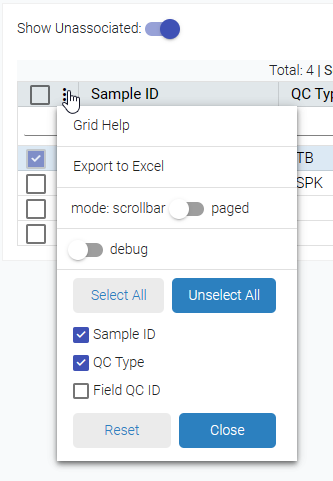
Currently, it is required to have the same height for the items, but this can be very hard in cases when the items are dynamic with various height.

Hi,
I have Scheduler vertical timeline with an user group and more users I add the wider is every slot. Example 2 users https://stackblitz.com/edit/react-dttghr?file=app%2Fmain.jsx . Example 4 users https://stackblitz.com/edit/react-dttghr-a3nor3 the slot is double in width in comparation with 2 users. Can I control this somehow?
Hi Guys,
In GridProps for KendoReact Grid there is an error in the type information:

Found here: https://www.telerik.com/kendo-react-ui/components/grid/api/GridProps/#toc-rowrender
In the GridProps.d.ts file it is:
/**
* Fires when a row is about to be rendered. Overrides the default appearance of the row.
*/
rowRender?: (row: React.ReactElement<HTMLTableRowElement>, props: GridRowProps) => React.ReactNode;
This should be changed to:
rowRender?: (row: React.ReactElement<React.HtmlProps<HTMLTableRowElement>>, props: GridRowProps) => React.ReactNode;
Note that the React.ReactElement definition is:
interface ReactElement<P = any, T extends string | JSXElementConstructor<any> = string | JSXElementConstructor<any>> {
type: T;
props: P;
key: Key | null;
}
So the first type parameter should be the props typ.
I noted this while making use of it. After changing it it behaves sensibly. Worked around in my case by using 'as any' to void the type clash.
Cheers,
Stuart
Hi,
I created a solution using KendoReact Editor.
The editor is set to enable the creation of tables (EditorTools.InsertTable).
When the property 'defaultEditMode' is set to 'iframe', the editor inserts a correct table with a width of 100% and visible cell borders.
If I set the 'defaultEditMode' to 'div' and insert a table the table has a width of some pixels and no borders are shown. In other words, the inserted table is not usable.
I need to set the editMode to 'div' because otherwise the editor doesn't adjust its look to the other parts of the page. The font is wrong etc.
How can I get the tables to work in 'div' mode?
Kind regards
Christian
- open the given URL using valid credentials.
- Select 'reply' button.
- Now Run the fast pass using Accessibility Insights for web and observe the failure aria required children.
Actual results:
Elements with Aria role is not containing child role with in them.
Expected results:
Elements with Aria role should contain child role with in them.
User Impact:
For each role, WAI-ARIA explicitly defines which child and parent roles are allowable and/or required. ARIA roles missing required child roles will not be able to perform the accessibility functions intended by the developer.

Grid Header shifting when filtering column.
When a column is half visible, and it is filtered, a misalignment will occur between the header and the Grid content.
Video: https://www.screencast.com/t/PhOonptY2
DropDownList and MulstiSelect do not open on click(IE 11).
They do open sometimes, but it seems random.
They do open when using the keyboard.
Steps to Reproduce:
1) Open https://www.telerik.com/kendo-react-ui/components/dateinputs/datepicker/ in the Chrome browser
2) Click on the calendar icon, click on 'month/Year' in the calendar header e.g. March 2019
3) Click on the 'Year' in the calendar header i.e. 2019
4) further Click on the Year Range i.e 2010-2019
5) Year range will display from 2000 - 2090, Select year 2010
Wrong Year range (2090 - 2099) will display when clicked on 2010.
This is working properly in the Firefox browser and I observed the issue in Chrome.
After updating the kendo version in my project to "^5.1.0" I've noticed that both grid pager dropdown and normal dropdowns won't close when clicked outside if the dropdown is opened using the arrow icon.
I've attached a video with the issue.
Is there any workaround for this?