


Add support for culture-dependent number formats across consecutive calls.
Currently:
CultureInfo.CurrentCulture = new CultureInfo("de-DE");
BuiltInNumberFormats.GetNumber3(); // Returns correct: #.##0,00
CultureInfo.CurrentCulture = new CultureInfo("en-US");
BuiltInNumberFormats.GetNumber3(); // Returns wrong: #.##0,00 (should be #,##0.00)
Workaround:
var thread1 = Task.Run(() =>
{
CultureInfo.CurrentCulture = new CultureInfo("de-DE");
var format = BuiltInNumberFormats.GetNumber3();

Console.WriteLine($"Thread 1: {format}");
});

var thread2 = Task.Run(() =>
{
CultureInfo.CurrentCulture = new CultureInfo("en-US");
var format = BuiltInNumberFormats.GetNumber3();

Console.WriteLine($"Thread 2: {format}");
});

await Task.WhenAll(thread1, thread2);



Add support for creating Tables and applying tables styles (predefined ones or custom).
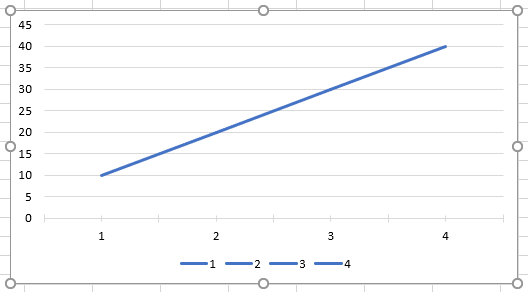
When a chart is created with RadSpreadProcessing, by default it is exported with legend showing category list. If an xlsx file with a chart with legend showing only series is imported and exported, it will be changed to category list as well. API to switch between the two should be added.
Legend showing category list:
Legend showing series:
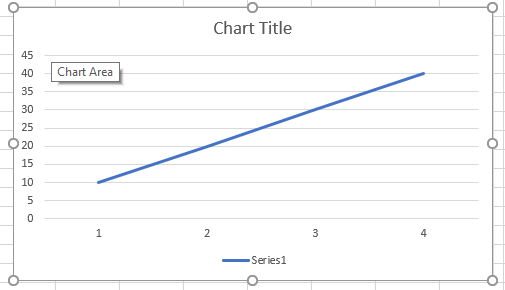
Charts with Series-based legends are exported as Categories during import/export.

Introduce new section properties which are responsible for defining columns in the section.


https://loc.gov/preservation/digital/formats/fdd/fdd000532.shtml
PDF/A‑4f is a version of PDF/A designed for archival storage that:
- Ensures long‑term visual and structural preservation
- Is based on modern PDF 2.0
- Allows embedded files (attachments) that are also archival‑compliant

Make Schema Properties Mutable
Implement Schema Serialization Methods
Extend XMP Writer for Serialization
Integrate XMP Writer with Document Export
This is preserved in the xml once saved from MS Excel:
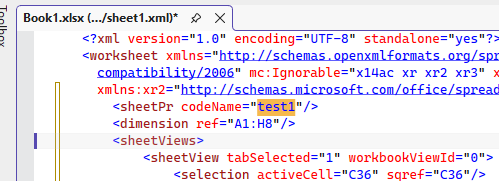
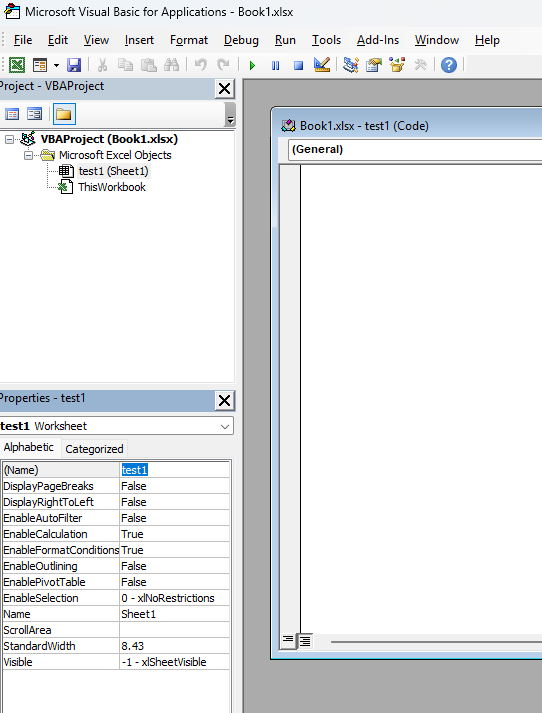
The current formula:
<c r="A1" s="1">
<f>[1]BILANS_JI!$C$2</f>
<v>22611518.026189998</v>
</c>
• Simple direct reference to a single external cell [1]BILANS_JI!$C$2
• No function, just a linked cell
The expected value to be returned is 22611518.
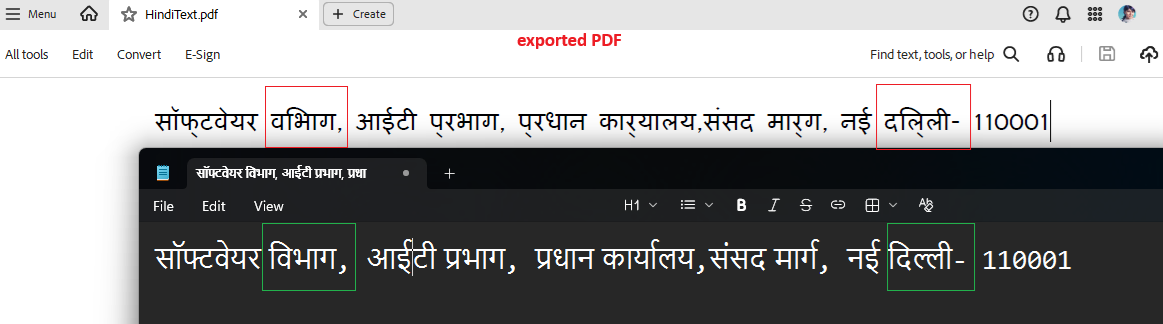
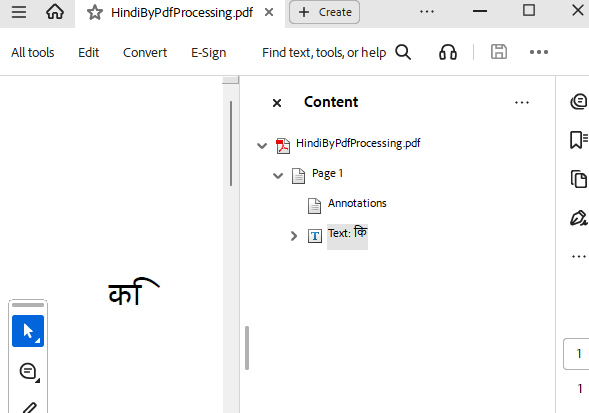
The issue is reproducible with PDF form fields and setting Polish characters to the text fields: e.g. "ęóąśłżźćń"
Edit mode in RadPdfViewer:
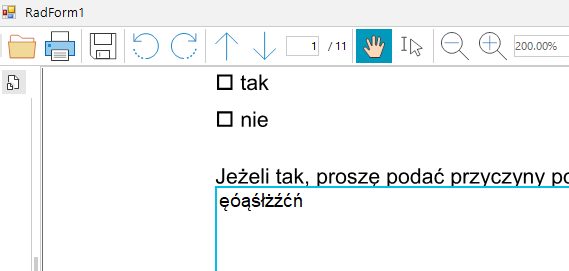
Exit edit mode:

Here is a sample code snippet for reproducing the case without UI:
            PdfFormatProvider provider = new PdfFormatProvider();
            RadFixedDocument document = provider.Import(File.ReadAllBytes("file.pdf"), TimeSpan.FromSeconds(10));

            foreach (RadFixedPage page in document.Pages)
            {
                foreach (Annotation annotation in page.Annotations)
                {
                    if (annotation.Type == AnnotationType.Widget)
                    {
                        Widget widget = (Widget)annotation;
                        var field = widget.Field as TextBoxField;
                        if (field != null)
                        {
                            field.Value = "ęóąśłżźćń.";
                        }
                    }
                }
            }
            string outputFilePath = "result.pdf";
            File.Delete(outputFilePath);
            File.WriteAllBytes(outputFilePath, provider.Export(document, TimeSpan.FromSeconds(10)));
            Process.Start(new ProcessStartInfo() { FileName = outputFilePath, UseShellExecute = true });